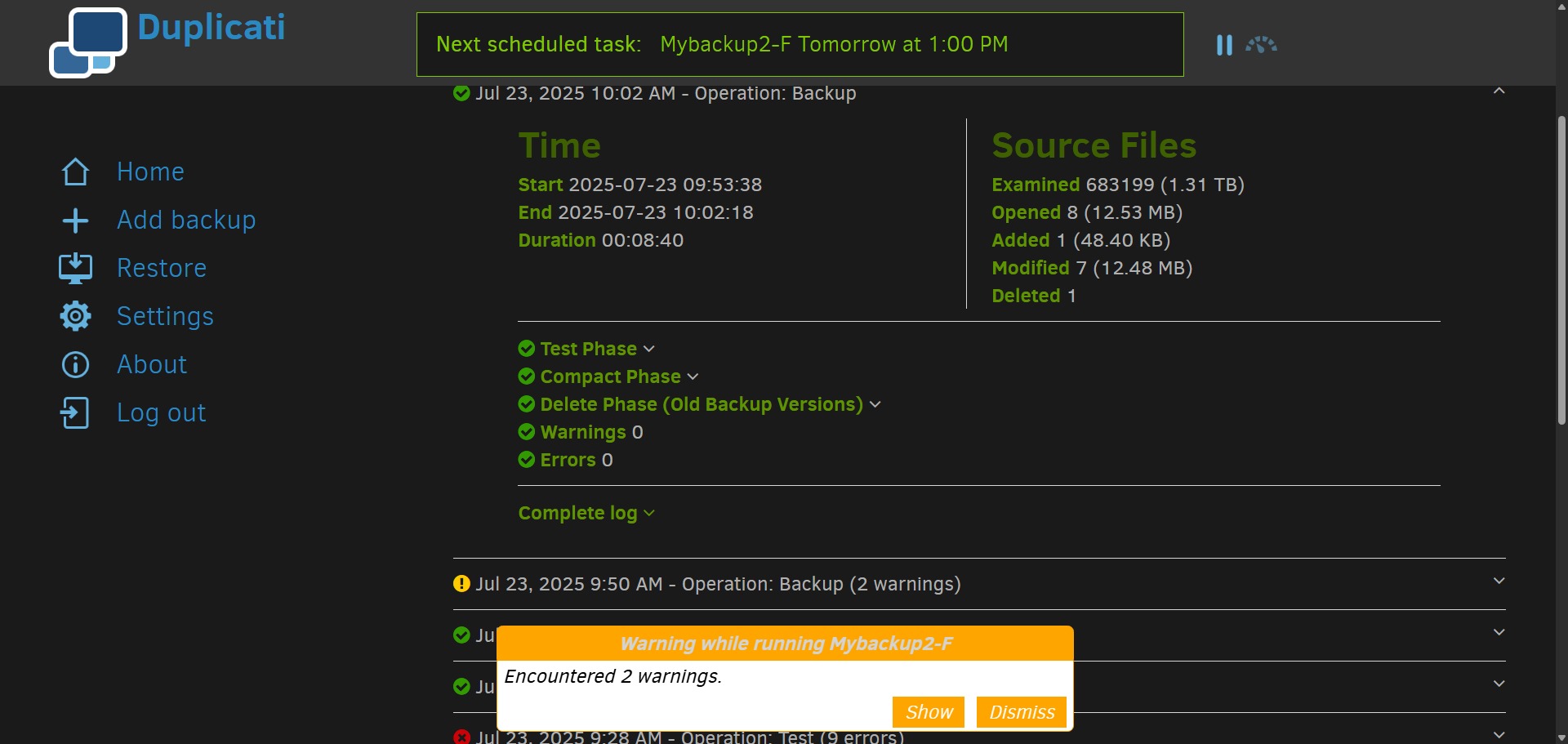
Why is there a popup of 2 warnings, but the latest run shows NO warnings nor errors? (The 2 warnings are on the PREVIOUS run, as you can see)
Exactly, and please see the button called “Dismiss”. Warnings tend to hang around…
If you’re saying the warnings first showed up on the current run, that would seem odd.
Add date and time to error and warning messages might be similar to your usage, and
Show timestamp with notification messages #319 was the response, but it was filed on
upcoming new UI (which I thought was OK), and I don’t know dev plans for the old one.
EDIT 1:
New ngclient UI is lacking timestamp at least on the error I just saw, but I thought it had timestamps on some things. Or maybe I’m just misremembering what I had seen there.
But I dismissed the warnings when it showed up at 9AM, and it showed up AGAIN at 10AM run… when the whole 10AM run was completed without ANY errors or warnings… 0/0. It’s a little… misleading. 
Maybe do an informational “Green” dialog that says “Current run completed with no errors or warnings”, with a button that leads to “your last run had warning/errors at (timestamp) would you like to see them?” Or maybe just a link, as clearly, I did SOMETHING to fix those warnings or errors between the runs.
(Not related to the display annoyance here, but Duplicati hits the HDD hard, and raises the temp to weird levels. I have to point a fan at the HDD to cool it down to make it finish the backup reliably. This is on an external dock, FWIW. If the fan is not on, the HDD eventually gives up with an I/O error after about 30 minutes until it cools back down. Which was hwere those errors came from. There were like 60-70 files that got corrupted. I had to purge them manually, which was covered in one of my other posts.
I had the drive in an internal bay, no additional cooling, and it only works some of the time. And I tried touching the drive… It’s “ouch!” hot. This is a refurb 4TB data center SATA drive, BTW. Paid less than $100 2 years ago. Plenty of room for my personal backups. Moved it to external, with a fan. And now Duplicati works happily. )
Are you looking at the same only Duplicati tab the whole time? Can you repro the issue?
It doesn’t need to be that mysterious. Can you reveal the nature of those two warnings?
That invites a similar persistence problem, if the dialog hangs around awaiting a Dismiss. Scheduled run might happen, and then what, and what if there’s an error in the next run?
One can look at “Last successful backup” on home screen – if one knows what to expect.
Duplicati Console at app.duplicati.com is probably meant to help track backup results. Developer could speak more to that, but since you care, have you considered using that?
Duplicati apparently has a designer available to help sort this sort of thing out, but I’m not certain how quickly or effectively they work. The new UI heading to release has old issue regarding nuisance alerts that need to be dismissed manually. It has not been addressed.
Regardless, this is a question for developer and/or designer. Meanwhile, give repro steps.
That’s the nature of most backup programs. They search the entire Source for changes. Generally people like backup as fast as possible. The use-background-io-priority option allows yielding drive access to other use, but then those other uses are hitting the drive.
usn-policy can sometimes help some Windows NTFS users avoid searches for changes.
I’m not sure if there’s an open request for a run-slow-to-go easy-on-my-hardware request. You can try searching the forum and GitHub Issues. There WAS a case where activity on USB stick had exceeded computer port power. Solution there was to use an external hub.
It doesn’t need to be that mysterious. Can you reveal the nature of those two warnings?
Oh, it’s detailed in the other topic:
Oh, and the 2 warnings are my fault. My docker container for Duplistat stopped working. So the posting of final status to the dashboard failed. Still, why did it throw a warning last time, but not this time…
But not in what was quoted here, if they were warnings. You have shown no errors here.
Are you talking about one of below, or maybe exclude already resolved the second type?
Can’t you just open the job log of original post and look, then tell me something about it?
If these are the same two warnings I’m asking about, I might have gotten less interested.
Do you mean duplistatus as mentioned in the forum, but a third-party tool? I don’t use it.
Timing of the failure isn’t said anyway, so I can’t say much about its impact on Duplicati.
Generally I think if Duplicati can’t send a requested report, one gets a warning, but such send is after the backup completes, so warning isn’t in the job log. People get confused.
Sometimes such warnings might be in the server log, See About → Show log → Stored.
Yours looks like the backup actually has warnings in the log, so maybe you could check?
You gave no time of docker failure and fix. Maybe you fixed it for “this time”. Is that 10:02?
This trail is too hard to follow. Do you have a nice timeline yet, and info on the warnings?
What I’d like ideally is the simplest step-by-step you can get to see what you think wrong.
This is actually already fixed.
In 2.1.0.124 and older, the logic is that notifications are simply appended, so whenever something generates a notification (like a warning in this case) it is added to the list of pending notifications. The TrayIcon uses these pending notifications to decide what state the icon should be in. The thinking back then was: “It something odd has happened, we should inform the user, even if it is transient”.
With 2.1.0.125 we change the logic so that a backup run will clear pending notifications from the same backup. The thinking is now that we should reduce unwarranted notifications and let the user find transient errors via the log if they care about it.
That sounds odd. If a notification is dismissed, it is deleted from the database. It should not be able to show up again, only a new warning should generate a new notification.
You can set the --cpu-intensity=5 option to have it be less aggressive. Although it technically throttles CPU, a side effect is less aggressive activity on the drive.
I tried latest Canary and then 2.1.0.125, using a permission-denied source file.
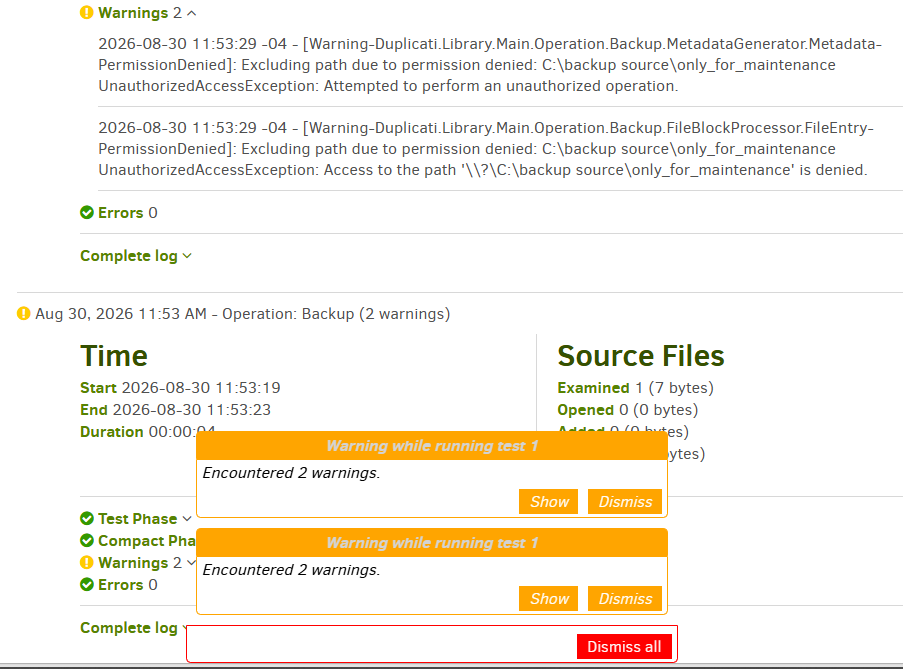
Unless I read or ran wrong, this looks like the old “simply appended” behavior,
however a clean run did clear past queue. I didn’t test to see if that part is new.
EDIT 1:
doesn’t mention the change while enumerating the few changes since 2.1.0.124.
was a later specialty change, but I’m not sure if change mentioned here got done.
I don’t personally consider this essential, but initially am just wondering where it is.