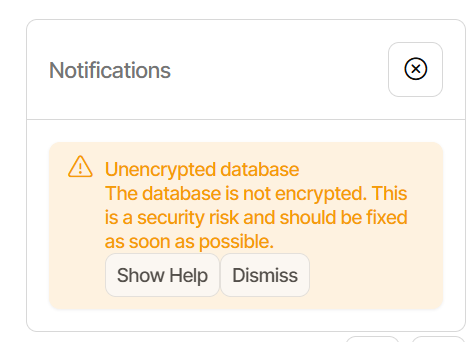
I just updated to 2.2.0.0_stable_2025-10-23 and just got a warning that my Database is Unencrypted. I was going to post this in this thread, but since I am a layman, I thought to start a new thread, as that one is talking about editing .json files (which I’m not comfortable with).
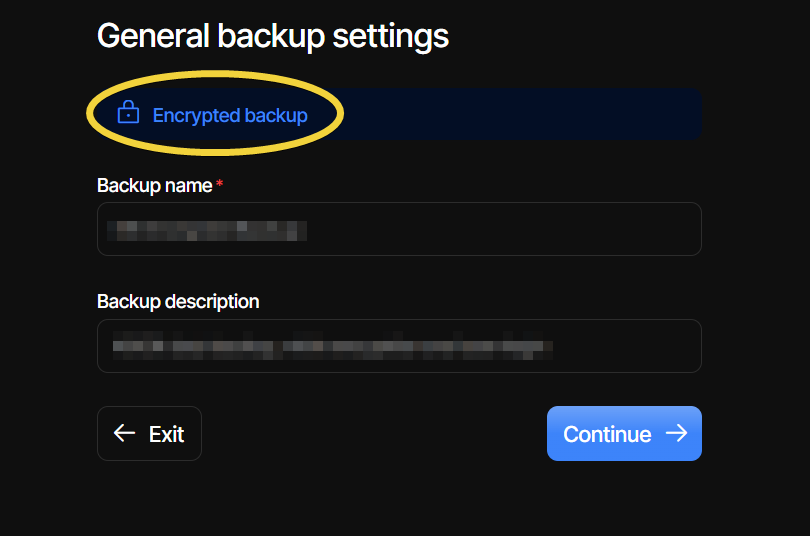
From the prior version (old UI), I created an Encrypted Backup which ran swimmingly.
However, after updating Duplicati, and it running a few automatic backups, I got the Unencrypted warning today.
When I updated Duplicati, I did go into the backup setting and add/remove a couple of folders, but as far as I know, I did not change any other settings.
Is there something I could check to make sure that my backups are encrypted?
To add a little more, backup encryption and database encryption are different.
If you want to see if your backup destination files are encrypted, look for .aes suffix on the file names. This protects data from access in remote destination.
Duplicati itself needs access though, so server database holds encryption info, destination access info, etc. That’s what database encryption means to protect against malware or attacker already on system – which is already a bad status.
Full security analysis is kind of involved. Sometimes drive encryption such as BitLocker or Drive Encryption (Windows Home) will protect against drive theft.
I personally consider backup encryption more essential, so good to be asking.
Thank you very much, @andrius and @ts678 for your explanations, especially the difference between Backup Encryption and Database Encryption.
My backups do have a .aes extenstion, so they are encrypted.
Since this has occurred after the latest Duplicati update, I am assuming that the database encryption key (or information) was not correctly carried-over from my previous install of Duplicati?
Is this something that should be expected when updating Duplicati?
You most likely never set one before. 2.0.8.1 plan was obscure, but possible.
--server-encryption-key: This option sets the encryption key used to scramble the local settings database. This option can also be set with the environment variable DUPLICATI_DB_KEY. Use the option --unencrypted-database to disable the database scrambling.
If you didn’t use that, you got a bit of protection on DB from a default password
which was good enough that exact passwords weren’t sitting there in database.
Sometimes malware will just look in files for strings that are obvious passwords.
Do you know what you had before? DB encryption was also in the 2.1 releases.
High-level view of changes from beta 2.0.8.1
Added support for encrypting database fields
Removed RC4 database encryption (auto-decrypt)
Basically, the DB plan changed, however the last line above usually converts it.
If you had really had a non-default password, I don’t think it could auto-convert.