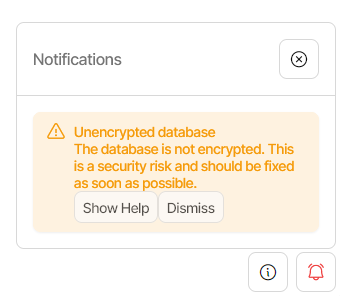
My question is, can I delete the file after 1) Having created the file 2) Having launched Duplicati, so that it can read and use the password that’s in the file?
Otherwise, I can’t understand if it makes sense to keep a password in an unencrypted plain text file on my hard disk, the aim of which is to encrypt the local database… (To fix a security issue, I’m creating another security issue..)…
My understanding is that no, you cannot delete the preload file, as Duplicati needs to be able to read the encryption key every time it starts:
As an alternative to providing the plaintext of the key in the preload file, you could use one of the new secret providers and substitute the key in. For example, I’m using the Windows Credential Manager as my provider, and my preload file looks like this:
I don’t know, it seems to be a bit exaggerated, having to manage a password for backup encryption, another for “database encryption” and another for the access to the client (browser) to manage Duplicati settings… It seems to me only the first one is the truly necessary one. I mean, encrypting the database, password-protecting the access to the browser… when most of my files on the hard disk are not encrypted (documents, e-mails,…)… If they will steal my PC, I hope Bitlocker will protect my data, at least to some extent…