Crash 2.3.0.1 on Start (Kubuntu 26.04)

Hi everyone!

I have Duplicati installed on two Kubuntu 26.04 Systems. Something seems to be different, because on one (my Test-System) it works fine (some crashes, but it works). Than I installed the same version on my Live-System and it crashed immediately on start with the following log (see down below):

I now installed 2.2.0.2 and it works. I get the following message on startup (Terminal)

“No database encryption key was found. The database will be stored unencrypted. Supply an encryption key via the environment variable SETTINGS_
ENCRYPTION_KEY or disable database encryption with the option --disable-db-encryption
Server has started and is listening on localhost, port 8200”

Am I missing something?

thanks for your help

& kind regards

Jürgen

Here is the Crashreport 2.3.0.1

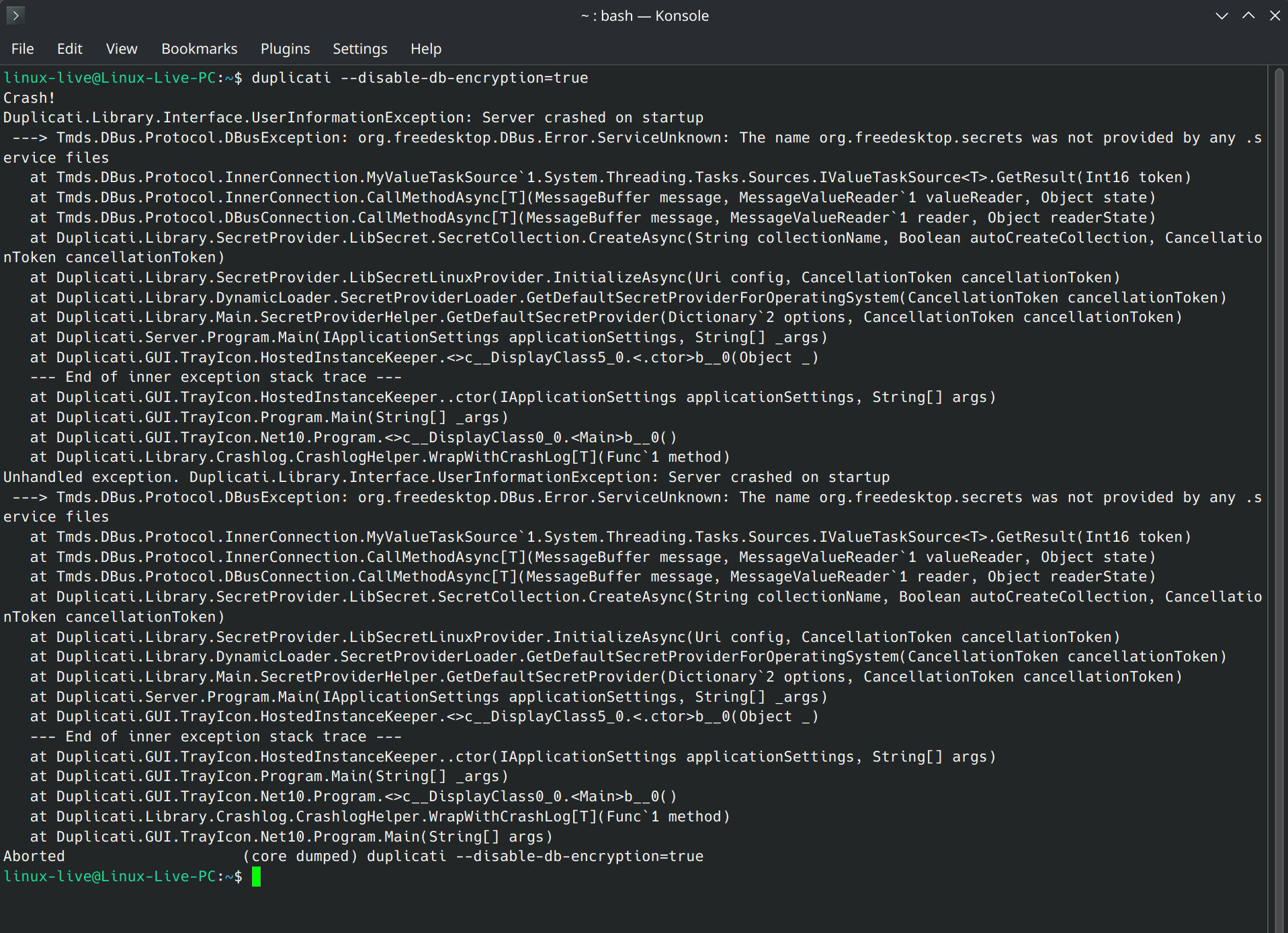
Crash!
Duplicati.Library.Interface.UserInformationException: Server crashed on startup
—> Tmds.DBus.Protocol.DBusException: org.freedesktop.DBus.Error.ServiceUnknown: The name org.freedesktop.secrets was not provided by any .s
ervice files
at Tmds.DBus.Protocol.InnerConnection.MyValueTaskSource`1.System.Threading.Tasks.Sources.IValueTaskSource.GetResult(Int16 token)
at Tmds.DBus.Protocol.InnerConnection.CallMethodAsync[T](MessageBuffer message, MessageValueReader`1 valueReader, Object state)
at Tmds.DBus.Protocol.DBusConnection.CallMethodAsync[T](MessageBuffer message, MessageValueReader`1 reader, Object readerState)
at Duplicati.Library.SecretProvider.LibSecret.SecretCollection.CreateAsync(String collectionName, Boolean autoCreateCollection, Cancellatio
nToken cancellationToken)
at Duplicati.Library.SecretProvider.LibSecretLinuxProvider.InitializeAsync(Uri config, CancellationToken cancellationToken)
at Duplicati.Library.DynamicLoader.SecretProviderLoader.GetDefaultSecretProviderForOperatingSystem(CancellationToken cancellationToken)
at Duplicati.Library.Main.SecretProviderHelper.GetDefaultSecretProvider(Dictionary`2 options, CancellationToken cancellationToken)
at Duplicati.Server.Program.Main(IApplicationSettings applicationSettings, String[] _args)
at Duplicati.GUI.TrayIcon.HostedInstanceKeeper.<>c__DisplayClass5_0.<.ctor>b__0(Object _)
— End of inner exception stack trace —
at Duplicati.GUI.TrayIcon.HostedInstanceKeeper..ctor(IApplicationSettings applicationSettings, String[] args)
at Duplicati.GUI.TrayIcon.Program.Main(String[] _args)
at Duplicati.GUI.TrayIcon.Net10.Program.<>c__DisplayClass0_0.b__0()
at Duplicati.Library.Crashlog.CrashlogHelper.WrapWithCrashLog[T](Func`1 method)
Unhandled exception. Duplicati.Library.Interface.UserInformationException: Server crashed on startup
—> Tmds.DBus.Protocol.DBusException: org.freedesktop.DBus.Error.ServiceUnknown: The name org.freedesktop.secrets was not provided by any .s
ervice files
at Tmds.DBus.Protocol.InnerConnection.MyValueTaskSource`1.System.Threading.Tasks.Sources.IValueTaskSource.GetResult(Int16 token)
at Tmds.DBus.Protocol.InnerConnection.CallMethodAsync[T](MessageBuffer message, MessageValueReader`1 valueReader, Object state)
at Tmds.DBus.Protocol.DBusConnection.CallMethodAsync[T](MessageBuffer message, MessageValueReader`1 reader, Object readerState)
at Duplicati.Library.SecretProvider.LibSecret.SecretCollection.CreateAsync(String collectionName, Boolean autoCreateCollection, Cancellatio
nToken cancellationToken)
at Duplicati.Library.SecretProvider.LibSecretLinuxProvider.InitializeAsync(Uri config, CancellationToken cancellationToken)
at Duplicati.Library.DynamicLoader.SecretProviderLoader.GetDefaultSecretProviderForOperatingSystem(CancellationToken cancellationToken)
at Duplicati.Library.Main.SecretProviderHelper.GetDefaultSecretProvider(Dictionary`2 options, CancellationToken cancellationToken)
at Duplicati.Server.Program.Main(IApplicationSettings applicationSettings, String[] _args)
at Duplicati.GUI.TrayIcon.HostedInstanceKeeper.<>c__DisplayClass5_0.<.ctor>b__0(Object _)
— End of inner exception stack trace —
at Duplicati.GUI.TrayIcon.HostedInstanceKeeper..ctor(IApplicationSettings applicationSettings, String[] args)
at Duplicati.GUI.TrayIcon.Program.Main(String[] _args)
at Duplicati.GUI.TrayIcon.Net10.Program.<>c__DisplayClass0_0.b__0()
at Duplicati.Library.Crashlog.CrashlogHelper.WrapWithCrashLog[T](Func`1 method)
at Duplicati.GUI.TrayIcon.Net10.Program.Main(String[] args)
Aborted (core dumped) duplicati

Hallo Jürgen,

dein beschriebenes Problem errinnert mich an meines, welches ich hier : Probleme nach Upgrade auf Version 2.3.0.1 beschrieben habe. Auch mein Logauszug entspricht fast vollständig dem von dir geposteten.

Und, genau so wie bei dir funktioniert alles wieder, nachdem ich ein Downgrade auf die Vorversion ausgeführt habe.

Schaun wir mal, ob sich einer der Wissenden meldet.

vy 73 de Peter

Hi @Juergen, welcome to the forum :waving_hand:

This means that DBus was working, but libsecret was not found.

With Duplicati 2.3 we are attempting to detect a secure way to store the database encryption passphrase, and the intention is to simply skip this step if no suitable method is found.

In this case the check is crashing because a working desktop is found but libsecret is not, so it partially starts up.

I have made a fix that we will include in a later patch release:

For now, you can workaround this by either:

  • Install seahorse or libsecret which will allow Duplicati to have secure storage of the database encryption key
  • Set the --disable-db-encryption=true commandline option (or DUPLICATI__DISABLE_DB_ENCRYPTION=true environment variable).

The first option enables the encryption, the latter simply ignores it.

Hi kenkendk!

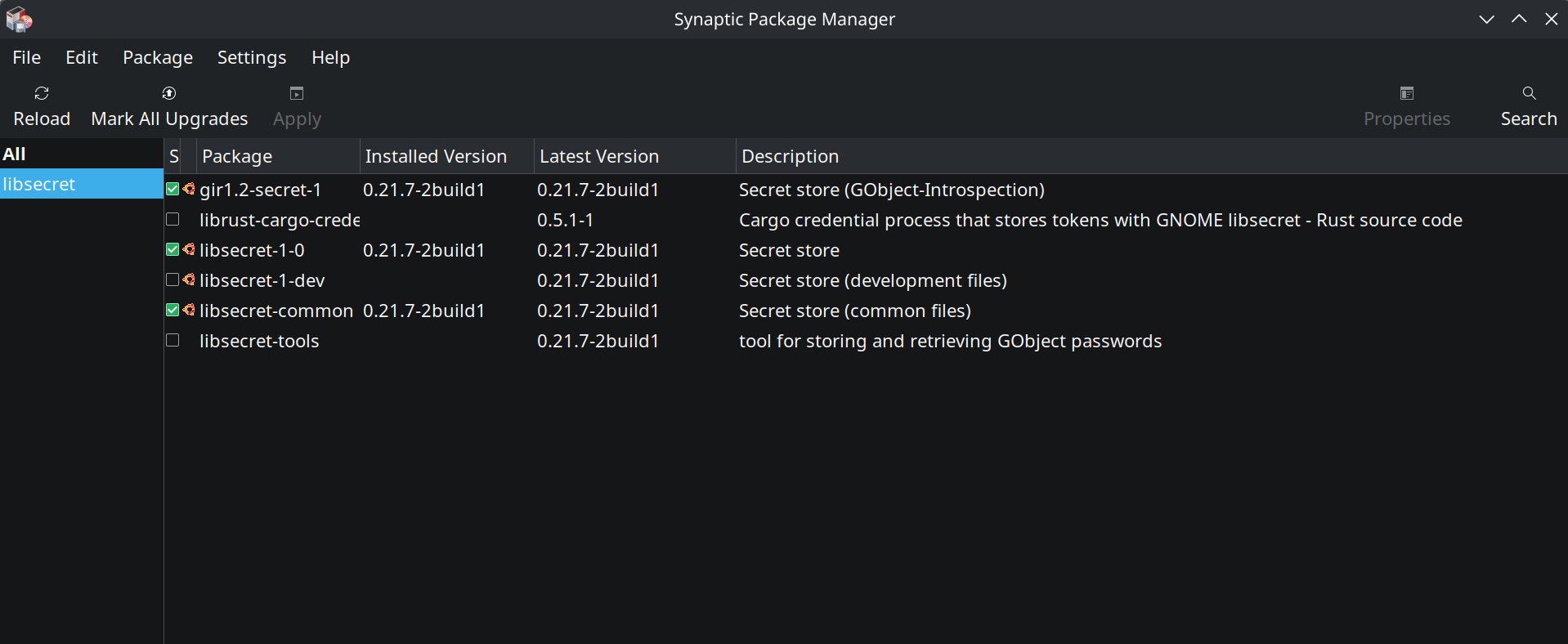
Thanks for your fast answer! I checked on my “Live” System (Kubuntu 26.04) and in synaptic the libsecret-1-0 is installed (see screenshot). I also checked it on my “Test” System. It is the same as “Live” but I can launch 2.3.0.1 there without a problem…

When I launch 2.3.0.1. on my “Live” System in the Terminal: “duplicati --disable-db-encryption=true”. It didn’t work and crashes…

I just downloaded 2.3.1.101_canary and it starts and prompts that the encryption was not possible.

“No database encryption key was found. The database will be stored unencrypted. Supply an encryption key via the environment variable SETTINGS_
ENCRYPTION_KEY or disable database encryption with the option --disable-db-encryption”

I’'m sorry for bothering you, I’m not that good with Linux to understand what the problem with the “Live” installation is. I would like to find the problem, because I also have a problem with Nextcloud not storing the password.

Do you have any idea what the problem could be? On my Test-System Duplicati + Nextcloud-Desktop starts and stores the Password/Keys. Maybe I’m mixing things up here, I don’t know.

If you have any suggestions what I could try, I would appreciate it, but I can run Duplicati 2.3.1.101_canary in the meantime.

thanks a lot!

kind regards

Jürgen

I see. The issue is that Duplicati is still probing for libsecret because it anticipates that it might have to decrypt the database, and the probing itself fails.

After a lot of digging into this, I have discovered the reason. It looks like KDE is transitioning away from the common org.freedesktop.secrets into their own org.kde.kwalletd6. Previously, there was a wrapper to ensure both ways of using it worked, but this wrapper is no longer present.

You can check for it with either of these two commands:

busctl --user list | grep secrets
ls -lah /usr/share/dbus-1/services/org.freedesktop.secrets.service

You can work around the issue by installing gnome-keyring but this is a bit off, because it is mixing KDE and Gnome. You can also install a manual bridge service with:

sudo nano /usr/share/dbus-1/services/org.freedesktop.secrets.service

And then entering the following:

[D-BUS Service]
Name=org.freedesktop.secrets
Exec=/usr/bin/kwalletd6 --use-kwalletd

That “fixed” the issue on my end, and it appears that Duplicati can actually create a secret in the wallet, but it cannot read them back, so it does not really work, but does not crash either.

I have added an issue for this: Support KDE Wallet · Issue #6891 · duplicati/duplicati · GitHub

No worries, we are here to help.

Yes, that would be my other suggestion. I added a guard there that catches issues with the secret provider probing, so it “just works” (in the sense that it does not crash).

Hi kenkendk!

Thanks a lot for for your effort! Now it makes way more sense to me!

When I was setting up my new system, I deactivated the KDE Wallet, because I didn’t know that I would need it. So there was no wallet available.

When I activated the KDE Wallet in the System-Settings today (thanks for your input!) it created a “default” , “localwallet”, “kdewallet” wallet.

When I select the “default” as default wallet, Duplicati 2.3.0.1 (!) can start, but encryption is not possible.


No database encryption key was found. The database will be stored unencrypted. Supply an encryption key via the environment variable SETTINGS_
ENCRYPTION_KEY or disable database encryption with the option --disable-db-encryption


I’m not sure, but I think the "org.freedesktop.secrets" connector should be there but by disabling “KDE Wallet Subsystem” in the settings I disabled it.


linux-live@Linux-Live-PC:~$ busctl --user list | grep secrets
org.freedesktop.secrets 1862 ksecretd linux-live :1.22 session-3.scope 3 -
org.kde.secretservicecompat 1862 ksecretd linux-live :1.22 session-3.scope 3 -


ls -lah /usr/share/dbus-1/services/org.freedesktop.secrets.service
ls: cannot access ‘/usr/share/dbus-1/services/org.freedesktop.secrets.service’: No such file or directory


On my Test-System it worked because I was testing some other apps and installed a Gnome Application and it also installed the “gnome-keyring”. I didn’t install that on my Live-System.

And it also solved my problem with the nextcloud-desktop app. Now it stores the password automatically in the wallet.

thanks a lot &

glg jürgen

Great! That did not work in my test, but awesome that it fixed the issue for you.

Yes, I noticed that in testing as well. It looks like the command Duplicati is sending is not writing the secret into the wallet, but there is no error message.

I did not try this, but if the secret reading works, then it should be possible to create a new secret in default named duplicati-server-encryption-key and set it to a randomly chosen passphrase. If it is only the writing that is broken, a restart of Duplicati should fix remove the encryption warning.

I did not test that though, so it is possible that reading does not work either.