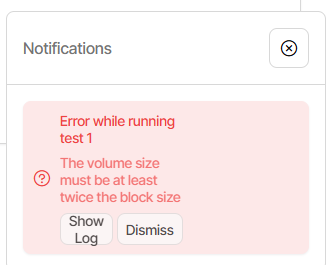
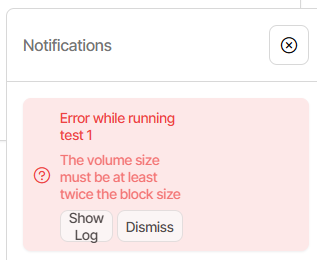
Hi, I just noticed that the value of Remote volume size is not being saved on New UI (i.e. if I go back to Legacy UI, I can still save the value). This is causing backups on New UI to break until I went back to Legacy UI and set rhe value again then running the backup on Legacy UI
You could try putting it in Settings (if you want it in all of the backup jobs).
I only confirmed as far as seeing it’s not discarded, and showed up in an
“Export As Command-line” and the GUI Commandline. Please test some.
is fixed, but the question is when the devs will be able to put it in a Stable.
Scripts run by a backup job can change options (see the examples), so if
different volume sizes are wanted for different jobs, you can likely get that.
EDIT 1:
I tested the Settings Advanced options a little more by setting illegal 50 KB.
Up to you. The April 9 fix isn’t in any channel yet though (see first line of issue).
What happens if you edit in Legacy and run in new? I’d expect it will work fine.
Even if it does, the risk is inadvertent edit in new UI which then loses setting…
Can you describe what “break” means? Changing size isn’t inherently an issue.
I did trigger compact in mine because I had a smaller-then-default custom size.
I suspect most people with custom sizes set larger than 50 MB, so no compact.
It should put up more files than wanted, and slow or (unlikely) break destination.
This didn’t work, the moment I re-enter New UI, the value goes missing again
Editing, saving and then running the job in Legacy UI is ok though. Once the job is running, I can monitor its progress in either New or Legacy UI. I just did so over these few days for a 13 TB backup job
Break as in breaking my usual workflow of simply running the jobs in New UI because I expect the software to save/re-use the values regardless of UI; I now need to switch between UIs just to run backup jobs
New UI Export As commandline shows --dblock-size=1MB
New UI GUI Commandline seems to lose the option though.
Of course if I go in and Edit, option is gone, so don’t Submit.
Try a test with actual backup, using 2 MB volume size, to see what comes out.
Change it in old UI, switch to new UI, do backup, biggest dblock is just 1.5 MB.
Mine is running fine, but the danger is that if you edit it, the value will go away.
No it’s not great. Yes it is a bug the devs should fix. I posted two workarounds.
Easy one is if your jobs all use the same volume size. A bit harder is to do mix.
I don’t know if this fix will make that one, but it would be good if it got out soon.
Bug is going to break backup strategies of custom size. I just saw one at 1 GB.
If it gets fixed in Stable, there possibly will be a Beta just before it. I’m not sure.
Once you set up a workaround though, you probably won’t need a fix as much.
Release: 2.3.0.100 (Canary) 2026-04-23 just came out with fix, but note that Canary releases are early ones for devs and testers, and are not for use with important data.
Fixed an issue with dblock-size not being saved correctly