Hello,
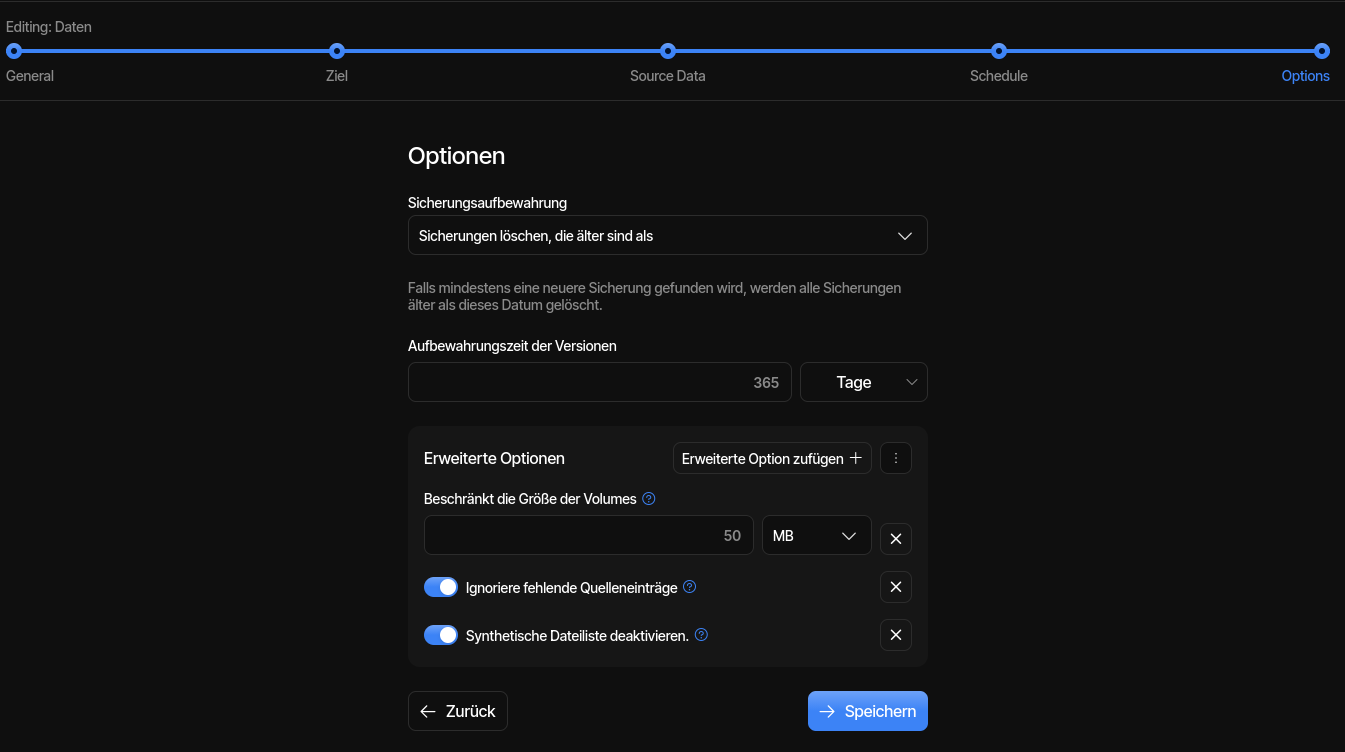
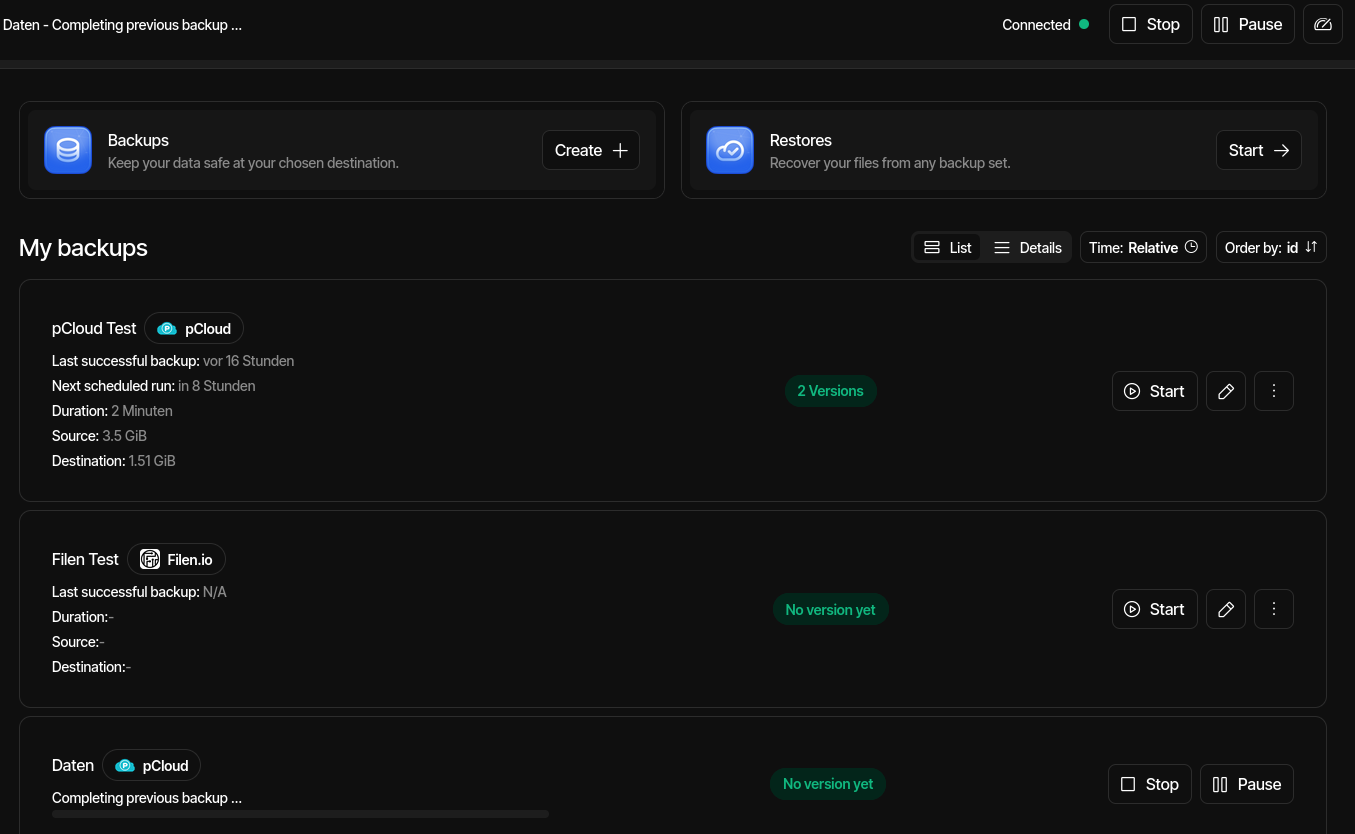
by Completing previous backup we have no Status or Details about it:
Many Thanks!
Many Greetings
Revan335
Hello,
by Completing previous backup we have no Status or Details about it:
Many Thanks!
Many Greetings
Revan335
Is this Docker? GUI says “No version yet”, but was there a prior attempt at one?
If you did one, interrupted it, and are trying again, it will try to record what it had
managed to get on the interrupted backup attempt, plus prior backup if it’s there.
This case is described here, with a deep description here and current work here,
showing analysis of its slowness, a disable-synthetic-filelist workaround,
and a speedup for any willing testers of Release: 2.3.0.102 (Canary) 2026-05-09.
Synthetic Filelist Optimization
Optimized the creation of synthetic filelists, improving performance for large datasets.
If this sounds like your case and you don’t want to try to wait it out, you can try
stopping backup (which might not work), or harder stop of service or container.
EDIT 1:
If you have any performance tools, the symptom of being stuck in slow SQL is
sometimes one CPU core being fully used, however disk use might limit usage.
If your system seems idle, then something else is going on and will need study.
Yes on Unraid: GitHub - linuxserver/docker-duplicati · GitHub
Yes, many Files and large Data Summary Size.
How i can improved the Performance or the available/using Resources?
Is this a any Backup Issues or a Info for a Stable Release with this fix? I can try the workaround.
Edit:
With the “disable-synthetic-filelist” Parameter in the Job Settings i have the same Message with Complete previous Backup without more Details.
What is that image showing? I see a large grey box on top of a smaller one.
Regardless, that may be all you can get if you see a CPU core is fully used.
SQLite runs largely single threaded, which is why one core’s time is its limit.
If you killed Duplicati, restarted it, added option, turned it on, saved Settings,
and started the backup, the option should have worked. Others saw success.
There are two reports already in the thread that I linked, being here and here.
Please check settings to make sure the option still looks turned on. English is

The Docker Container Overview from Duplicati with for example the CPU/RAM used.
Edit:

Hmm… Maybe he need a double Check and Double Save of this Setting. He looks Running again. We are waiting.
I hope the new Stable Version are fast to all so we not need this Workaround anymore.
Any Improvements to the SQL or overall Speed to improved the Backup Speed. A real DB like PostgreSQL or others an Option? Or it this to Big for the Duplicati Case and have Issues on other Sides?
It’s still unfamiliar, but I don’t use Docker. I’d note you’re on LinuxServer image.
Are one or both of the joined grey boxes trying to be a bar graph or something?
If you can interpret that image, is it saying that it’s steady at 100% of one core?
You can read about new query in the linked thread here, fresh from developer:
We can hope it’s fast, but we don’t know until some speed testing gets done.
has discussion. Given that it’s still open, I guess it’s not soundly rejected yet.
Recent changes to SQLite and its use have also added significant speedups:
Blog post: Unleashing the power of SQLite to C#
One could see the improvement in Canary releases. I think it’s in Stable now,
but it’s always possible to write SQL in a way that runs badly. See discussion.