Where do you find that IndexesOnly option? I have 2.2.0.1, and yet all I get for test is
& ‘C:\Program Files\Duplicati 2\Duplicati.CommandLine.exe’ help test all

Usage: Duplicati.CommandLine.exe test <storage-URL> <samples> [<options>]

Verifies integrity of a backup. A random sample of dlist, dindex, dblock files is downloaded, decrypted and the content is checked against recorded size values and data hashes.  specifies the number of samples to be tested. If “all” is specified, all files
in the backup will be tested. This is a rolling check, i.e. when executed another time different samples are verified than in the first run. A sample consists of 1 dlist, 1 dindex, 1 dblock.

–time=
Checks samples from a specific time.
–version=
Checks samples from specific versions. Delimiters are , -
–full-remote-verification
Checks the internal structure of each file instead of just verifying the file hash
Nowhere a word about IndexesOnly, ListsAndIndexes, etc. I want to check all non-dblocks, as I’m getting indexes warning every run of that backup, but I’m not clear how to actually do it, because neither online
Nor does the above offline documentation mention how. Like this in UI?
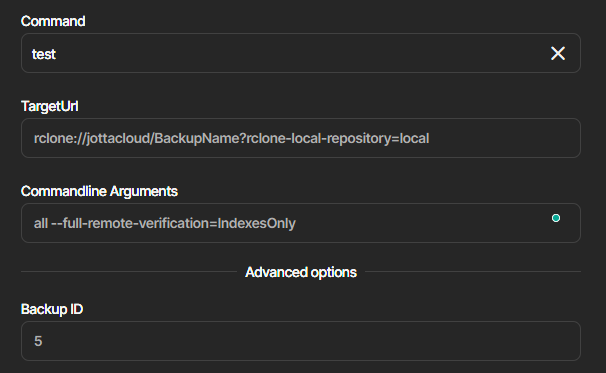
I don’t want to just test it to find out, it will now download and test the full 300GB backup.