I have a situation, where the clock on a pc, has to be changed. This also includes situations where clock was changed accidentally into the future, or there is some hardware problem with the clock.
My proposition: simple NTP library → get the clock from the network, from at least 2-3 NTP servers, instead of a local time. Only for the chosen backup. A new option in advanced options for the backup → “Get time from network for this backup”
Also a logic, chosable by the user, when there is no network available: fallback to the local clock, or stop the backup.
I’m not a Windows guy (guessing from @cowboy’s other post he is) but the only programs I can think of that don’t trust the local clock are daemons that keep the local clock in sync.
I’ve dealt with some systems that have had to do weird things with the clock (e.g., a performance test system that needed to relive the same day in history over and over to mesh with the data that was used for testing. The logic gets tricky quickly because sometimes you want system time and sometimes you want world time. E.g., you’re running a backup and a file has changed its hash. It’s currently a later world time that the last time the file was stored, but in system time this file now has a timestamp that’s earlier than the last time the file was stored. Which version might need to be restored later, the more recent world time, or the more recent system time? Both could be valid depending on the situation.
Also, Duplicati would have to continuously run its own NTP daemon to do anything more than simple, one-shot time query against a single outside source. You can’t just average multiple sources together, you have to do all the jitter, network latency, and outlier math that an NTP daemon does, which needs at least 10 minutes and ideally hours of accrued tracking data to do with confidence.
If you need something that you can’t schedule with Duplicati’s scheduled jobs, maybe you could schedule a cli job using the system scheduler?
Once upon a long time ago I had need for a similar feature. I had some very old hardware that I had to keep in production, but it had a proprietary soldered-down CMOS battery that had long-since died. Everything would work fine so long as the system never lost power. If it did, the internal clock would reset to a decade-plus ago the next time it was powered on.
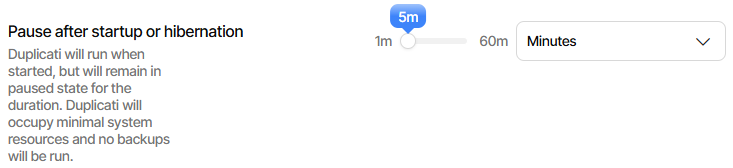
Normally the system would pull NTP pretty quickly and everything would be fine, but there were at least a couple of times where Duplicati managed to run before it synced up to NTP and would panic at all of the perceived continuity errors that were taking place.
Thankfully, I was eventually able to retire that system.
might be the easiest way for Duplicati to not actually get active before time is set.
The original use case sounds like maybe a test system or other specialized use.
Running a VM is a nice solution for such uses. Set it to not rely on system clock.
If somehow the use can’t be run that way, then Duplicati can be put into the VM.
Backing up over a network share from a PC with normal time might also suffice.
Operating systems are already good at keeping time. Don’t add that into the app.
Apps don’t keep clocks to ask. Originally I thought that’d be a big deal, then saw:
so it “might” be possible to intercept the time calls that are spread over C# code.
This would be useful for actual Duplicati testing, e.g. Daylight Saving Time bugs.
Setting up specials to test seems common. Use in production seems rare to me.
It’s also harder because one would want to maintain time continuity with a slow slewing of the clock, wanting to avoid gaps in time, time moving backwards, etc.
ntpd — NTP daemon program documents how (I think) a typical Linux does this. Querying a bunch of NTP servers per time use is excessive. Could be too often.
Linux kernel helps by allowing one to slew its clock slowly, e.g. with ntp_adjtime.
This puzzles me. I don’t know why it’s a good thing for others to use wrong time.
I wonder which time the scheduler is supposed to use? What of other time uses?
@madfordmac touched on this, and on NTP one-shot versus continuous as well.
Ok, I missed one major problem here - if the PC clock is wrong, file timestamps of modified files will also be wrong. This would be a major change of the way the backups are done, i.e. from datetime to file hash to check if a file has been changed.
So yeah, this is a rather stupid idea. Maybe a different approach would be better - not based on time at all.
That’s from a verbose log-file. Chances are high that a file saved with wrong clock will show a phony time change rather than happen to exactly hit prior time.
disable-filetime-check can make Duplicati not rely on the file time for its decision. Probably the price for this (if done for all files) will be high – having to read them.
I’m not sure you really need this, as usually another clue of file change will occur.
So maybe my idea is not that crazy. If the time in the system is compromised - ignore the file time, get time form network, use that time to timestamp archived files and the archive itself. Check files crc/hashes to check if changed. Expensive because of reads, but makes the remote backup more stable for systems with a disturbed clock.
As mentioned, I think one should hit a local clock that’s network-synchronized. Network Time Protocol is not an infinite resource. ntpd polls slowly, maybe at
1024 second intervals after stabilizing. App can consult local clock without any NTP server misuse and abuse. One can also use a local server tracking public.
Companies sometimes do this, and the NTP stratum design allows a hierarchy.
I don’t think Duplicati timestamps files. It backs up the file time – right or wrong.
It doesn’t archive any file one-for-one. Blocks get deduplicated into dblock files.
Metadata such as file timestamp and permissions also get stored as a data block.
FS timestamps on dblock and other archive files don’t matter, but content does.
Archive files are portable. You can sync them or move them. Time doesn’t matter.
Your best bet, if not now, then for a possibly more carefully checked future, is the
suggestion I made to run Duplicati on a system (even in VM) using accurate time.
Even if Duplicati tolerates wild times (you can test), user experience will be weird.
Timestamps show up all over the place in the UI, log files, and maybe on network.