Error message about remote volumes marked as deleted

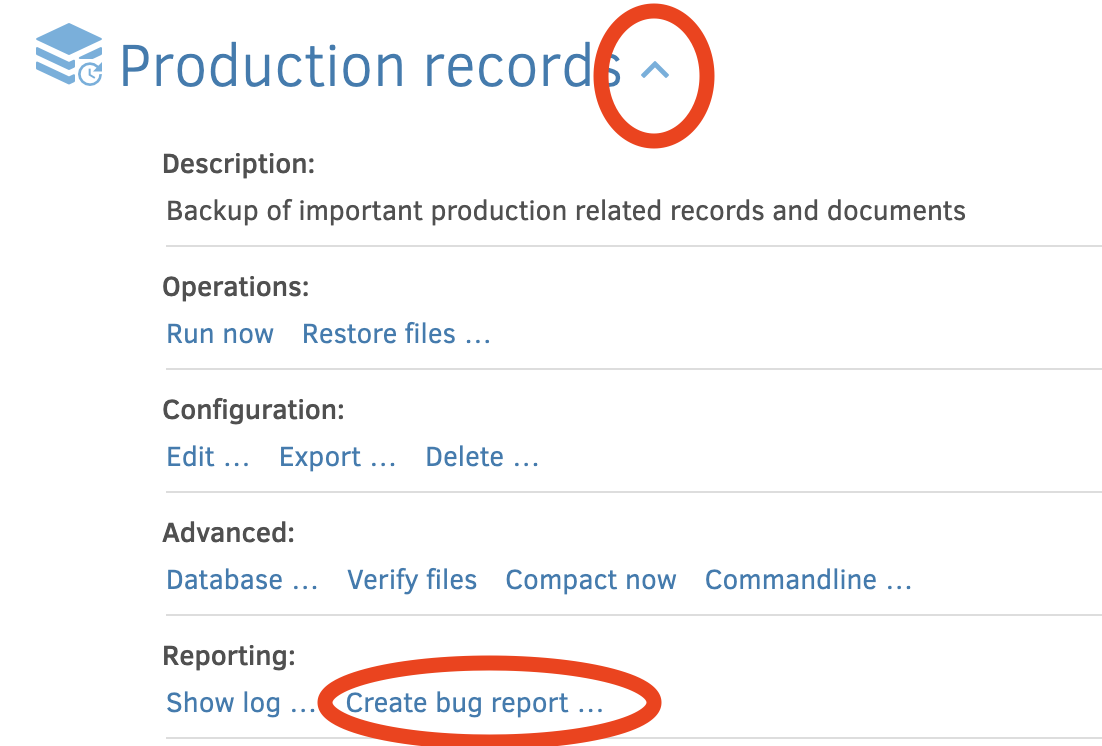
Thanks for the bug report. What sort of destination is this? It seems to sometimes give trouble.

@ts678 the destination is set to my Dropbox account. Let me know if that answers or not :smiley:

Thanks! That makes it a lot easier to track down.

My pleasure! Love seeing active response, it’s refreshing vs. many other projects

@ mathdu In the UI, do you see any errors for the backup that was running on 2025-02-02T13:12:00.9864685Z (UTC)? > I am suspecting that something in the shutdown logic is perhaps causing errors that are not logged.

Fortunately, I have removed all the code in question here for 2.1.0.108, but it does not fix the setup.

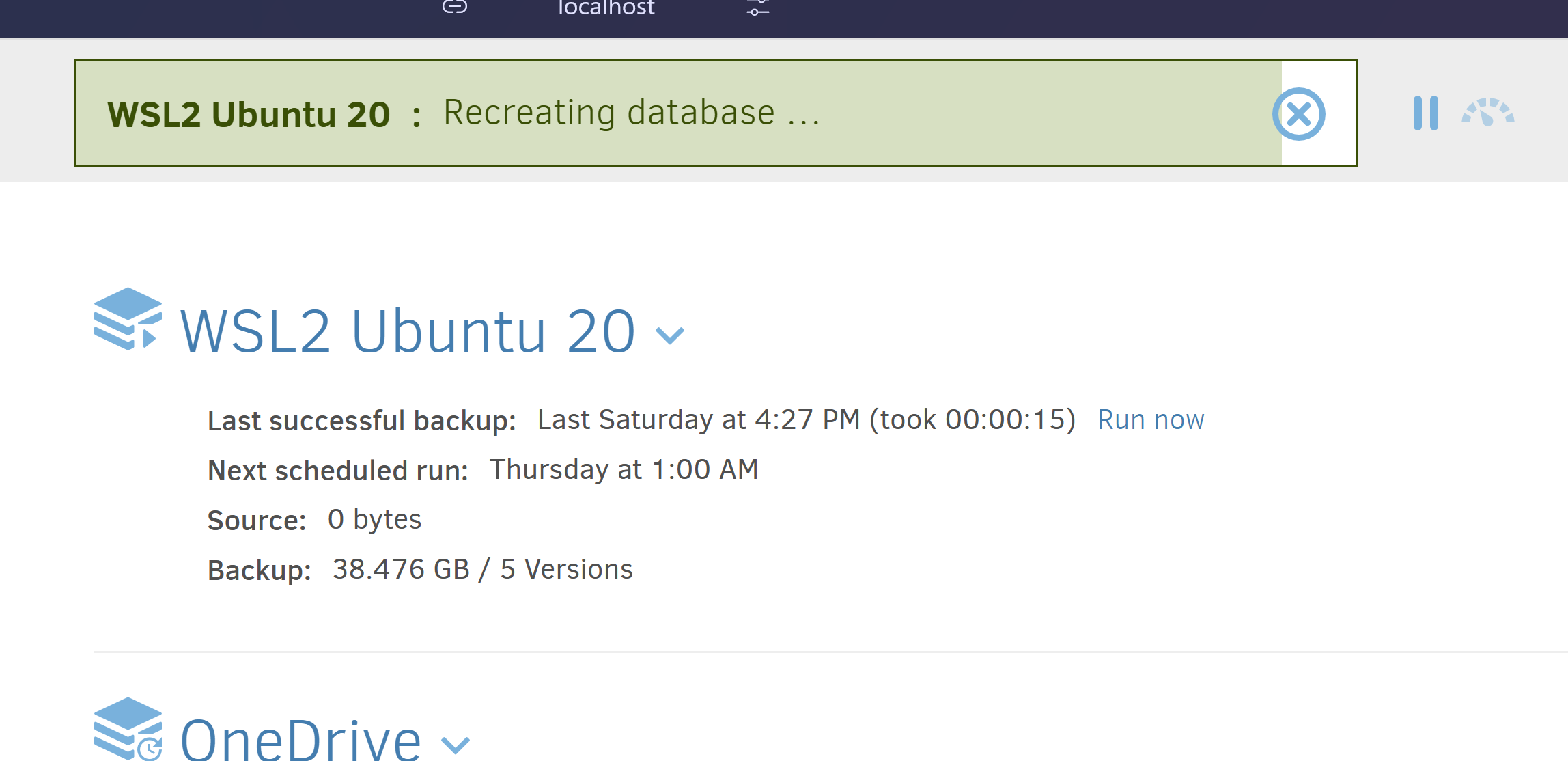
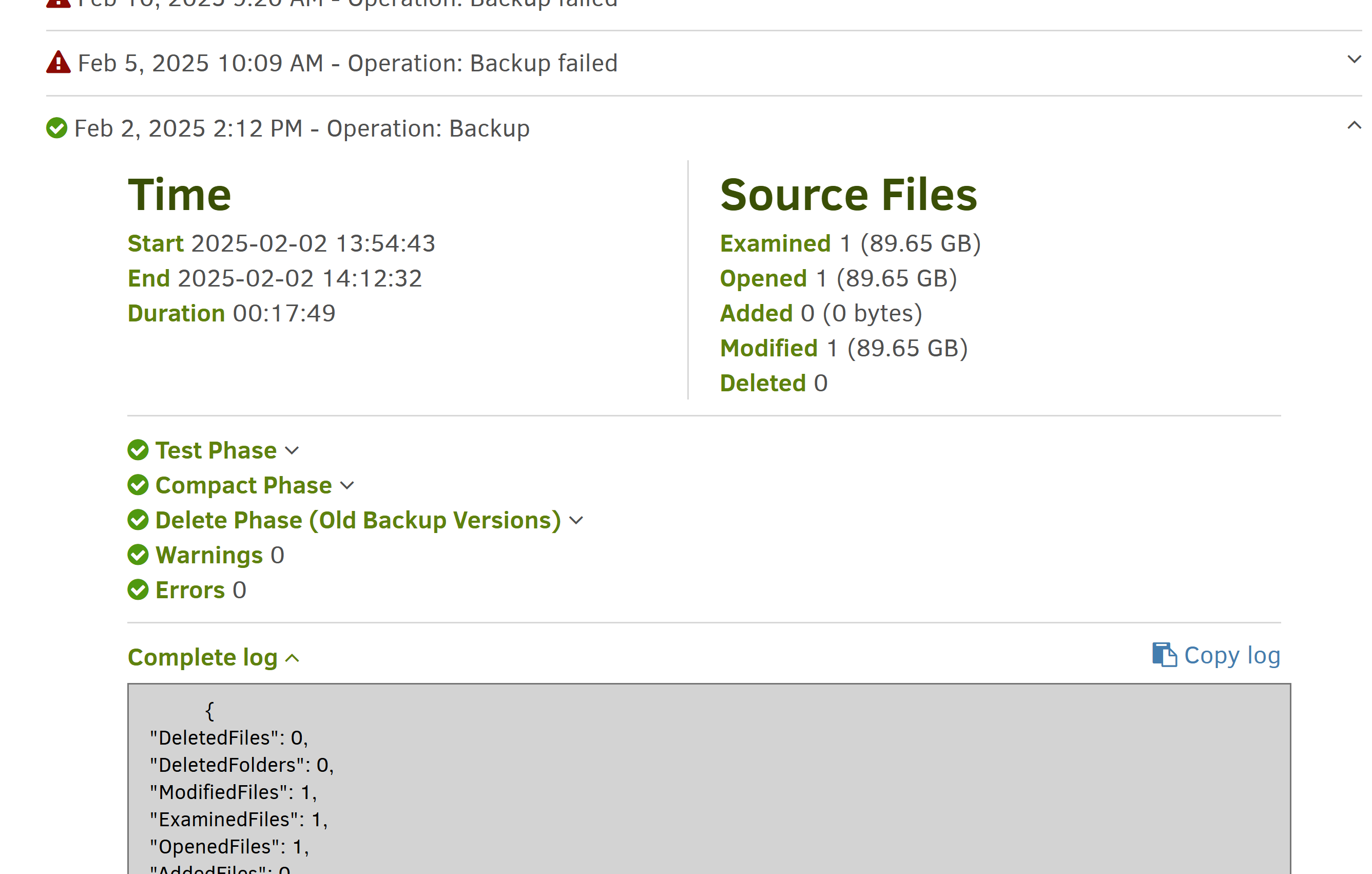
@kenkendk You’re meaning this one, correct? I don’t see any errors (it’s actually the last one showing success), but let me know if you need more than this:
Also, @ mathdu do you want to try to recover the backup to the state before 2025-02-02 ?

That would overwrite my current state, correct? I’m hesitant but i’ll consider it (wouldn’t be dramatic, all the changes are in git repos).

From looking at this, that would mean selecting Jan 30th? Interestingly, it’s not showing Feb 2nd (despite it showing successful)
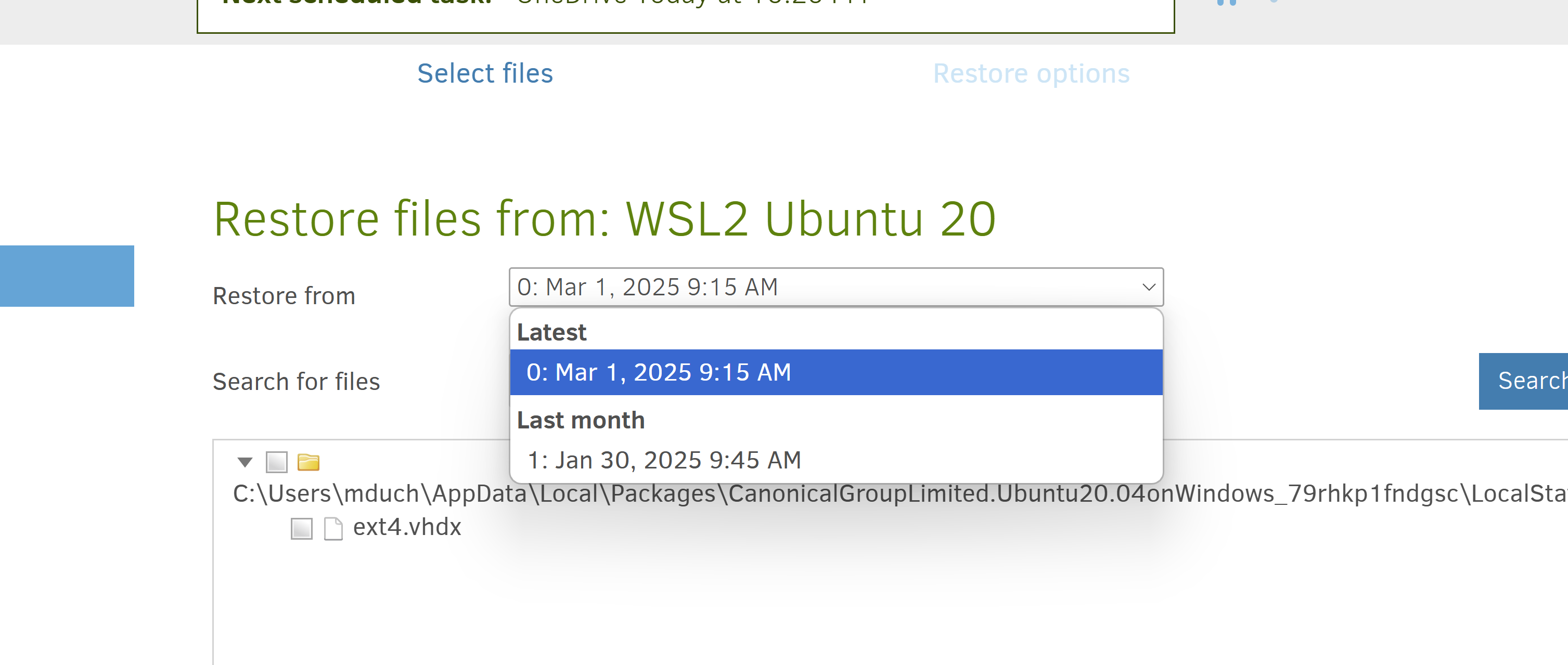
Question: I’m excited to install the new stable version you posted in another thread, but for the purposes of this topic i won’t touch anything until you tell me to :stuck_out_tongue: :smiley:

Thanks a bunch to you both!

I believe I have found the cause of this, and it is quite severe. The fix is to set --read-write-timeout=10m (or 0 to disable). Without this, it is possible for the backups to report “success” but actually fail in subtle ways, where the reported status is “Success”.

We will be releasing a new stable release shortly that fixes the issue.

I have detailed it a bit more here:

1 Like

Nice! Glad you uncovered the root cause. Do you recommend proactively setting this option on all jobs for the time being?

1 Like

Dang, that sounds like quite some digging to find it out. Thank you so much.

I’ll find where to set that timeout argument unless you all manage to publish the fix before I get around to it

To fix my current state, lose the least amount of data possible (ideally none), and get successful backups once more, what’s the best approach to operate here you think?

I did get the latest version out with a fix, but not sure if it was faster :slight_smile:

I suggest:

  1. Install the new stable version
  2. Make a copy of the local database
  3. Do a “Repair (recreate & delete)” to get the database as close to the remote storage state as possible

You should now have a database that is as close to representing what data is on the remote storage, and backups can then run from that.

1 Like

I suggest:

  1. Install the new stable version
  2. Make a copy of the local database
  3. Do a “Repair (recreate & delete)” to get the database as close to the remote storage state as possible

@kenkendk in progress!

this last little bit has been going on since yesterday morning and going at a snail’s pace… :joy:
i’ve had to pause and resume it once or twice, hopefully it didn’t break anything. It does seem to have progressed by a few pixels’ worth since then :sweat_smile: will keep you posted.

thanks!

The 90% to 100% range on the progress bar is usually bad news that it’s finishing reading all dblock files in search of data it can’t find. This starts at 70% and 80% in earlier phases, but the third one can really crawl. Preserve any failure message…

1 Like

The 90% to 100% range on the progress bar is usually bad news that it’s finishing reading all dblock files in search of data it can’t find. This starts at 70% and 80% in earlier phases, but the third one can really crawl. Preserve any failure message…

@ts678 thank you for that insight, it’s really helpful :slight_smile: cc @kenkendk

After days of no apparent progress I asked it to stop. Even though I selected Stop Now, it still showed Stopping after the current file… and took some time before it did.

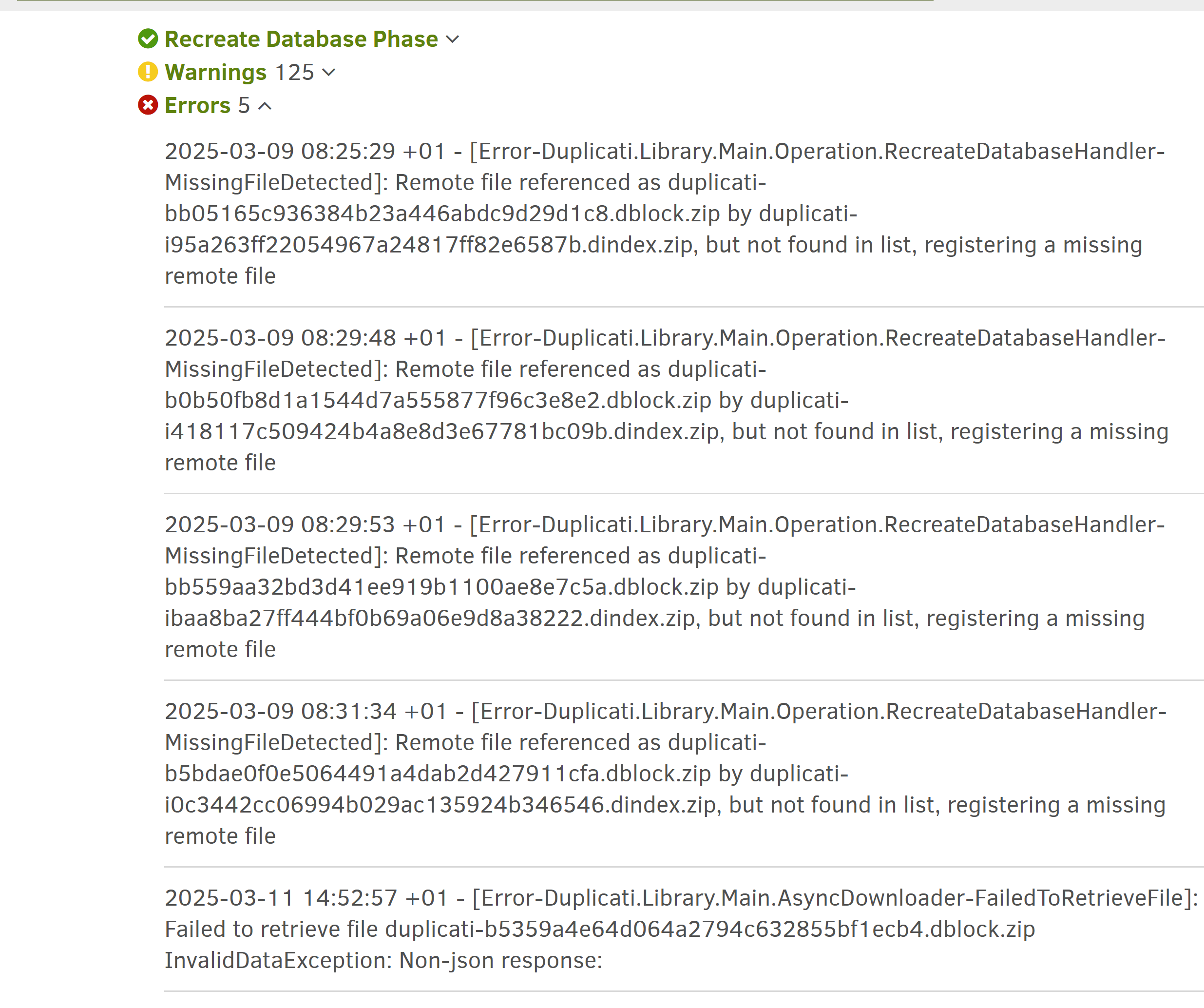
Now :stuck_out_tongue: , i’m being shown the following errors that didn’t display while it was “in progress”:

I was going to just try Delete and repair once more, but I’d like to have your opinion with these errors first maybe? Are they any helpful?

I’m also attaching the full logs from the error screen, as well as a newly-generated bug report (i put the log in the zip file - duplicati_log_20250311.log)
Report can be downloaded here

The pixel growth stopped? About → Show log → Live is another way to watch.

Verbose level is fairly concise and gives some sense of nearness to completion.

The first four errors are because each dblock (which holds data blocks) normally provides a recreate speed-up by putting its block index in a dindex file naming it.

These are far smaller, as they are just an index, so this speeds up DB recreate. There is other useful information inside as well, but they’re not totally essential.

Sometimes the pairing goes wrong. For example a dblock might get two dindex, which causes no harm until the dblock and one dindex go away, leaving second dindex referencing a dblock that isn’t there now, probably deleted by a compact.

You can look at the destination to see if dblocks are really missing. If so, dindex probably aren’t helping anything except maybe history digging if we get into that.

Renaming them so they don’t start with duplicati- is one way to hide the files.

The last error is interesting. Do you know if its time was before or after the stop?

What Destination type is this? It apparently returned some sort of odd response.

About → Show log might be able to get a better view. If present, click for details.
What sort of stuff is in the 125 warnings? The log will only list the first 20 though.

Before trying again, better logging would be good. I’m not even sure we saw the ending of the recreate where it does a sanity check. It likely stopped before then.

Advanced options log-file=<path> log-file-log-level=verbose might help. Picking the best level is a bit of a guess. I hope we don’t have to go any higher…

Developer thoughts on this would be appreciated.

That provided some info on the warnings, so no need to post any more on them.

DropBox showed me the log. I wasn’t sure how to get bug report, but Download button gave it to me, so now we have something else to study for clues. Thanks.

EDIT 1:

Developer should have a look sometime, as the bug report looks rather strange:

There are some duplicate dindex files:

SELECT Name, Hash, COUNT(Hash) FROM Remotevolume GROUP BY Hash HAVING COUNT(Hash) > 1

Name                                                    Hash                                            COUNT(Hash)
duplicati-i914ddf703659428680f99e16bd3f972b.dindex.zip  48ajX+o1xZbqpBSA7qHl7jsEyEUlo/EhwPAbnDItZK4=    3
duplicati-i4b09d59319734cdd85f817530120bf97.dindex.zip  rkEmiRzjU5CBggdtYoytXG9CQyuUz7uO6TWptZWJ+qs=    2

ID      OperationID     Name                                                    Type    Size    Hash                                            State
240     1               duplicati-i914ddf703659428680f99e16bd3f972b.dindex.zip  Index   232     48ajX+o1xZbqpBSA7qHl7jsEyEUlo/EhwPAbnDItZK4=    Verified
241     1               duplicati-i0adcea0329ae4a8c82c947f8ca88bc6d.dindex.zip  Index   232     48ajX+o1xZbqpBSA7qHl7jsEyEUlo/EhwPAbnDItZK4=    Verified
242     1               duplicati-i486884d0d9b94c17b352eb44b5260d3a.dindex.zip  Index   232     48ajX+o1xZbqpBSA7qHl7jsEyEUlo/EhwPAbnDItZK4=    Verified

ID      OperationID     Name                                                    Type    Size    Hash                                            State
106     1               duplicati-i4b09d59319734cdd85f817530120bf97.dindex.zip  Index   232     rkEmiRzjU5CBggdtYoytXG9CQyuUz7uO6TWptZWJ+qs=    Verified
107     1               duplicati-i6ae3e8b5e6254609ac665b6f02b978ce.dindex.zip  Index   232     rkEmiRzjU5CBggdtYoytXG9CQyuUz7uO6TWptZWJ+qs=    Verified

None of these are in IndexBlockLink, as expected from something having no reference to another dblock.

232 bytes is pretty small. One of my backups has 17 of these. There's nothing inside but the manifest. 
This probably happened before 2.0.8.1 on interrupted compact remembering dblock delete but not dindex.
These recreated extra dindex aren't harmful, as they don't reference dblock that isn't there any more.

[Error during compact forgot a dindex file deletion, getting Missing file error next run. #4129](https://github.com/duplicati/duplicati/issues/4129)

In the below, dindex file is Verified and in IndexBlockLink. Its associated dblock State is Temporary.

"2025-03-09 08:25:29 +01 - [Error-Duplicati.Library.Main.Operation.RecreateDatabaseHandler-MissingFileDetected]: Remote file referenced as duplicati-bb05165c936384b23a446abdc9d29d1c8.dblock.zip by duplicati-i95a263ff22054967a24817ff82e6587b.dindex.zip, but not found in list, registering a missing remote file",

"2025-03-09 08:29:48 +01 - [Error-Duplicati.Library.Main.Operation.RecreateDatabaseHandler-MissingFileDetected]: Remote file referenced as duplicati-b0b50fb8d1a1544d7a555877f96c3e8e2.dblock.zip by duplicati-i418117c509424b4a8e8d3e67781bc09b.dindex.zip, but not found in list, registering a missing remote file",

"2025-03-09 08:29:53 +01 - [Error-Duplicati.Library.Main.Operation.RecreateDatabaseHandler-MissingFileDetected]: Remote file referenced as duplicati-bb559aa32bd3d41ee919b1100ae8e7c5a.dblock.zip by duplicati-ibaa8ba27ff444bf0b69a06e9d8a38222.dindex.zip, but not found in list, registering a missing remote file",

"2025-03-09 08:31:34 +01 - [Error-Duplicati.Library.Main.Operation.RecreateDatabaseHandler-MissingFileDetected]: Remote file referenced as duplicati-b5bdae0f0e5064491a4dab2d427911cfa.dblock.zip by duplicati-i0c3442cc06994b029ac135924b346546.dindex.zip, but not found in list, registering a missing remote file",

The unexpected destination response is shown a little more clearly in log:

"2025-03-11 14:52:57 +01 - [Error-Duplicati.Library.Main.AsyncDownloader-FailedToRetrieveFile]: Failed to retrieve file duplicati-b5359a4e64d064a2794c632855bf1ecb4.dblock.zip\r\nInvalidDataException: Non-json response: "

This error message is in DropboxHelper.cs (since 2.0.5.106_canary_2020-05-11), so this must be DropBox.
I don't know if it's permanent error (BackendTool test would be nice), but something was doing retries:

"RetryAttempts": 5,

"FilesDownloaded": 1217,
roughly matches the 1203 Verified file count of Operation 1 (Recreate), so seems to include all dblock.
There were also a whole lot of Uploaded dblock files from the Recreate, which seems kind of unexpected.

The bug report shows a Repair and a Backup after the Recreate, but these don't show up in Remotevolume.
FWIW IndexBlockLink has 792 rows, and doubling that is 1584. Remotevolume has 802 Index and 792 Blocks,
however four of them are the Temporary ones mentioned above, so is FilesDownloaded an unexpected value?
If I only look at Verified Blocks, I get 388, and adding that to 792 Verified Index gives me 1180, then
adding 13 Verified Files makes 1193.

The RemoteOperation table is unexpectedly empty. This makes it harder to figure out what was happening.

The DuplicateBlock table has 14694 rows from a very long list of VolumeID. This seems somewhat strange.

"2025-03-09 18:49:58 +01 - [Warning-Duplicati.Library.Main.Operation.RecreateDatabaseHandler-UpdatingTables]: Unexpected changes caused by block duplicati-bfe6a237dd80444a8bcfa70a01ddd4de9.dblock.zip",
is typical of the "WarningsActualLength": 125, that were truncated when the job log was being produced.
Sampling about four found them all among State Uploaded, but there were 400 Uploaded Blocks altogether.

The Backup that was done didn't get far, as Configuration table repair-in-progress was still true then.
2 Likes

DropBox showed me the log. I wasn’t sure how to get bug report, but Download button gave it to me, so now we have something else to study for clues. Thanks.

EDIT 1: Developer should have a look sometime, as the bug report looks rather strange:

@ts678 thank you for digging :slight_smile: and your insight. let me know if you think there’s anything else I can help with.

You asked what my remote was - it’s on Dropbox.

One thing - I’m not sure why i’m only noticing after the fact -, but it’s showing a very recent “last successful backup” actually, and i’m not clear whether it was before or after i started the delete&repair. Looking at the time I would say most likely just before.
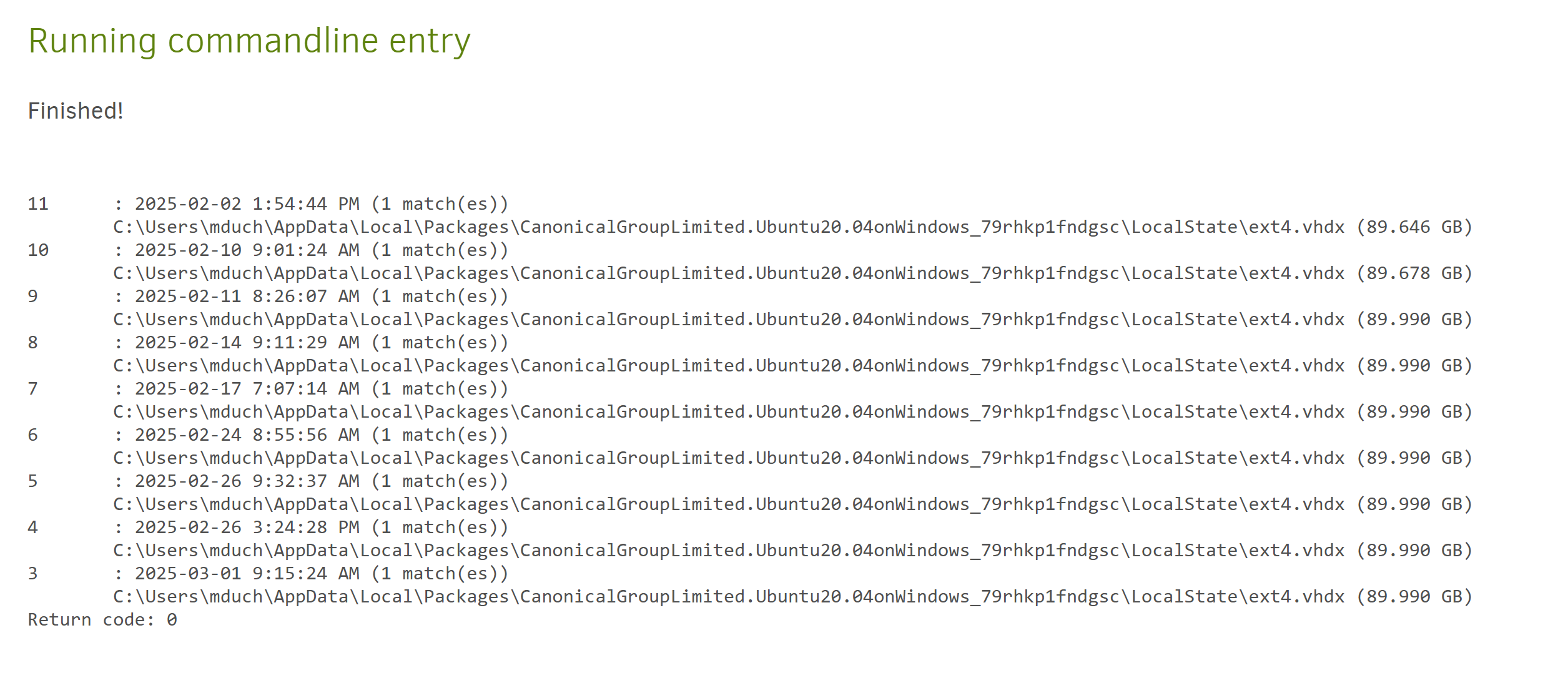
And now i’m seeing all of these potential backup points to restore from, which I didn’t before I attempted it? :thinking: (if you look up :arrow_heading_up: , you’ll see i had only 1 restore point to work with)
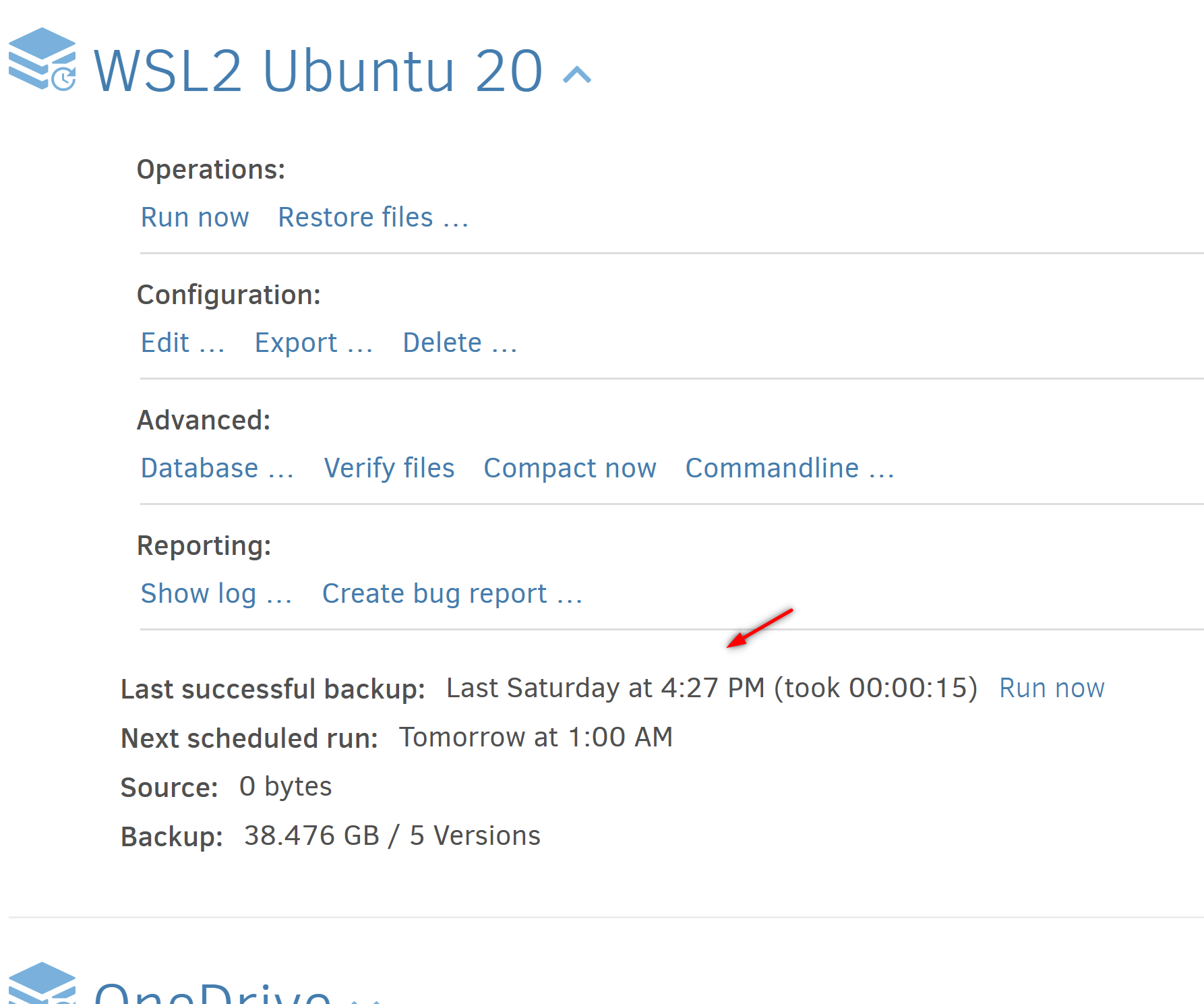
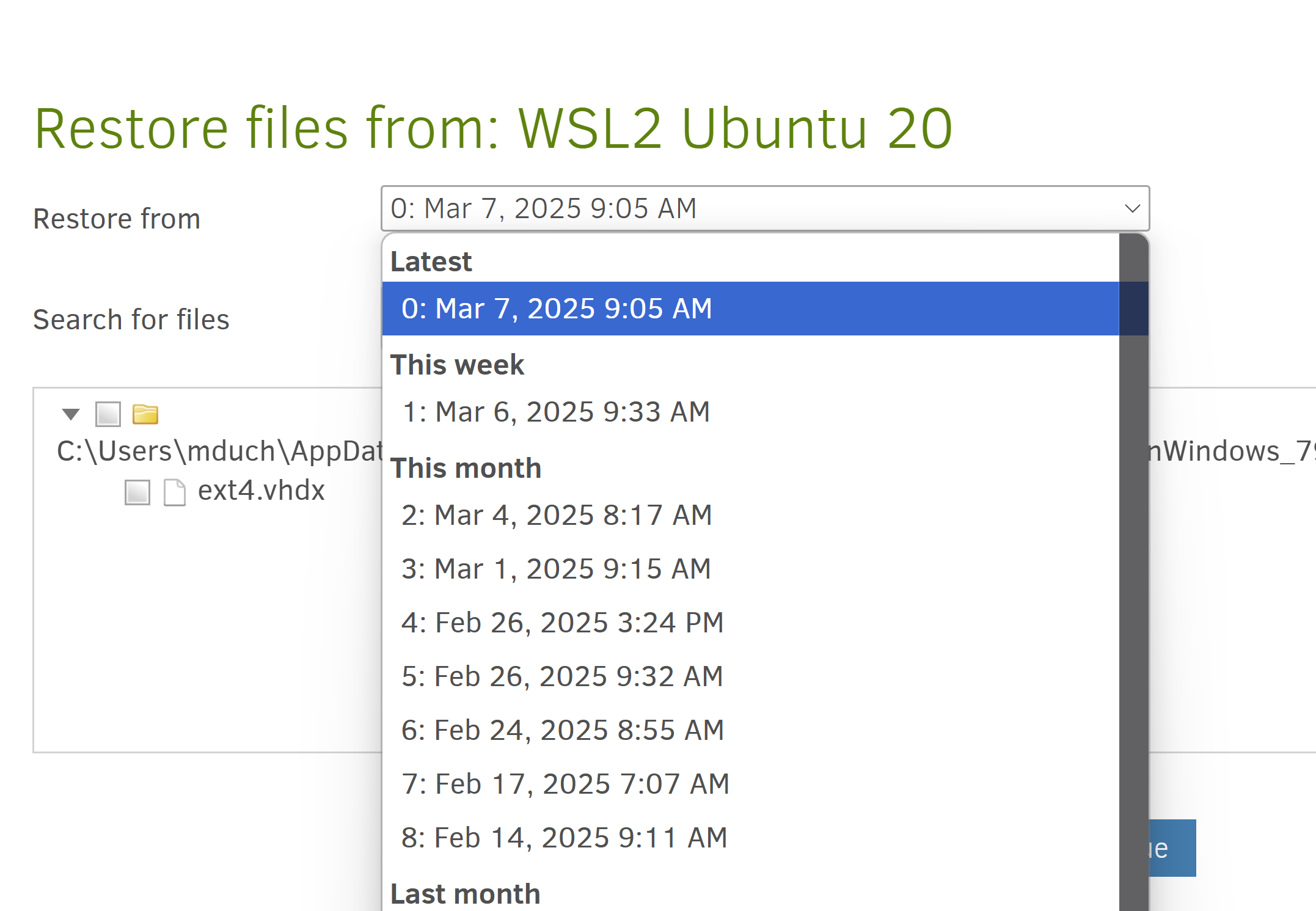
I don’t know if it’s any helpful, but more context is usually a good thing :slight_smile:

cheers!

I am actively tracking this, but for now, it is just a known transient Dropbox error.
It usually goes away on the automatic retries.

Yes, I think they can be ignored, but we should probably delete them automatically.

We have Dropbox as a CI tested backend, and it happens, but infrequent. It is usually a transient error.

I don’t know how this can happen. At least we should see the downloads that was part of the recreate.

I think this is caused by some botched compact where it has moved blocks into another volume, but not deleted the sources yet.

I see 13 (version 0 to 12) versions, so at least that looks correct?

If you are running 2.1.0.3 or 2.1.0.4, then set the timeout to a large value, but I would recommend updating, and it is no longer an issue.

I am not 100% sure the source of this problem has been fixed, but for canary 2.1.0.111 there are now additional checks that detects this situation as soon as it has happened (basically after each backup and before any operations that change remote data). If it still exists, we should now be able to zero in on the cause.

Also, if the situation is detected, the repair command can now fix the issue.

Absolutely!

For the database itself, it is incomplete as the Dropbox error prevented it from completing the database recreate. Only thing you can do is delete the database and try to recreate it again and hope that Dropbox does not give random errors.

You can adjust the number of retries and the retry delay to be more tolerant of errors. I hope to figure out soon what the actual Dropbox error is, but it is not sending an error message in the normal way, so the cause has eluded us.

2 Likes

@kenkendk
You can adjust the number of retries and the retry delay to be more tolerant of errors. I hope to figure out soon what the actual Dropbox error is, but it is not sending an error message in the normal way, so the cause has eluded us.

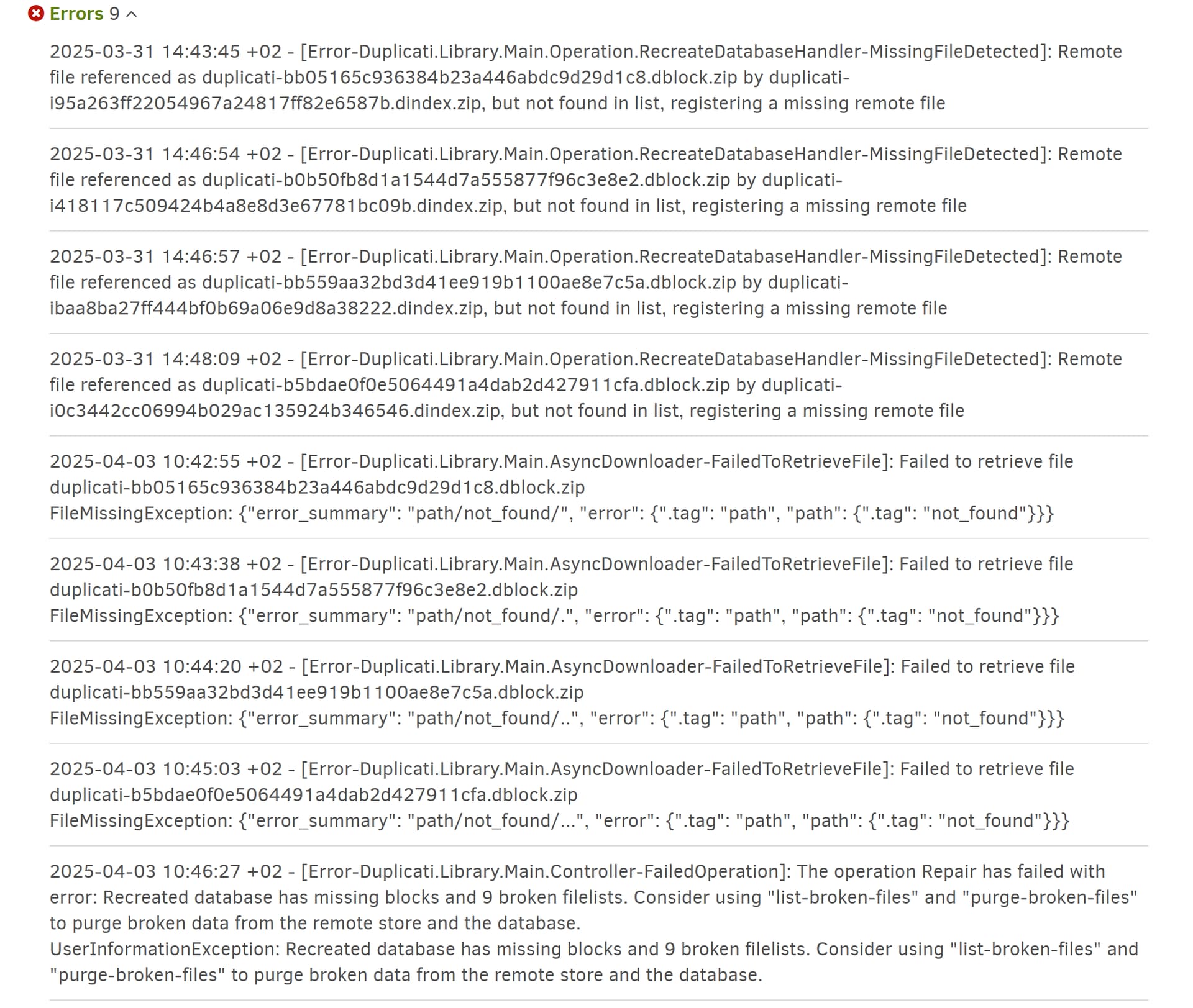
So after retrying a few times and forgetting to pause right before it’d finish, I finally got an attempt instance which resulting errors i feel confident about -
long story short, here’s the full list of error messages (I also extracted a bug report if you need it)

It’s the first time I notice this suggestion of running list-broken-files and purge-broken-files. The result lists 9 times my source file :person_shrugging: not sure why.

Soo since this is the actual file i’m backing up, not sure I wanna run purge just yet :sweat_smile: unless you’re telling me it’s safe.

In any case, the listed missing dblock files are not there on my dropbox. So it doesn’t seem like I can rename them :stuck_out_tongue: what should I do now?
I could see if I can try raising the error/timeout tolerance and see how that goes. But i’m not sure where to go for that, i see no obvious options.

I now have the answer, but sadly it is: “Internal server error”, meaning that something on Dropbox’s server failed. At least we now know it is not Duplicati’s fault, but that does not help us get it more stable :cry:

It is actually 4 different files that are repeated twice (probably a retry), and then the final error.

If the files are simply not there, no amount of retries will make it work better, so I think this is “as good as it gets” as you deduced :).

If you run the purge command, it will drop the 9 versions of the file listed there. You still have at least version 0, 1, and 2, so unless you really want to try to recover the listed versions, I would go for the purge command.

If you need to recover those versions, you will likely only get them in incomplete states. That is possible before the purge command, but not after.

If you run the purge command, it will drop the 9 versions of the file listed there. You still have at least version 0, 1, and 2, so unless you really want to try to recover the listed versions, I would go for the purge command.

If you need to recover those versions, you will likely only get them in incomplete states. That is possible before the purge command, but not after.

@kenkendk thank you for clarifying that! And for keeping checking in.
I didn’t realize that the list was a list of backups-of-the-file rather than the source file :smiley: I suddently felt much less insecure about a purge and the idea made more sense.
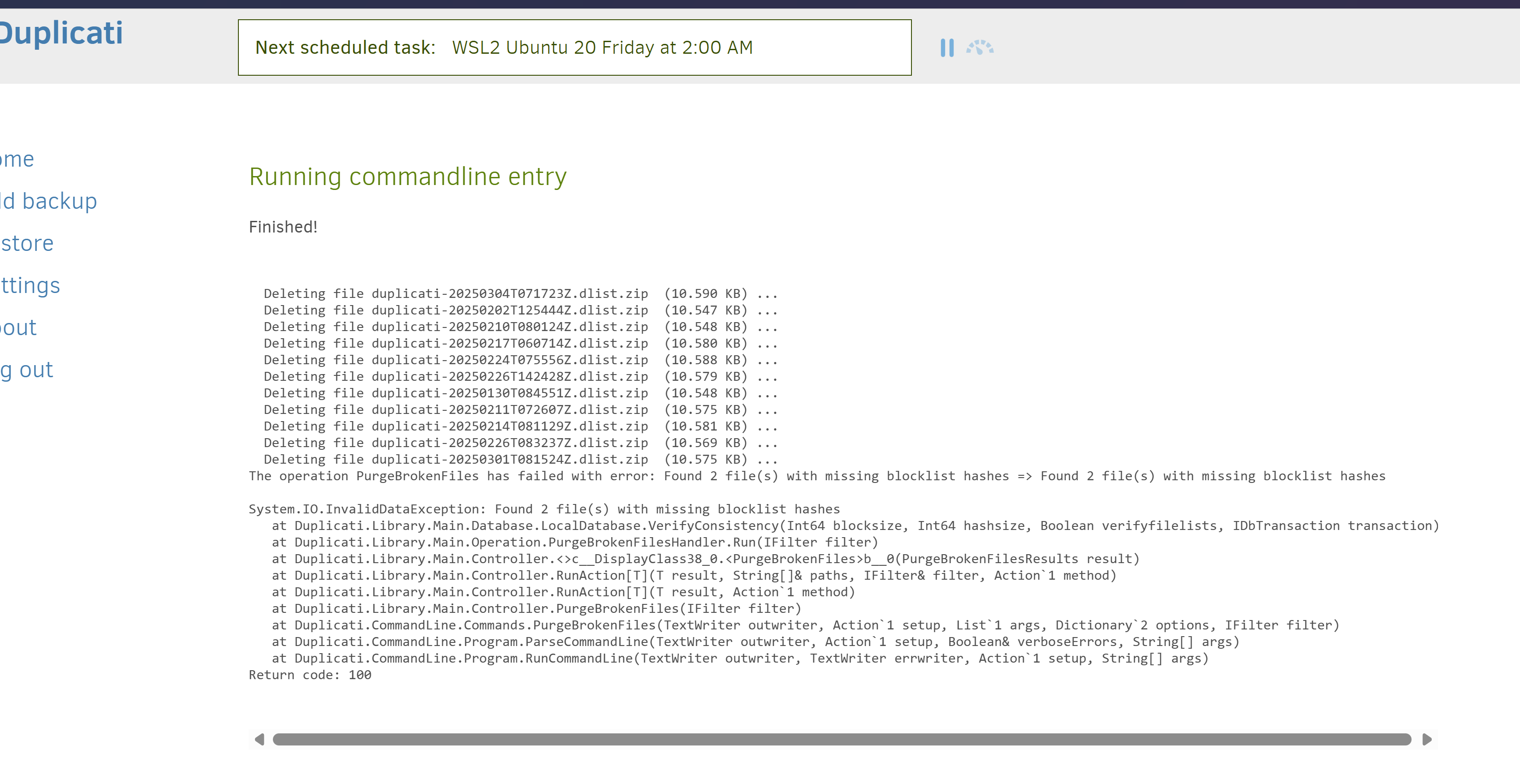
I.. thought that would finally hit the nail.. but :joy:

what should I do about those missing blocklist hashes?

Super odd. It looks like the purge actually completed, but then found that it failed again after fixing it.

Can you perhaps create a bugreport database, so I can try to figure out what happened?

This will generate a zip file you can download and review before sharing. It should be clean of any identifying information (paths etc). If you can upload that file to somewhere (WeTransfer, Dropbox, etc) and PM a link, I will take a look.

Other than that, the “repair” command can potentially figure out what causes this and fix it.

Can you perhaps create a bugreport database, so I can try to figure out what happened?

@kenkendk thank you for following up!
I launched the bug report as soon as I saw you posting, but did have to wait til it finished… here’s a link to it!

Other than that, the “repair” command can potentially figure out what causes this and fix it.

As far as attemting Repair again, I instantly get this same last error message (you’ll notice i’ve tried a few times :sweat_smile: and it seems to have tried automatically when attempting scheduled backups):


Thanks for that, I will see if I can dig out something useful. I can see that it contains some information about the purge and the error message about missing blocklist hashes.

Ok, I can see from the logs that the purge command did indeed leave the database in a broken state. You need to recreate the database before you can continue.

@kenkendk thank you! will be curious to find out what’s going on.

gotcha. since I’ve already tried that (delete&repair) with the same result, i think i’m at the point where I’ll just manually re-create the entire backup setup for that file :slight_smile:
i’ll keep the original setup/db as is for now in case you’d need me to provide anything else.

1 Like

I have examined the database and it looks like the problem with the blocklist hashes has been fixed in the latest canary.

I can run the query on the bugreport database that you sent and it returns zero broken files, so it is actually OK. I don’t understand how it could report the failure though, so maybe something has changed in between the error and the bugreport was created?

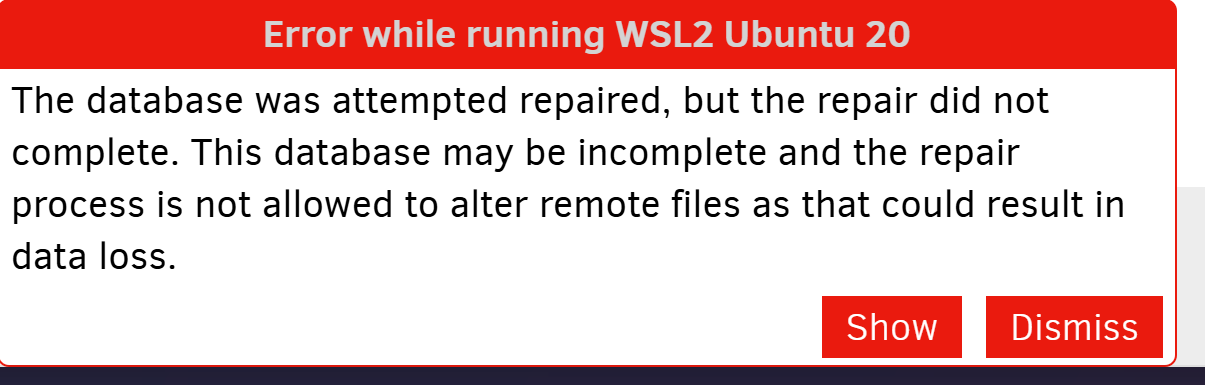
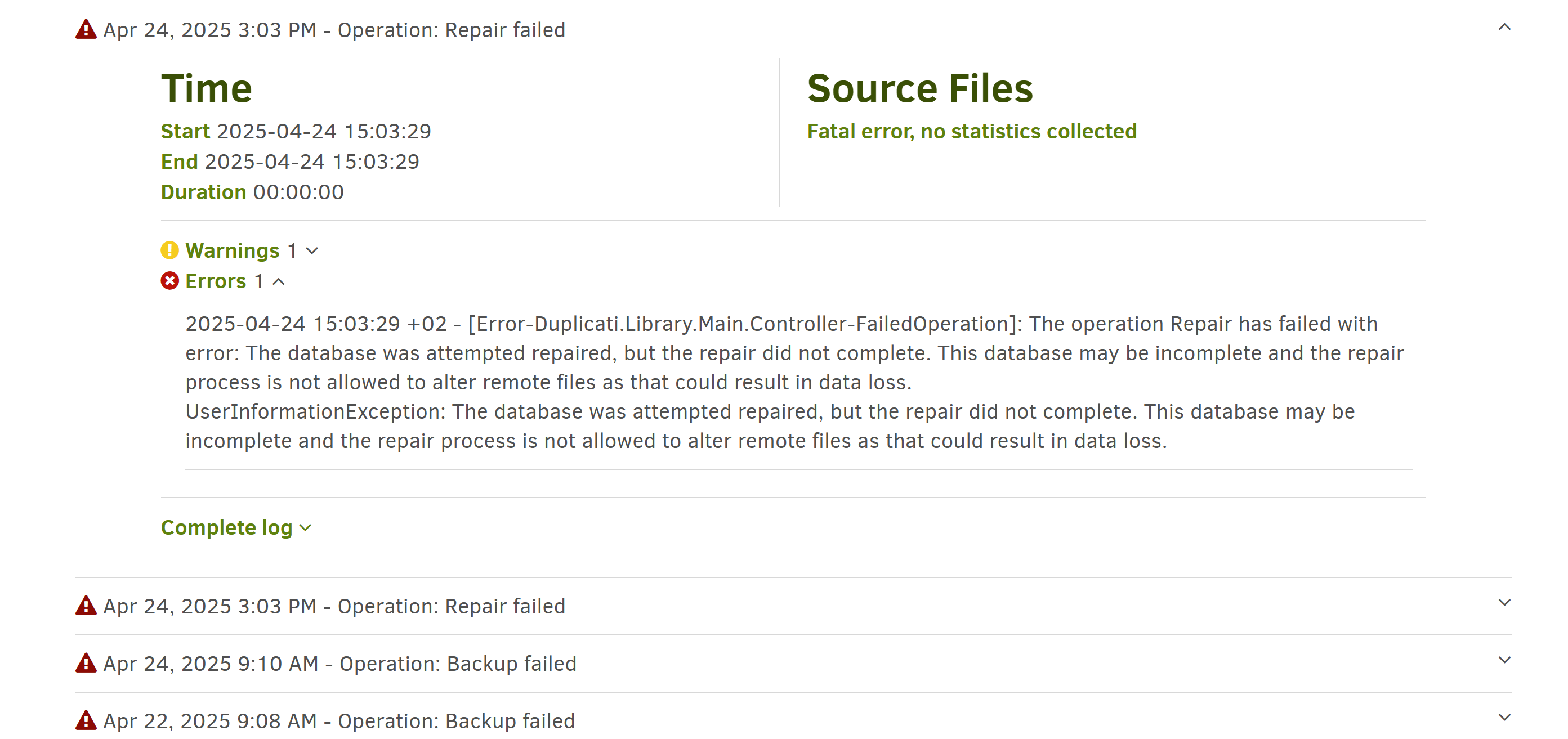
The error message here is The database was attempted repaired, but the repair did not complete.. This is actually slightly misleading as the flag is only set if recreate fails, so the message means that the recreate fails.

So what appears to have happened is that you run recreate, then purge, and then repair.

If you are feeling brave, it should be possible to remove the row with the key repair-in-progress from the Configuration table:

DELETE FROM "Configuration" WHERE "Key" = 'repair-in-progress'

This removes the error, but the database is still validated.

If this does not work, a full recreate cycle should rebuild the database and not need the purge step that failed before.