The 90% to 100% range on the progress bar is usually bad news that it’s finishing reading all dblock files in search of data it can’t find. This starts at 70% and 80% in earlier phases, but the third one can really crawl. Preserve any failure message…
@ts678 thank you for that insight, it’s really helpful  cc @kenkendk
After days of no apparent progress I asked it to stop. Even though I selected Stop Now, it still showed Stopping after the current file… and took some time before it did.
Now  , i’m being shown the following errors that didn’t display while it was “in progress”:
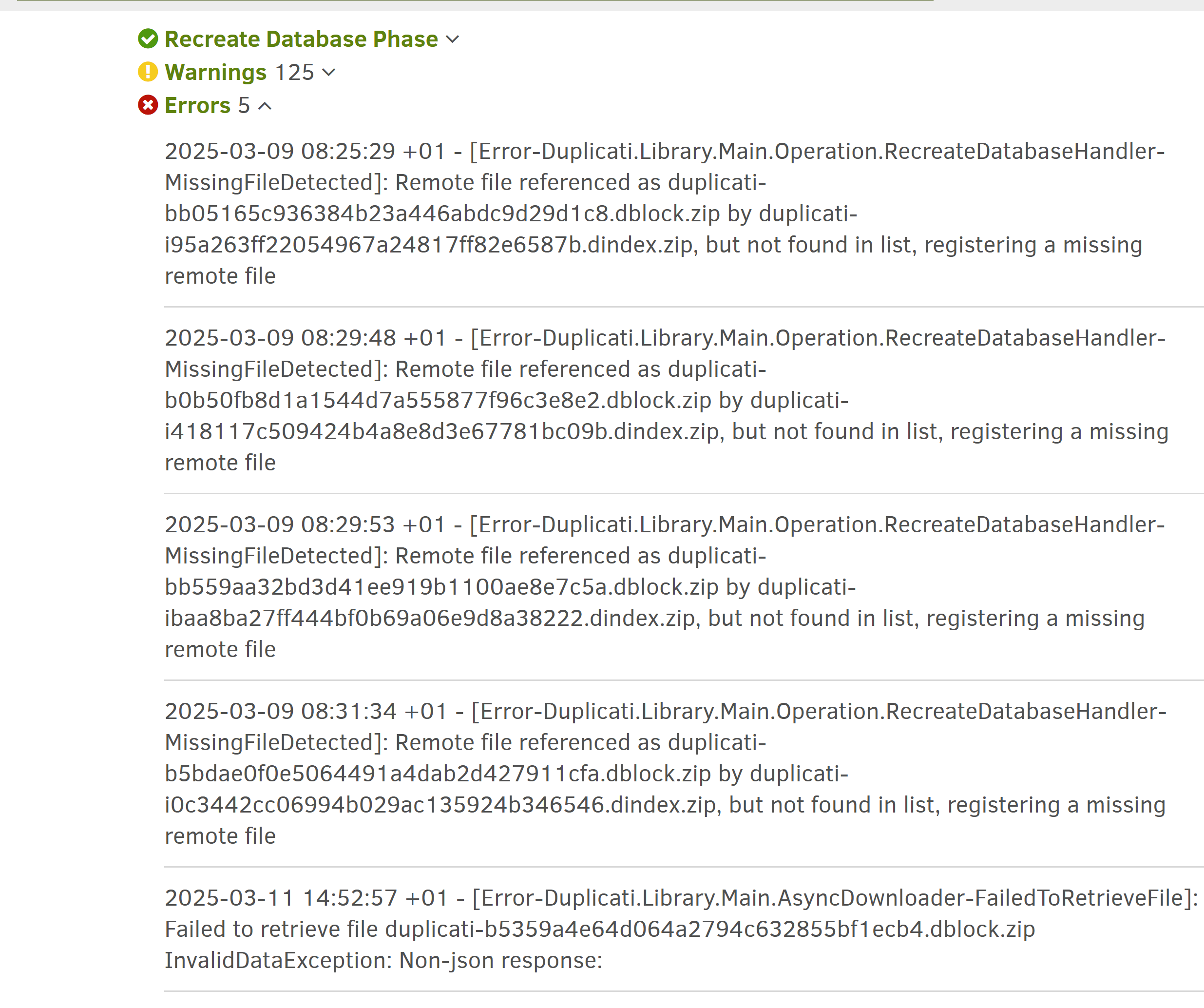
I was going to just try Delete and repair once more, but I’d like to have your opinion with these errors first maybe? Are they any helpful?
I’m also attaching the full logs from the error screen, as well as a newly-generated bug report (i put the log in the zip file - duplicati_log_20250311.log)
Report can be downloaded here