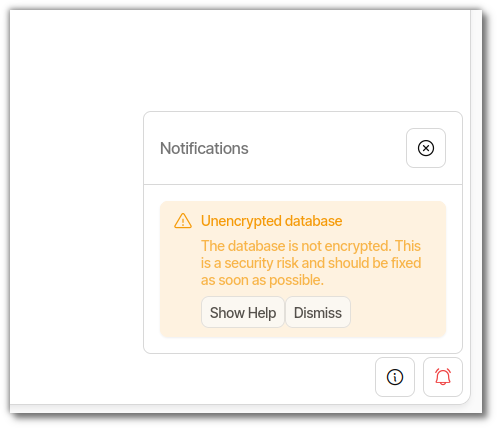
I am in the process of adding Duplicati as a default and running app on my Manjaro Cinnamon Spin called DeLinuxCo (see here: Including Duplicati in my ISO - Allowed? )
So far I have:
compiled my own Duplicati package using the AUR as a template.
created a launcher and icon
created a script that generates a base64 14 character db key, which places it in the preload.json file.
set the application to start at user login
The issue I am having is that I want Duplicati to be initially running in an error free state. In other words, the Tray icon in black not yellow.
Using my script, I can restart Duplicati but the error message is still there. It appears that as long as the error message has not been dismissed, the tray icon will always show yellow.
Any ideas on how to have it black if the the db encryption is indeed there at startup?
If the database is encrypted on startup, it will dismiss the error message.
Is the problem that the logic retains the state for the icon? (The message is no longer showing in the UI, but the TrayIcon is still showing the warning state).
PS: For the next stable release the plan is to automatically provide database encryption on desktops (using libsecret for Linux). If you use the key name duplicati-server-encryption-key you will be compatible with the next stable, in that you can remove the setup for the secret provider and it will “just work”.
As far as I can tell, the first run will (currently), generate a caution error, which will turn the icon yellow, “no db encryption” etc. My script, will run after shortly after the first boot, the script does a series of other configs for the user. Once Duplicati has run for the first time, it creates the ~/.config/Duplicati directory and my script it generate the key, add it to the preload.json file inside the Duplicatin directory etc. I then have the script restart Duplicati using; systemctl --user restart duplicati and it restarts Duplicati just fine, but even though the key is there, the tray icon is still yellow because the error/warning message about the encryption key being missing is still there.
As long as this message is not Dismissed, the tray icon will stay yellow even though the encryption key is there. Once dismissed, black icon and it stays that way.
So just insert “duplicati-server-encryption-key" into the preload.json file instead of my generated key?
You are running the latest stable, but developer spoke of “next stable”.
Dev’s request said “latest canary build” which you are not running, but Release channels and versions should be read. Canary are the latest.
That means you are encouraged to cautiously test the latest additions.
looks like it should get 2.2.0.103, and you can read about it in the Change to default database encryption and see migration worries.
Never got a reply to my concern about getting the secret back out.
It might vary OS to OS anyway, but Windows looked concerning…
Here’s your offer to continue from where this left off, if you choose:
AUR used to do things differently, e.g. providing duplicati user and group.
This is more secure than running as root, but needs workarounds for access.
Last I knew, they didn’t explain setup well. I don’t know if they have changed.
I am a bit confused… the canary versions numbers are lower than the release version numbers?
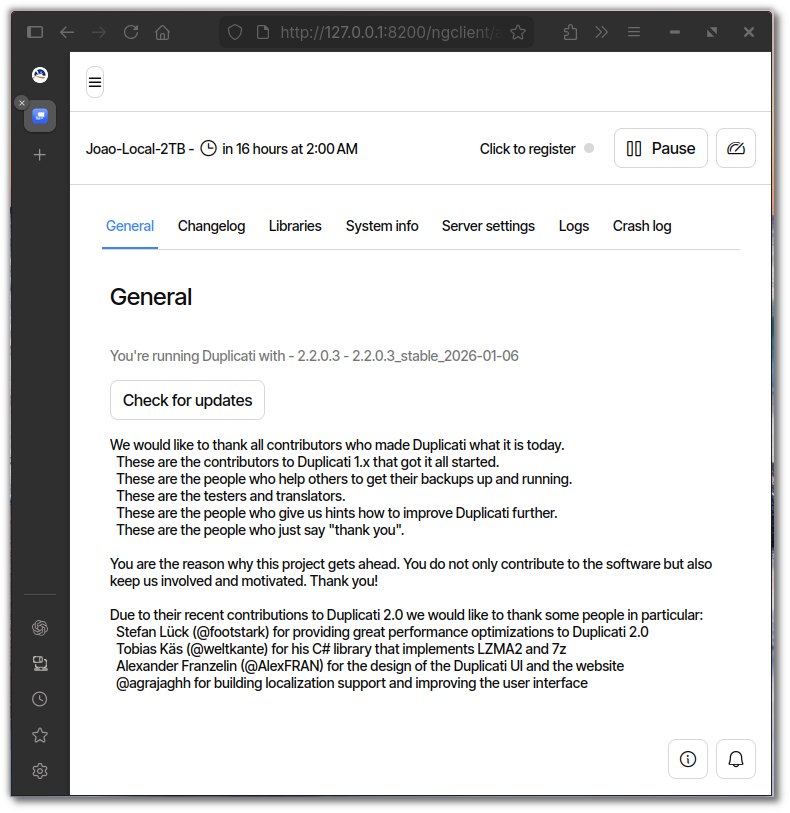
Also, I installed 2.2.0.3 stable on a new system, without adding the ~/.config/Duplicati/preload.json file and although it did give the warning message about the db encryption on first start, once the message was cleared, it never returned. So it sounds/looks like it is already implemented?
When Duplicati starts, it checks if encryption is applied, and if not sets the warning message.
If you then setup encryption, this is not applied and will not cause the messages to go away.
However, if you configure database encryption and then restart Duplicati, the changes will be applied and the message will go away.
No! That would use the value literal as the key, not very secure.
I assumed (my fault) that you were building a distro with a Desktop, and that this environment has DBus + libsecret. I then assumed you would store the encryption key in libsecret, and if you do that, you should use duplicati-server-encryption-key as the key name inside libsecret for forward compatibility.
Reading the new messages, it does not look like you are doing this, so just ignore that suggestion.
Not really. The canary has 2.2.0.102 and the stable has 2.2.0.3.
Thank you @kenkendk , that makes all of the sense in the world now. I have not needed to work much with libsecret but I will focus on that process. I will test out the canary version first and see if it just mey be easier to wait for the stable version.
I very much appreciate the help and clarification from you @ts678
I built the package for the duplicati-canary-bin-2.2.103 and it works perfectly, I created a launcher and added it to startup and built an ISO for testing. Booted perfect in live mode, started right up and turned TrayIcon black about a minute later but never turned yellow and no warnings.
I think I will just wait for this version to be pushed to stable, thank you all for your help.