Duplicati has pluggable modules. There used to be 7z archives too (gone now).
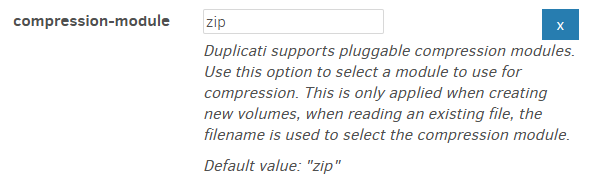
Wikipedia explains how archive file format and compression algorithms relate:
ZIP is an archive file format that supports lossless data compression. A ZIP file may contain one or more files or directories that may have been compressed. The ZIP file format permits a number of compression algorithms, though DEFLATE is the most common.
Exported config is far from an exhaustive list of options. Most have their default.
You can also get a more current status idea by clicking on above GitHub issues.
  --zip-compression-library (Enumeration): Toggles the zip library to use
    This option changes the compression library used to read and write
    files. The SharpCompress library has more features and is more
    resilient where the built-in library is faster. When Auto is chosen,
    the built-in library will be used unless an option is added that
    requires SharpCompress.
    * values: Auto, SharpCompress, BuiltIn
    * default value: Auto
Interestingly, it looks like SharpCompress added this, and Duplicati is about to.
  --zip-compression-method (Enumeration): Set the ZIP compression method
    Use this option to set an alternative compressor method, such as
    LZMA. Note that using another value than Deflate will cause the
    option --zip-compression-level to be ignored.
    * values: None, Deflate, BZip2, LZMA, PPMd, GZip, Xz, Deflate64
    * default value: Deflate
will probably have a new option when and if this comes out in a Canary release.
zip-compression-method impact on zip-compression-library isn’t said yet.
Hopefully it won’t require coordinating multiple different options to get it working.
Working with non-Duplicati .zip programs of course depends on what it allows.