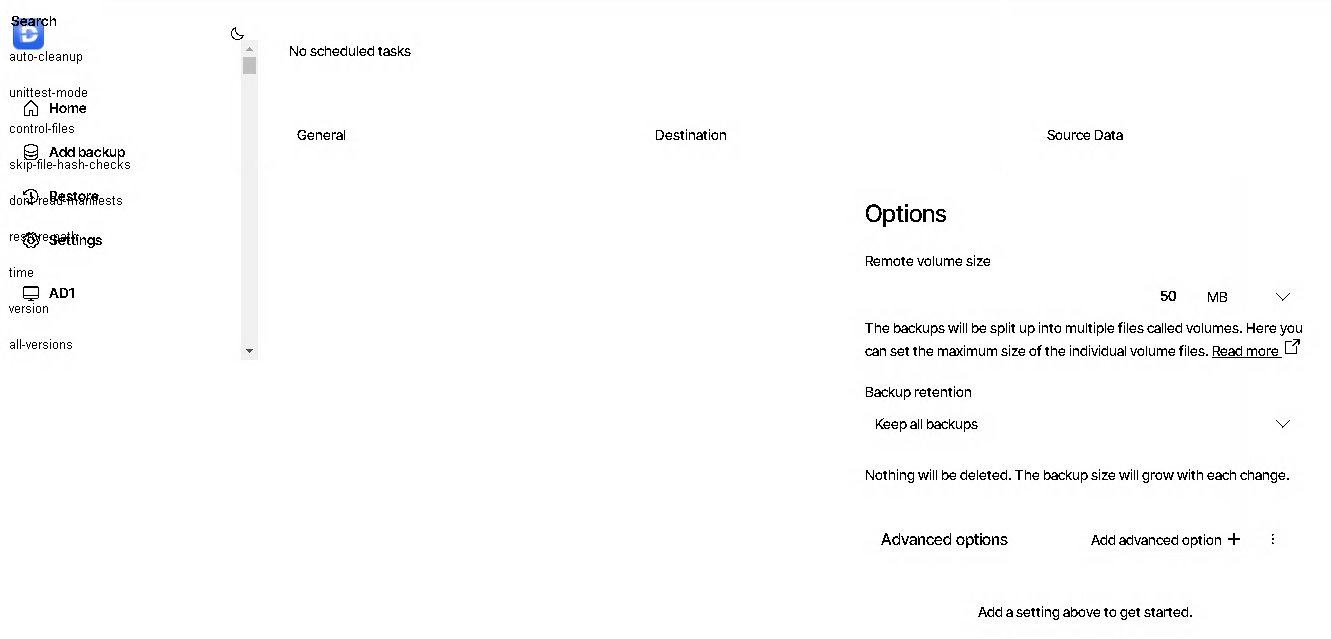
I can’t see anything with this new GUI web interface. I can’t even add a backup. It’s mostly just one big white space with no confirmation buttons. Just nothingness and on one screen, when I tried to add “advanced options” I didn’t even notice they were way up in the left hand corner painted on screen OVER some existing links and I can’t even read them. What have y’all done!?!? Please help. I can’t even open up the remote access because there doesn’t seem to be a place to save my settings.
What if you try a hard reload in your browser? For Chrome, I believe you hold the Ctrl key down while clicking the reload button. For Firefox, I think you hold Shift while clicking the reload button.
I have had lots of problems with it, so I went back to the original UI. It’s still in there, just type this into your browser and select the NgAx option: