For the past few days, I have been experiencing backup errors with the error in the subject line.
This isn’t the first time I’ve had this kind of problem; it always happens after a few months of daily backups. Four months ago, I decided to delete all my data and back it up completely again because I was running the beta version, but now I only use the stable version and this situation makes me sad.
Overnight, backups start to fail.
Before ask on this forum, I:
Delete the backup database and recreate it from the graphical interface.
Delete the backup database directly from the file system and then start rebuilding it via the graphical interface.
None of this has changed anything.
While investigating and trying to test the connection to the webdav share via the backup configuration, I realized that the connection no longer works. The error message displayed is as follows :
“Error writing file: duplicati-access-privileges-test.tmp, error: Response status code does not indicate success: 401 (Unauthorized).”
However, when attempting to perform the same action with the same file names, location, and authentication using curl commands, everything works perfectly.
If you have any idea where this might be coming from… I don’t understand it, and now my backups aren’t working…
Environment info
Version name: “2.2.0.1_stable_2025-11-09” (2.2.0.1)
Install : Host OS : Debian GNU/Linux 13 (trixie) -Linux 6.12.57+deb13-amd64 but install with Docker with Linux Server Image
Backend: WebDav Storage
This indicates that the authentication fails. Could it be blocking of some kind?
Are you sure that the curl command and Duplicati are using the same credentials?
To get closer to testing, can you try with the BackendTool?
The really strange thing about this is that, since I deleted the database to rebuild it, the job must have connected to the webdav destination to rebuild its database, I suppose. And there was no authorization problem for reading.
Hello,
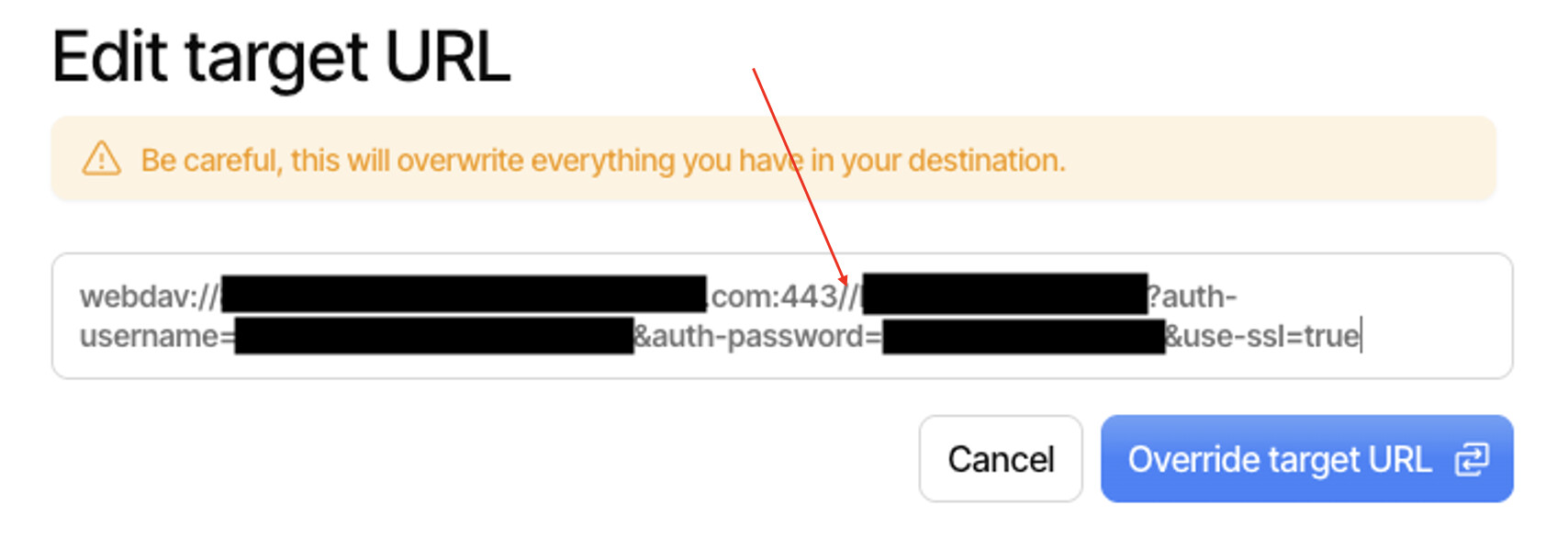
After some investigation last night, I finally found the problem, which stems from a double slash in the target URL.
I haven’t touched this option recently, so I think it’s due to a version upgrade (as soon as an update for the Duplicati Linux server container is released, I automatically deploy it at 2 a.m. (I know it’s bad practice, but it’s for personal use and IT is my job and my passion, so debugging is actually quite fun). @Kenkendk I wish I could give you the upgrade path that caused this, but unfortunately I don’t have that information.
In any case, I hope these few lines and the screenshot below will help anyone who encounters this problem.