After upgrading to 2.3.0.1 I am now getting a spurious backend quota warning.
2026-04-29 23:09:33 +01 - [Warning-Duplicati.Library.Main.Operation.FilelistProcessor-BackendQuotaNear]: Backend quota is close to being exceeded: Using 3.089 TiB of 137.204 GiB (85.596 GiB available)
This is particularly odd because the target is a USB HDD and none of the values mentioned in the warning make any sense.
Total drive size: 8 TB
Duplicati folder size: 3.4 TB (this one matches the 3.1 TiB mentioned in the warning)
Free space: 1 TB
OS is Linux Mint, file system on the drive is EXT4 on top of LUKS. I am not using any quota tools of any kind that I am aware of, beyond the cheeky little space EXT4 reserves for root only once the drive fills up.
Any thoughts on this? Anything I can do to assist with troubleshooting? It’s easy enough to ignore, I just want to make Duplicati better. After using it for so long, I feel it just needs the corners knocked off.
The code before this would incorrectly always return the free space of / on non-Windows, instead of the actual mounted path’s free space.
Workaround is:
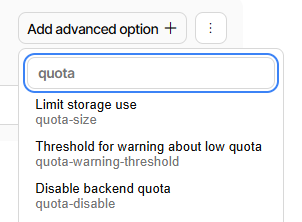
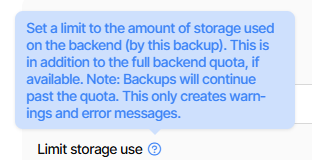
  --quota-disable (Boolean): Disable backend quota
    Disable the quota reported by the backend. The option --quota-size can
    still be used to set a manual quota
    * default value: false
Thank you for the reply, that does look about right.
/ is 138 GB in size, with 86 GB free. This is the system drive.
/home is 8 TB in size, with 3.9 TB free. This is where the source of the backup comes from.
I’ll set that flag and make it go away. But still no idea where any sense of “quota” is coming from. I took a spin through the backup settings exposed by the GUI but didn’t find anything relating to quota.
What I’m wondering about is why people are only getting warnings not errors.
I had thought quota errors were a thing too, but I’m not expert in the process.
EDIT 1:
The help thinks errors can happen. Maybe the dev will stop by and explain…
Actually the above might be a different feature that got added to keep backup
from assuming it could use all the space at the destination. But before then, I
still have a recollection that quota could cause error. Don’t know if it changed.
There are too many advanced options for all to come up in main GUI flow.
What were thought to be reasonable defaults got chosen for most options:
  --quota-warning-threshold (Integer): Threshold for warning about low
    quota
    Set a threshold for when to warn about the backend quota being nearly
    exceeded. It is given as a percentage, and a warning is generated if
    the amount of available quota is less than this percentage of the
    total backup size. If the backend does not report the quota
    information, this value will be ignored.
    * default value: 10
Then for most destination types (but not file now due to recently made bug),
destination says how much you’re using, then Duplicati warns when nearly out.