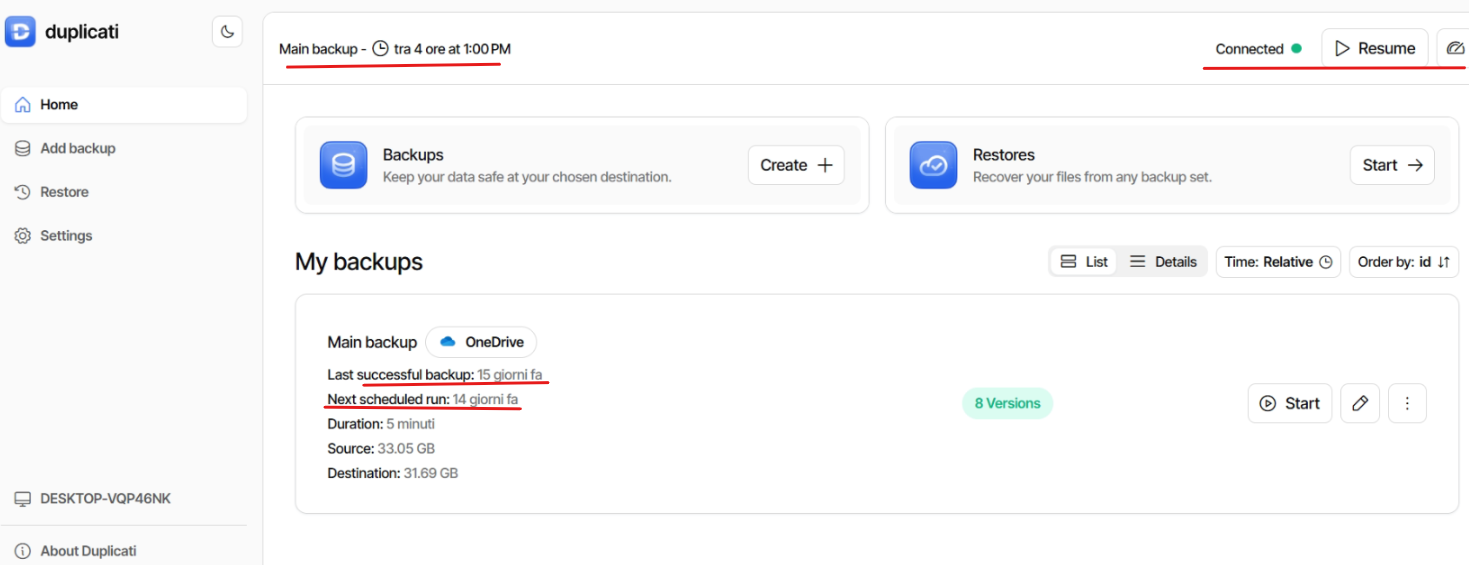
Hi everyone,
I’m experiencing an issue with my Duplicati setup that happens consistently every 4–5 days.
I configure my backup job, and it runs correctly at the scheduled time for a few days, but then it simply stops running without any notification or visible error, and I cannot see any obvious reason for it.
In my case, the last successful backup was on the 13th. After that, nothing happened until today, when I manually clicked “Resume” in the top-right corner and the backup started again.
I am using the Server edition (no tray icon) and it seems unstable in this behavior.
I checked the logs in VERBOSE mode: the last entry on the 13th is “Backup completed successfully”, and there is no further activity until today when I resumed it manually. No errors or warnings are shown.
The service is running continuously, and the PC is mostly on at the scheduled time.
I am currently using version 2.2.0.
Has anyone experienced a similar issue? What could be causing this behavior?
Apart from updating the version, I would like to know if this is a known issue and how it was resolved.
Thanks in advance!