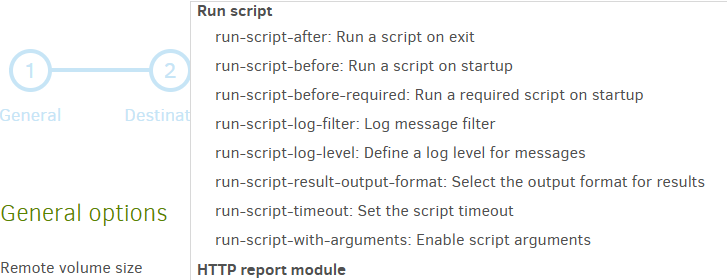
I’m running 2.3.0.4 - 2.3.0.4_stable_2026-07-09 on win11 and I’m trying to add 2 scripts (run-before and run-after) to a backup job through the editor since run-script options are not available in the pull-down menu. This is how the options show up in the editor:
and has sections. If you were looking at Core options, it lacks the specialty ones.
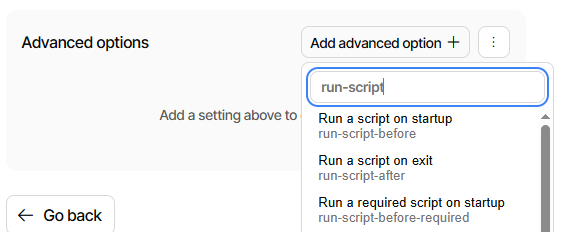
New UI Options screen has no dropdown or grouping, but it does have a Search:
New UI has “Edit contents as text” and “Show editor” (reverts to the default GUI).
Legacy UI has “Edit as text” (is this where you are?) and “Edit as list” reverts that.
Usually it’s best to let the GUI format the option. If done as text, it’s usually just one option per line, no double quotes on value (because it goes to the end of line), and double dashes before the option. I suggest you try letting the GUI add your options.
Issue solved; I’m using the new GUI and I was setting up a multi-destination backup.
My mistake was to set scripts at destination level instead of backup level (Options step), which wouldn’t have worked anyway because the second script would have unmounted the destination disk needed to sync the second destination.