Restore just folders but no needed data

Hello everyone,

I am a computer scientist a few days ago I was confronted with a very bizarre problem.

Overnight, the Microsoft licenses no longer worked for acquaintances.

Which was completely impossible because he had subscribed to an Office package with a monthly subscription.

At some point she wanted to book additional licenses.

Suddenly a window (pop-up) appeared supposedly at Microsoft on the homepage and a number from Microsoft was displayed of course they called this number, a nice lady explained that her colleague can’t talk right now but they would call back. Someone called back on behalf of Microsoft. Via Quick Access you then also have quick access to the system resp. Calculator. A new email address has been created. In addition, a local administrator account has been created GO.

When I received this info, I assumed a man in the middle attack.

Since Microsoft is so social to private customers that they receive free support. Now I was brought back on board and recommended to reset the PC for security reasons, because whenever he tried to log in with the old email address which by the way is registered with Microsoft to install the Office 365 package, this ominous new created account appeared again and again and since no one had the password except Mircosoft !!!??? Only the reset remained.

Before that, however, I made a backup with Duplicati almost 2 TB. Took almost 24 but only because of hopefully a bad external usb hard drive.

After the reset I wanted to restore the backup on another hard drive.

Now it got weird it’s always only the folders restored but without content.

I have specially created a test environment, the result always remains the same. Only folders are created over your files.

So what am I doing wrong?

Does anyone have another idea

Hi @RealBug1978, welcome to the forum :waving_hand:

That sounds like a scam right there :cry:

I assume that based on the size (and the time the backup took) that the backup does indeed include files. If so, we can get them back.

What version of Duplicati are you using?
Is this a cross-OS restore (like from Windows to Linux)?

Are you using the UI? Can you see the files in there?
What happens if you pick just a single file to restore?

Hi Kenkendk,

thanks for your post.

I really hope we can restore all the data :slight_smile:

The backup has been done with the newest Version from the homepage directly.

The backup has been done with Windows 11 and I hope with a clear version (scam)

The restore has been done after the reset from windows 11 over the cloud in the same machine but as I told your before in my post I setup a special environment for testing.without network access.Any test has been done with the same version from previous download.

I didn’t try to restore just a single set of the backup I was scared about the first and second result with missing data. But i will try this evening. Any special I need to know how proceed with this action.

I think I am using the gui because it open the browser with internal ipadress

Thanks

Br

Sven

If you are using 2.3.0.1 we made a small fix that handles the restore speed, and I was thinking the issue might be that you were running 2.3.0.0.

In any case, a fallback could be to set --restore-legacy=true as an advanced option which will use a simpler restore flow.

Hi,

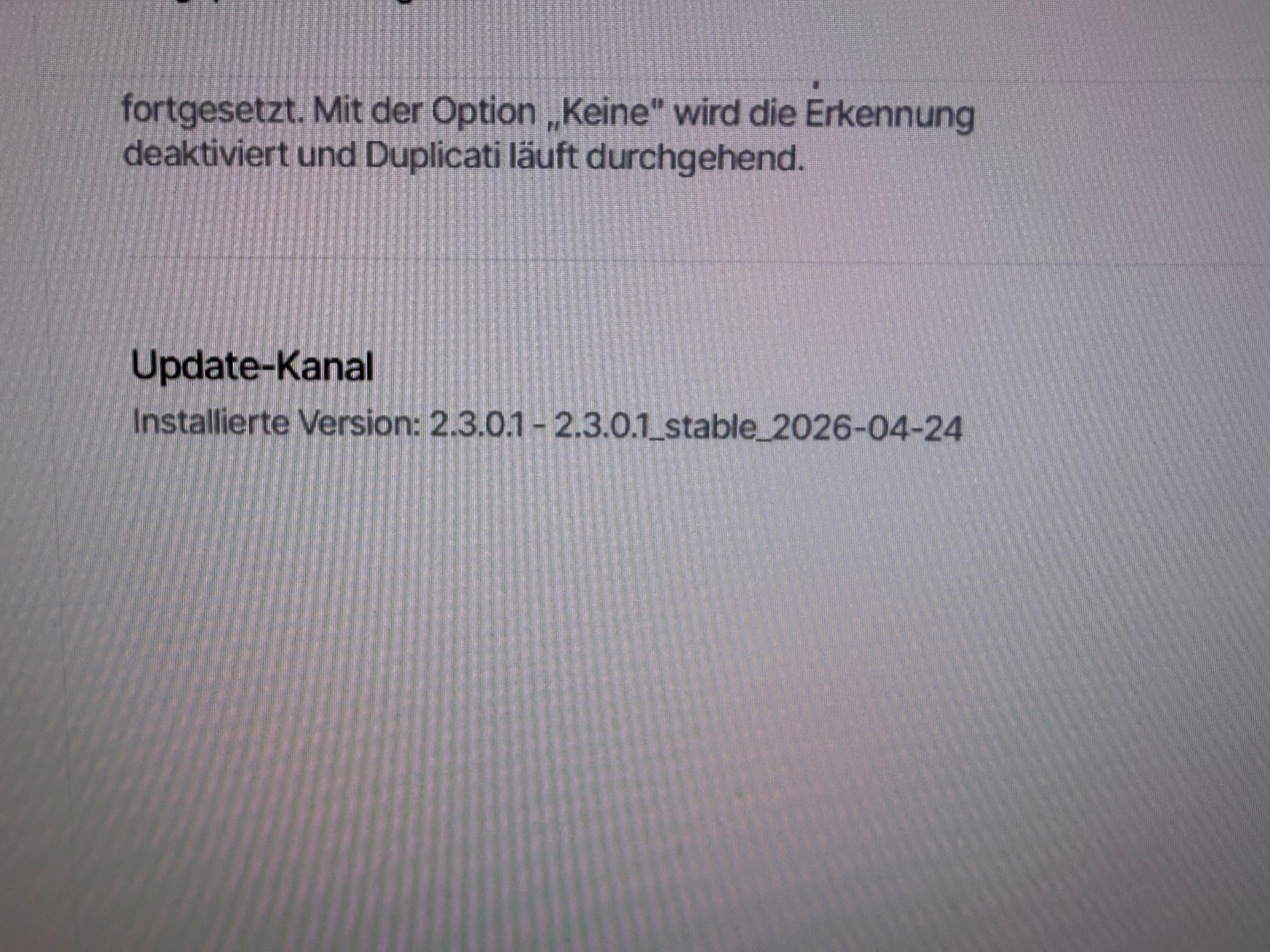
I am using the new version.

As you can see on picture 1.

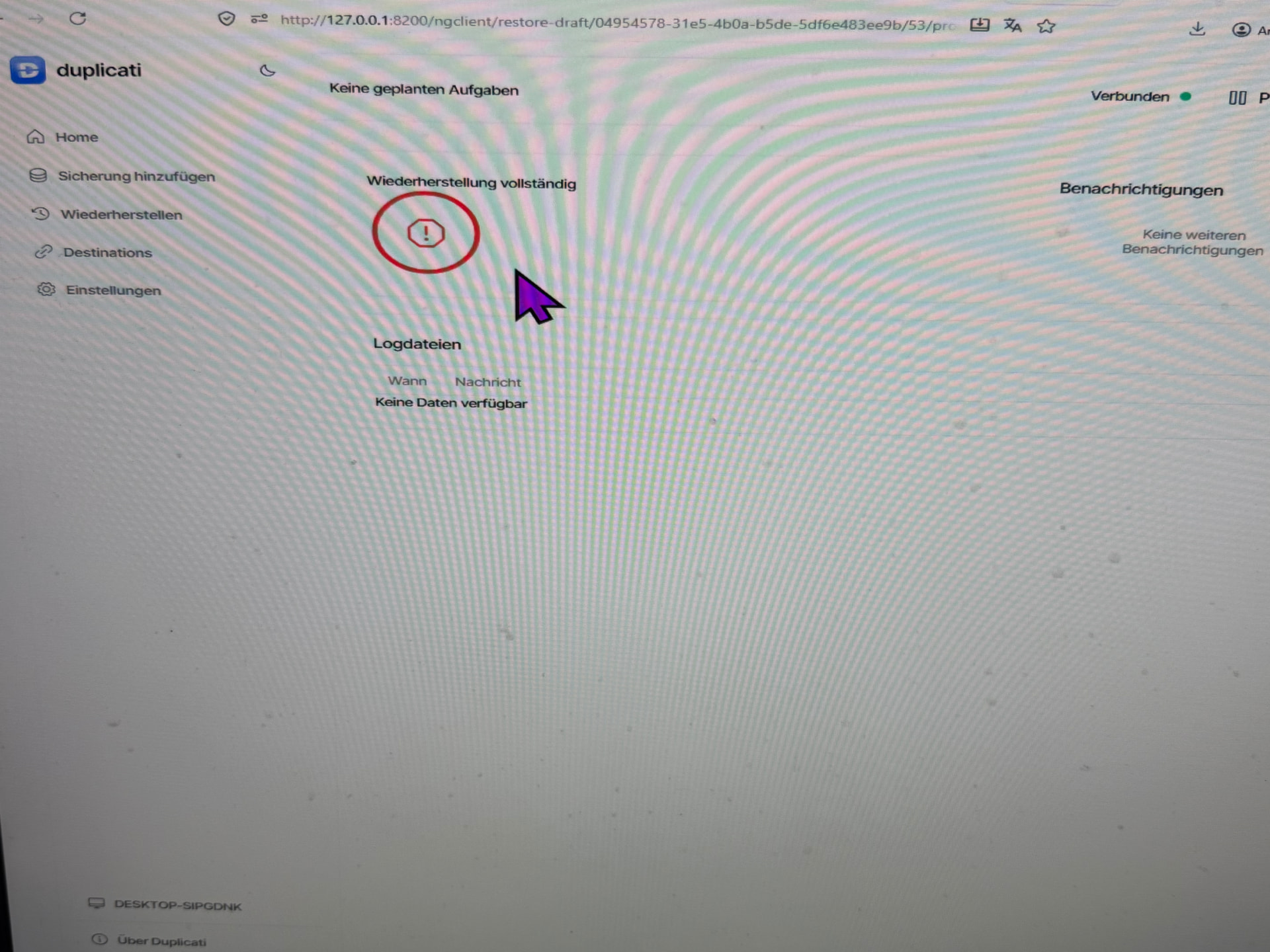
I try again to restore a backup it runs just for 2 min and it says finish picture 2

Sorry it is on german …

Sorry but still no success and I try to chose just of restore set but I couldn’t open it. Says no data

I think this is some strange case where the paths are not recognized, so Duplicati finds that no files should be restored, and then just returns.

Figuring out what is happening is a bit difficult here, I will write you a PM,

Hej Kenneth,

Det hele var alt forhurtigt færdig.

I har lige prøvet og forklare hvad der sket og hvorfor kun det ene brugerprofil er ikke blivet gemt eller sikkert rigtig.

Er en den logfile måske hjælper den en smule for at forstå hvorfor den restore gik galt

hilsen Sven

{
“BrokenLocalFiles”: [
“F:\Duplicati\Program Files\Common
Files\Adobe\Acrobat\Setup\{AC76BA86-1031-1033-7760-BC15014EA700}\Core.cab”,
“F:\Duplicati\Windows\System32\Microsoft-Edge-WebView\msedge.dll”,
“F:\Duplicati\Windows\WinSxS\amd64_microsoft-edge-webview_31bf3856ad364e35_10.
0.26100.8246_none_2ec91fd13ab0f039\msedge.dll”,
“F:\Duplicati\DATEV\KONFIG\PRO_STD\EI-Rechnungswesen-Daten pro
Standarddaten 1700.dvsdRW”
],
“BrokenRemoteFiles”: [
“duplicati-b7b93888ad0574cef871489cfab6943c7.dblock.zip.aes”
],
“RestoredFiles”: 4,
“SizeOfRestoredFiles”: 1274197280,
“RestoredFolders”: 67339,
“RestoredSymlinks”: 0,
“PatchedFiles”: 0,
“DeletedFiles”: 0,
“DeletedFolders”: 0,
“DeletedSymlinks”: 0,
“RestorePath”: “F:\Duplicati”,
“TotalVolumesAccessed”: 11,
“MainOperation”: “Restore”,
“RecreateDatabaseResults”: null,
“ParsedResult”: “Fatal”,
“Interrupted”: false,
“Version”: “2.3.0.1 (2.3.0.1_stable_2026-04-24)”,
“EndTime”: “2026-05-06T08:35:11.4195058Z”,
“BeginTime”: “2026-05-06T08:30:05.3124656Z”,
“Duration”: “00:05:06.1070402”,
“MessagesActualLength”: 43,
“WarningsActualLength”: 0,
“ErrorsActualLength”: 5,
“Messages”: [
“2026-05-06 10:30:05 +02 -
[Information-Duplicati.Library.Main.Controller-StartingOperation]: Die Operation
Restore wurde gestartet”,
“2026-05-06 10:30:06 +02 -
[Information-Duplicati.Library.Main.BasicResults-BackendEvent]: Backend event:
List - Started: ()”,
“2026-05-06 10:30:06 +02 -
[Information-Duplicati.Library.Main.BasicResults-BackendEvent]: Backend event:
List - Completed: (6,327 KB)”,
“2026-05-06 10:30:06 +02 -
[Information-Duplicati.Library.Main.BasicResults-BackendEvent]: Backend event:
QuotaInfo - Started: ()”,
“2026-05-06 10:30:06 +02 -
[Information-Duplicati.Library.Main.Database.LocalRestoreDatabase-SearchingBackup]
: Searching backup 0 (27/04/2026 07:41:28) …”,
"2026-05-06 10:31:46 +02 -
[Information-Duplicati.Library.Main.BasicResults-BackendEvent]: Backend event: Get

  • Started: duplicati-b7b93888ad0574cef871489cfab6943c7.dblock.zip.aes (249,929
    MB)",
    "2026-05-06 10:32:05 +02 -
    [Information-Duplicati.Library.Main.BasicResults-BackendEvent]: Backend event: Get
  • Started: duplicati-b6aa9f10a12b24a87a0302c5e85ca0cd5.dblock.zip.aes (249,532
    MB)",
    "2026-05-06 10:32:06 +02 -
    [Information-Duplicati.Library.Main.BasicResults-BackendEvent]: Backend event: Get
  • Started: duplicati-b3664af19b0644218b0ef390804a8d14c.dblock.zip.aes (249,470
    MB)",
    "2026-05-06 10:32:06 +02 -
    [Information-Duplicati.Library.Main.BasicResults-BackendEvent]: Backend event: Get
  • Started: duplicati-b6b6769ec0532456c92ae9798bacb3a59.dblock.zip.aes (249,963
    MB)",
    "2026-05-06 10:33:37 +02 -
    [Information-Duplicati.Library.Main.BasicResults-BackendEvent]: Backend event: Get
  • Completed: duplicati-b7b93888ad0574cef871489cfab6943c7.dblock.zip.aes (249,929
    MB)",
    "2026-05-06 10:33:37 +02 -
    [Information-Duplicati.Library.Main.BasicResults-BackendEvent]: Backend event: Get
  • Retrying: duplicati-b7b93888ad0574cef871489cfab6943c7.dblock.zip.aes (249,929
    MB)",
    "2026-05-06 10:33:37 +02 -
    [Information-Duplicati.Library.Main.BasicResults-BackendEvent]: Backend event: Get
  • Completed: duplicati-b3664af19b0644218b0ef390804a8d14c.dblock.zip.aes (249,470
    MB)",
    "2026-05-06 10:33:37 +02 -
    [Information-Duplicati.Library.Main.BasicResults-BackendEvent]: Backend event: Get
  • Started: duplicati-b9b39efb499d940f3a7a905e0bcc9646b.dblock.zip.aes (249,396
    MB)",
    "2026-05-06 10:33:37 +02 -
    [Information-Duplicati.Library.Main.BasicResults-BackendEvent]: Backend event: Get
  • Completed: duplicati-b6aa9f10a12b24a87a0302c5e85ca0cd5.dblock.zip.aes (249,532
    MB)",
    "2026-05-06 10:33:37 +02 -
    [Information-Duplicati.Library.Main.BasicResults-BackendEvent]: Backend event: Get
  • Completed: duplicati-b6b6769ec0532456c92ae9798bacb3a59.dblock.zip.aes (249,963
    MB)",
    "2026-05-06 10:33:37 +02 -
    [Information-Duplicati.Library.Main.BasicResults-BackendEvent]: Backend event: Get
  • Started: duplicati-ba20d47edb8a5434990ab41b74cff00fe.dblock.zip.aes (249,742
    MB)",
    "2026-05-06 10:33:47 +02 -
    [Information-Duplicati.Library.Main.BasicResults-BackendEvent]: Backend event: Get
  • Started: duplicati-b7b93888ad0574cef871489cfab6943c7.dblock.zip.aes (249,929
    MB)",
    "2026-05-06 10:34:04 +02 -
    [Information-Duplicati.Library.Main.BasicResults-BackendEvent]: Backend event: Get
  • Completed: duplicati-b7b93888ad0574cef871489cfab6943c7.dblock.zip.aes (249,929
    MB)",
    "2026-05-06 10:34:04 +02 -
    [Information-Duplicati.Library.Main.BasicResults-BackendEvent]: Backend event: Get
  • Retrying: duplicati-b7b93888ad0574cef871489cfab6943c7.dblock.zip.aes (249,929
    MB)",
    "2026-05-06 10:34:05 +02 -
    [Information-Duplicati.Library.Main.BasicResults-BackendEvent]: Backend event: Get
  • Started: duplicati-bcac38784fe074f409e3e7672f3d2ee49.dblock.zip.aes (249,168
    MB)"
    ],
    “Warnings”: ,
    “Errors”: [
    “2026-05-06 10:34:53 +02 -
    [Error-Duplicati.Library.Main.Operation.Restore.VolumeDownloader-DownloadError]:
    Error during download\r\nHashMismatchException: Fehlerhafter Hash-Wert für Datei
    “duplicati-b7b93888ad0574cef871489cfab6943c7.dblock.zip.aes”, gespeicherter
    Hash: eo/M5uEjatLkk6Lq6OksotTkRIu7UFigkEAE7+PH+0M=, aktueller Hash
    nZ5XJKtBdAX/12Jpve6Er/J18ublwF1pFiXrgej5hOg=”,
    “2026-05-06 10:34:54 +02 -
    [Error-Duplicati.Library.Main.Operation.Restore.FileLister-FileListerError]: Error
    during file listing\r\nRetiredException: The channel “” is retired”,
    “2026-05-06 10:34:54 +02 -
    [Error-Duplicati.Library.Main.Operation.Restore.BlockManager-BlockCountError]:
    Block count in SleepableDictionarys block table is not zero: 698732\r\nFirst 10
    blocks: 918331, 232681, 232682, 918332, 918333, 232687, 918336, 232688, 232690,
    232692”,
    “2026-05-06 10:34:54 +02 -
    [Error-Duplicati.Library.Main.Operation.Restore.BlockManager-VolumeCountError]:
    Volume count in SleepableDictionarys volume table is not zero: 698732\r\nFirst 10
    volumes: 314, 2854, 1305, 2092, 1017, 1829, 1121, 647, 399, 318”,
    “2026-05-06 10:35:11 +02 -
    [Error-Duplicati.Library.Main.Controller-FailedOperation]: Die Operation Restore
    ist fehlgeschlagen\r\nHashMismatchException: Fehlerhafter Hash-Wert für Datei
    “duplicati-b7b93888ad0574cef871489cfab6943c7.dblock.zip.aes”, gespeicherter
    Hash: eo/M5uEjatLkk6Lq6OksotTkRIu7UFigkEAE7+PH+0M=, aktueller Hash
    nZ5XJKtBdAX/12Jpve6Er/J18ublwF1pFiXrgej5hOg=”
    ],
    “BackendStatistics”: {
    “RemoteCalls”: 18,
    “BytesUploaded”: 0,
    “BytesDownloaded”: 4189626064,
    “FilesUploaded”: 0,
    “FilesDownloaded”: 16,
    “FilesDeleted”: 0,
    “FoldersCreated”: 0,
    “RetryAttempts”: 5,
    “UnknownFileSize”: 0,
    “UnknownFileCount”: 0,
    “KnownFileCount”: 6479,
    “KnownFileSize”: 847174668035,
    “KnownFilesets”: 1,
    “LastBackupDate”: “2026-04-27T09:41:28+02:00”,
    “BackupListCount”: 1,
    “TotalQuotaSpace”: 8001527214080,
    “FreeQuotaSpace”: 5292699492352,
    “AssignedQuotaSpace”: -1,
    “ReportedQuotaError”: false,
    “ReportedQuotaWarning”: false,
    “MainOperation”: “Restore”,
    “ParsedResult”: “Success”,
    “Interrupted”: false,
    “Version”: “2.3.0.1 (2.3.0.1_stable_2026-04-24)”,
    “EndTime”: “0001-01-01T00:00:00”,
    “BeginTime”: “2026-05-06T08:30:05.3124675Z”,
    “Duration”: “00:00:00”,
    “MessagesActualLength”: 0,
    “WarningsActualLength”: 0,
    “ErrorsActualLength”: 0,
    “Messages”: null,
    “Warnings”: null,
    “Errors”: null
    }
    }

What that fragment shows is that the file in question is somehow damaged and cannot be used to restore data.

The section BrokenLocalFiles shows what files are affected by that defective file.

It is possible that the file is not really damaged, but that something failed while reading it. You can see from the error message that Duplicati has detected that the file has changed:

If something else is wrong, you can tell Duplicati to ignore the hashes and treat the file as valid with this advanced option:

--skip-file-hash-checks=true

However, if the file is really damaged, it will then fail with decryption errors.

To recover from that, if anything can be recovered, you can manually decrypt the file as described here:

You need to use “optimistic mode” to get as much out as possible:

duplicati-aescrypt do <password> <encrypted file> <plain-text file>

When the file is decrypted, extract the contents, and then re-zip them, then encrypt the file again:

duplicati-aescrypt e <password> <plain-text file> <encrypted file>

Now replace the existing encrypted file with salvaged encrypted file, and make sure you have --skip-file-hash-checks=true set, as the file is intentionally modified. Some parts may still fail to restore correctly if the data could not be salvaged.