Re-enter and then what (if anything)? How do you look for the value?
If you do Edit, you invite the loss. If you just run backup it uses value.
My test on 2.3.0.0_stable_2026-04-14 on Windows into a local folder:
Set 1 MB remote volume in old UI. This is too small for 1 MB blocksize.
Run backup in old UI:

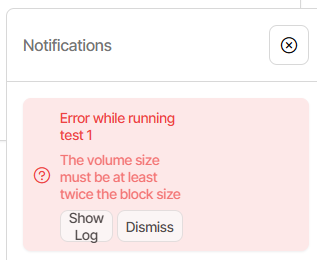
Dismiss the error in old UI, run backup in new UI:
New UI Export As commandline shows --dblock-size=1MB
New UI GUI Commandline seems to lose the option though.
Of course if I go in and Edit, option is gone, so don’t Submit.
Try a test with actual backup, using 2 MB volume size, to see what comes out.
Change it in old UI, switch to new UI, do backup, biggest dblock is just 1.5 MB.
Mine is running fine, but the danger is that if you edit it, the value will go away.
No it’s not great. Yes it is a bug the devs should fix. I posted two workarounds.
Easy one is if your jobs all use the same volume size. A bit harder is to do mix.
I don’t know if this fix will make that one, but it would be good if it got out soon.
Bug is going to break backup strategies of custom size. I just saw one at 1 GB.
If it gets fixed in Stable, there possibly will be a Beta just before it. I’m not sure.
Once you set up a workaround though, you probably won’t need a fix as much.