2.3.0.109_canary_2026-08-14
This release is a canary release intended to be used for testing.
Native desktop notifications
This release adds native desktop notifications on all supported desktop platforms. Backup results and other tray-icon notifications are now shown as real operating-system notifications instead of only appearing inside the UI.
On Windows, notifications are shown as Windows toast notifications with click-to-open support, thanks @JamBalaya56562. On macOS, notifications are shown via the native notification center. On Linux, notifications are sent over DBus and integrate with the desktop environment’s notification daemon.
Native environment variable syntax on Linux and macOS
Paths and filters now support the native $VAR and ${VAR} environment variable syntax on Linux and macOS, most notably $HOME, thanks @JamBalaya56562. Previously only the Windows-style %VAR% syntax was expanded, so the native forms were silently left unexpanded on non-Windows systems.
The expansion is additive: %VAR% keeps working everywhere, and an undefined variable is left as-is. If you previously worked around this with literal $ characters in paths or filters, those entries will now be expanded.
Restore improvements and fixes
Several restore issues have been fixed in this release, thanks @JamBalaya56562. Restore now honors stop requests promptly: an abort interrupts in-progress file reads and writes, where it previously could keep running for minutes after the request. An aborted restore no longer reports errors, blames the backup, or leaks temporary files, and files that a shutdown interrupted are no longer listed as broken. A requested shutdown is in general no longer reported as a failure. Two bugs that could corrupt restored data were fixed: a wrong seek offset when copying verified local blocks, and an incorrect buffer copy when merging a hash fragment. Restore now also preserves the selected folder and applies configured default options (such as --restore-permissions) when the restore request does not explicitly specify them. On the legacy restore engine, restoring a directory symlink no longer creates a real folder in its place.
Stricter validation of settings
This release adds validation in places that previously failed silently, which may surface new warnings or errors after upgrading:
- Misconfigured filters are now detected and reported with a warning, instead of silently matching nothing.
- An unusable update check interval is now rejected instead of being ignored.
- An invalid webservice timezone now fails instead of being silently reset.
Detailed list of changes
- Let an abort interrupt the restore’s file reads and writes, so a restore stops promptly, thanks @JamBalaya56562
- Stopped listing files interrupted by a shutdown as broken during restore, thanks @JamBalaya56562
- Stopped reporting a requested shutdown as a failure, thanks @JamBalaya56562
- Fixed the legacy restore engine creating a real folder in place of a directory symlink, thanks @JamBalaya56562
- Ran all main database queries through the slow-query monitor, so
--long-database-query-thresholdnow warns about hanging queries, thanks @JamBalaya56562 - Added native desktop notifications: Windows toast notifications with click-to-open, macOS notifications, and Linux DBus notifications, thanks @JamBalaya56562
- Added support for native
$VAR/${VAR}environment variable syntax in paths and filters on Linux and macOS, thanks @JamBalaya56562 - Made restore honor stop requests; aborted restores no longer report errors, blame the backup, or leak temp files, thanks @JamBalaya56562
- Fixed wrong seek offset when copying verified local blocks during restore, thanks @JamBalaya56562
- Fixed incorrect buffer copy when merging a hash fragment during restore, thanks @JamBalaya56562
- Preserved the selected folder during restore, thanks @JamBalaya56562
- Let configured default options apply when restore options are not specified, thanks @JamBalaya56562
- Prevented credentials from leaking through URL sanitizing on malformed URLs, thanks @JamBalaya56562
- Fixed corrupted target URL for local paths containing
@, thanks @JamBalaya56562 - Matched backend URL schemes without regard to case, thanks @JamBalaya56562
- Fixed decoding of
%uXXXXunicode escapes in URLs, thanks @JamBalaya56562 - Kept repeated path components in alternate update URLs, thanks @JamBalaya56562
- Parsed SSH, SMB, FTP, XMPP, pCloud, Tahoe-LAFS, and OAuth login URLs with the standard URI parser, thanks @JamBalaya56562
- Renamed the internal URL parser to
RelaxedUri - Removed unused parts of the relaxed URL parser and documented its constraints, thanks @JamBalaya56562
- Re-created missing index files after the block volumes are processed, thanks @JamBalaya56562
- Recomputed the next scheduled run when weekdays or interval change, thanks @JamBalaya56562
- Fixed logout not awaiting invalidation and not clearing the refresh cookie, thanks @JamBalaya56562
- Improved console connection reconnect handling and allowed concurrent message processing
- Guarded Hyper-V and MSSQL enumeration against errors
- Simplified MS365 seat counting and improved site classification
- Fixed MS365 user listing classification and return results sorted
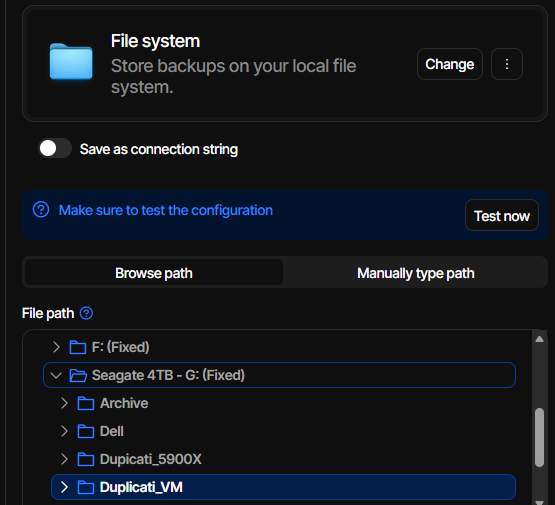
- Fixed pagination when listing backend destination folders
- Treated an existing folder as success when auto-creating a destination, thanks @JamBalaya56562
- Made the connection test accept a missing probe file, thanks @JamBalaya56562
- Fixed Box folder resolution when the folder name is already in use, thanks @JamBalaya56562
- Fixed Box lookups ignoring the requested path, thanks @JamBalaya56562
- Fixed IDrive e2 reporting existing entries as missing, thanks @JamBalaya56562
- Reported the server error when a multipart upload fails, thanks @JamBalaya56562
- Observed read timeout on chunked uploads to Google and Dropbox, thanks @JamBalaya56562
- Checked response status before decrypting a Filen download, thanks @JamBalaya56562
- Checked response status before treating a pCloud upload as done, thanks @JamBalaya56562
- Checked response status when deleting a Tahoe-LAFS file, thanks @JamBalaya56562
- Fixed Filejump error handler calling itself indefinitely, thanks @JamBalaya56562
- Made BackendTester cleanup accept an already deleted file, thanks @JamBalaya56562
- Added detection of misconfigured filters with a warning
- Rejected unusable update check intervals instead of ignoring them, thanks @JamBalaya56562
- Failed on an invalid webservice timezone instead of silently resetting it, thanks @JamBalaya56562
- Updated the help text for the sync command
- Relaxed data folder permission checks for debug builds
- Synced Japanese and Chinese README files with the English version, thanks @JamBalaya56562
- Updated all packages to latest versions
- Updated SSH.NET and BouncyCastle dependencies
- Updated js-yaml, fast-uri, and postcss dependencies
- Updated the licenses project
Updates to ngclient
- Fixed commandline autoscrolling, thanks @JamBalaya56562
- Fixed source filter highlighting, thanks @JamBalaya56562
- Prefill restore settings from configured backup settings, thanks @JamBalaya56562
- Updated Google Workspace icon
- Fixed pagination in source tree
- Database query timeout is now a “short time” type
- Added a visual warning if filters are “exclude all”
- Use
-filename*as the default new filter to avoid having exclude all as the default - Updated all translations, thanks all translators