This release is a canary release intended to be used for testing.
Changes in this versions
This version has an update to the restore process that reduces the amount of temporary space used during restores.
With the option --restore-volume-cache-hint it is now possible to choose how much size to use, and the dafult is 4GiB.
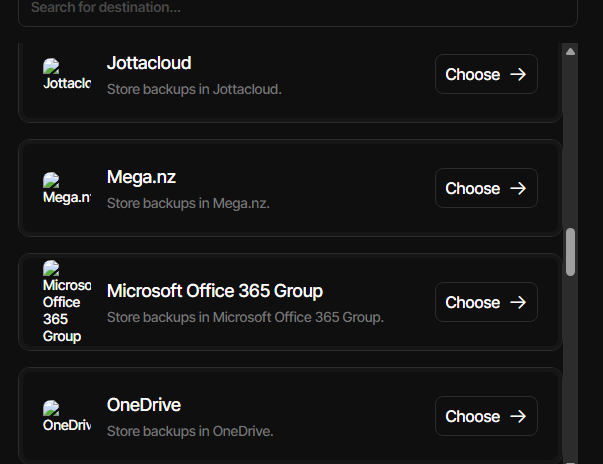
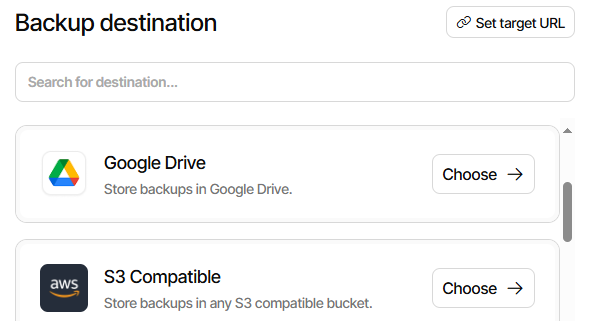
A problem with ngclient saving sizes with the default multiplier was fixed, and an improved list of destinations was added.
The breaking change in 2.1.1.100 with the --allow-empty-source was tested and found to have too many negative issues, so it was inverted to be --prevent-empty-source such that it is possible to turn it on, but it does not by default fail if the source folder is empty.
For Debian packages, the libICU package is now a recommended dependency and will not prevent installing the package.
A pre-install script warns if no libICU package was found, and shows how to run without libICU present.
Detailed list of changes:
Fixed an issue with null values on Sharepoint mounted folders
Improve support for libICU on Debian
Fixed a case where testing would fail on a missing hash value
Added support for limiting the usage of local temporary disk space during restore
Inverted --allow-empty-source to --prevent-empty-source (opt-in)
Fixed an issue with S3 backend reading stream twice
Lowercase S3 AWS Client content hash for better compatibility with other providers
ngclient changes:
Improved searching for destinations
Resolved some issues with colors not being applied
Fixed an issue with non-default size multiplier causing invalid values to be saved
Streamlined suffixes for sizes to be the same
Removed support for picking bytes as the multiplier
Fixed issue with livelog page requesting invalid data when disabled
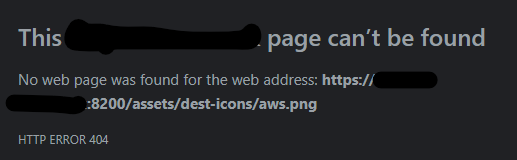
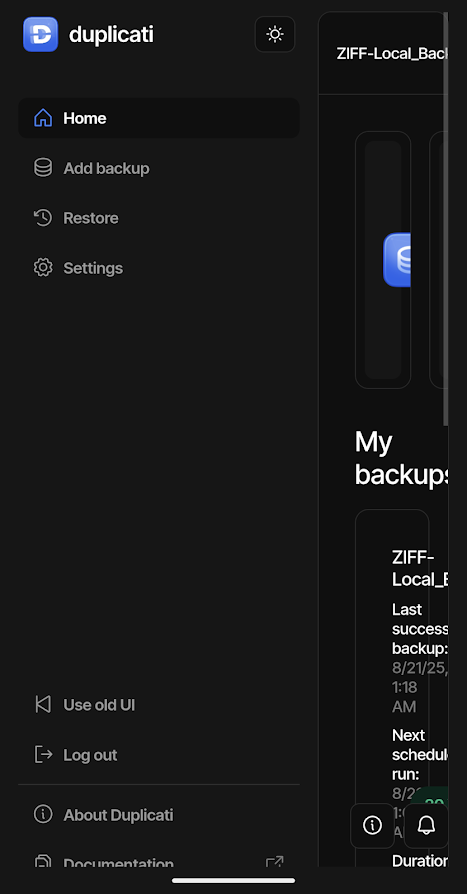
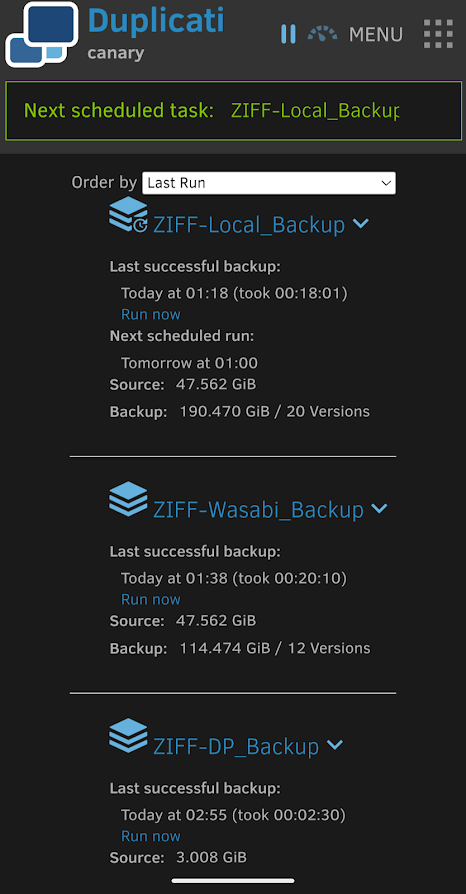
Thanks for reporting. It is because the images load with absolute paths (which works for developer setups, but fails when deployed). I have fixed the issue for the next release.
For now, we are doing a bit more rapid development on ngclient, so not all changes are made as PRs.
Upgraded my systems that were running 2.1.1.100. No issues with the upgrade.
I don’t know if this is related to the “missing files due to statusCode 503” error I reported in the .100 thread or not, but I will report here whether or not I still see it.
Since reporting this I have let that specific backup sit in an error state (it is just the backup for the Duplicati databases). Since then I have not had this error on any other backup on that Windows 10 system, or on the Linux system running 2.1.1.101.
I wonder if the devs would be able to look with the Duplicati versions that did this easily?
Post-fix Duplicati has been good for me at default, which I still worry about due to packet loss being able to get TCP to stall for minutes – will that cause read-write-timeout to fire?
I don’t have any way to stall TCP (maybe dev lab-project?) but did try to use tiny timeout.
Unfortunately the switch back from B2 S3 to B2 native (which I assume you’re on) found numerous unexpected (to Duplicati and me) files. I’m thinking this is because B2 buckets default to versioning enabled, causing B2 S3 soft-delete (evidence is in their web viewer).
I first cut version retention to 7 days in their web interface, and next day had fewer extra. I changed it to keeping only latest, waited hours, researched, read it runs at midnight GMT.
Decided to let Repair loose to delete the extra files faster. Got some noise, but worst was:
The operation Test has failed => Detected 3 volumes with missing filesets
reported in my after-backup test script which looks hard at a “copy” of the backup and DB. Copying of backup is with rclone sync. Copy of the DB is a copy of only the main DB file, which turned out to be the problem with the new scheme, plus a possible bug in Duplicati.
Write-Ahead Logging is the new scheme. I’m on Canary, so this is still using usual SQLite.
What I think is the problem is that Duplicati left over 30 MB in its BMTSLGPDSE.sqlite-wal file, which it does not have open at the Windows level (per Resource Monitor). Duplicati is still running since the 12:15:57 modification time of the file, so can’t use crash to excuse it.
Profiling log is still chugging along doing its thing until it runs into the error from my script:
12:15:57 time on main DB is when my script did a CommandLine compare on it, but I’m hesitant to quickly blame that, because IMO Duplicati should have cleaned up before it.
I tracked down the cause of my volumes with missing filesets to three dlist files found in Deleting state in my copy of the DB, but looking OK in the original. No difference in the main DB file content. Then I found Duplicati had left a 30 MB change out of the main DB. Putting those together solved the mystery of the wrong file state that I accidentally found.
Maybe devs can comment on that issue. Another oddity is that log-socket-data=256 data doesn’t seem as long or as recognizable as I had expected. Is anyone seeing good data?
EDIT 1:
This was 2.1.1.101 Canary, so Duplicati is presumably using Microsoft.Data.SQLite here.
EDIT 2:
Duplicati up since 7:15:01 AM 8/31/2025. Its wal file was created 10:23:53 AM yesterday.
As expected the DB browser normal (not read-only) can merged the .wal into the primary.
Looking at the differences confirms the changes breaking the test were in RemoteVolume.
sqldiff.exe --summary "C:\tmp\waltest\BMTSLGPDSE.sqlite" "C:\tmp\waltest\BMTSLGPDSE-merged.sqlite"
Block: 0 changes, 0 inserts, 0 deletes, 138009 unchanged
BlocklistHash: 0 changes, 0 inserts, 0 deletes, 1617 unchanged
Blockset: 0 changes, 0 inserts, 0 deletes, 20859 unchanged
BlocksetEntry: 0 changes, 0 inserts, 0 deletes, 149275 unchanged
ChangeJournalData: 0 changes, 0 inserts, 0 deletes, 0 unchanged
Configuration: 0 changes, 0 inserts, 0 deletes, 5 unchanged
DeletedBlock: 0 changes, 0 inserts, 2255 deletes, 6755 unchanged
DuplicateBlock: 0 changes, 0 inserts, 0 deletes, 0 unchanged
FileLookup: 0 changes, 0 inserts, 0 deletes, 16228 unchanged
Fileset: 0 changes, 0 inserts, 0 deletes, 25 unchanged
FilesetEntry: 0 changes, 0 inserts, 0 deletes, 339624 unchanged
IndexBlockLink: 0 changes, 0 inserts, 17 deletes, 385 unchanged
LogData: 0 changes, 2 inserts, 2 deletes, 112 unchanged
Metadataset: 0 changes, 0 inserts, 0 deletes, 14395 unchanged
Operation: 0 changes, 0 inserts, 0 deletes, 1189 unchanged
PathPrefix: 0 changes, 0 inserts, 0 deletes, 6250 unchanged
RemoteOperation: 0 changes, 39 inserts, 12 deletes, 2504 unchanged
RemoteVolume: 54 changes, 0 inserts, 0 deletes, 1045 unchanged
Version: 0 changes, 0 inserts, 0 deletes, 1 unchanged
sqlite_stat1: 0 changes, 0 inserts, 0 deletes, 23 unchanged
sqlite_stat4: 0 changes, 0 inserts, 0 deletes, 394 unchanged

sqldiff.exe --table RemoteVolume "C:\tmp\waltest\BMTSLGPDSE.sqlite" "C:\tmp\waltest\BMTSLGPDSE-merged.sqlite"
UPDATE RemoteVolume SET VerificationCount=3 WHERE ID=45;
UPDATE RemoteVolume SET Size=-1, State='Deleted', DeleteGraceTime=1756836940 WHERE ID=3007;
UPDATE RemoteVolume SET OperationID=1189, Size=-1, Hash=NULL, State='Deleted', DeleteGraceTime=1756836945 WHERE ID=3012;
UPDATE RemoteVolume SET OperationID=1189, Size=-1, Hash=NULL, State='Deleted', DeleteGraceTime=1756836945 WHERE ID=3013;
UPDATE RemoteVolume SET OperationID=1189, Size=-1, Hash=NULL, State='Deleted', DeleteGraceTime=1756836945 WHERE ID=3014;
UPDATE RemoteVolume SET OperationID=1189, Size=-1, Hash=NULL, State='Deleted', DeleteGraceTime=1756836945 WHERE ID=3015;
UPDATE RemoteVolume SET OperationID=1189, Size=-1, Hash=NULL, State='Deleted', DeleteGraceTime=1756836945 WHERE ID=3016;
UPDATE RemoteVolume SET OperationID=1189, Size=-1, Hash=NULL, State='Deleted', DeleteGraceTime=1756836945 WHERE ID=3017;
UPDATE RemoteVolume SET OperationID=1189, Size=-1, Hash=NULL, State='Deleted', DeleteGraceTime=1756836945 WHERE ID=3018;
UPDATE RemoteVolume SET OperationID=1189, Size=-1, Hash=NULL, State='Deleted', DeleteGraceTime=1756836945 WHERE ID=3019;
UPDATE RemoteVolume SET OperationID=1189, Size=-1, Hash=NULL, State='Deleted', DeleteGraceTime=1756836945 WHERE ID=3020;
UPDATE RemoteVolume SET OperationID=1189, Size=-1, Hash=NULL, State='Deleted', DeleteGraceTime=1756836945 WHERE ID=3021;
UPDATE RemoteVolume SET OperationID=1189, Size=-1, Hash=NULL, State='Deleted', DeleteGraceTime=1756836945 WHERE ID=3022;
UPDATE RemoteVolume SET OperationID=1189, Size=-1, Hash=NULL, State='Deleted', DeleteGraceTime=1756836945 WHERE ID=3023;
UPDATE RemoteVolume SET OperationID=1189, Size=-1, Hash=NULL, State='Deleted', DeleteGraceTime=1756836945 WHERE ID=3024;
UPDATE RemoteVolume SET OperationID=1189, Size=-1, Hash=NULL, State='Deleted', DeleteGraceTime=1756836945 WHERE ID=3025;
UPDATE RemoteVolume SET OperationID=1189, Size=-1, Hash=NULL, State='Deleted', DeleteGraceTime=1756836945 WHERE ID=3026;
UPDATE RemoteVolume SET OperationID=1189, Size=-1, Hash=NULL, State='Deleted', DeleteGraceTime=1756836945 WHERE ID=3027;
UPDATE RemoteVolume SET Size=-1, State='Deleted', DeleteGraceTime=1756836940 WHERE ID=3042;
UPDATE RemoteVolume SET OperationID=1189, Size=-1, Hash=NULL, State='Deleted', DeleteGraceTime=1756836945 WHERE ID=3043;
UPDATE RemoteVolume SET OperationID=1189, Size=-1, Hash=NULL, State='Deleted', DeleteGraceTime=1756836945 WHERE ID=3044;
UPDATE RemoteVolume SET OperationID=1189, Size=-1, Hash=NULL, State='Deleted', DeleteGraceTime=1756836945 WHERE ID=3045;
UPDATE RemoteVolume SET OperationID=1189, Size=-1, Hash=NULL, State='Deleted', DeleteGraceTime=1756836945 WHERE ID=3046;
UPDATE RemoteVolume SET OperationID=1189, Size=-1, Hash=NULL, State='Deleted', DeleteGraceTime=1756836945 WHERE ID=3047;
UPDATE RemoteVolume SET OperationID=1189, Size=-1, Hash=NULL, State='Deleted', DeleteGraceTime=1756836945 WHERE ID=3048;
UPDATE RemoteVolume SET OperationID=1189, Size=-1, Hash=NULL, State='Deleted', DeleteGraceTime=1756836945 WHERE ID=3049;
UPDATE RemoteVolume SET OperationID=1189, Size=-1, Hash=NULL, State='Deleted', DeleteGraceTime=1756836945 WHERE ID=3051;
UPDATE RemoteVolume SET VerificationCount=3 WHERE ID=3375;
UPDATE RemoteVolume SET Size=-1, State='Deleted', DeleteGraceTime=1756836940 WHERE ID=3517;
UPDATE RemoteVolume SET OperationID=1189, Size=-1, Hash=NULL, State='Deleted', DeleteGraceTime=1756836945 WHERE ID=3518;
UPDATE RemoteVolume SET OperationID=1189, Size=-1, Hash=NULL, State='Deleted', DeleteGraceTime=1756836945 WHERE ID=3519;
UPDATE RemoteVolume SET OperationID=1189, Size=-1, Hash=NULL, State='Deleted', DeleteGraceTime=1756836945 WHERE ID=3520;
UPDATE RemoteVolume SET OperationID=1189, Size=-1, Hash=NULL, State='Deleted', DeleteGraceTime=1756836945 WHERE ID=3521;
UPDATE RemoteVolume SET OperationID=1189, Size=-1, Hash=NULL, State='Deleted', DeleteGraceTime=1756836945 WHERE ID=3522;
UPDATE RemoteVolume SET OperationID=1189, Size=-1, Hash=NULL, State='Deleted', DeleteGraceTime=1756836945 WHERE ID=3523;
UPDATE RemoteVolume SET OperationID=1189, Size=-1, Hash=NULL, State='Deleted', DeleteGraceTime=1756836945 WHERE ID=3524;
UPDATE RemoteVolume SET OperationID=1189, Size=-1, Hash=NULL, State='Deleted', DeleteGraceTime=1756836945 WHERE ID=3525;
UPDATE RemoteVolume SET OperationID=1189, Size=-1, Hash=NULL, State='Deleted', DeleteGraceTime=1756836945 WHERE ID=3526;
UPDATE RemoteVolume SET OperationID=1189, Size=-1, Hash=NULL, State='Deleted', DeleteGraceTime=1756836945 WHERE ID=3527;
UPDATE RemoteVolume SET State='Verified', VerificationCount=3 WHERE ID=3839;
UPDATE RemoteVolume SET State='Verified' WHERE ID=3840;
UPDATE RemoteVolume SET State='Verified' WHERE ID=3841;
UPDATE RemoteVolume SET State='Verified' WHERE ID=3842;
UPDATE RemoteVolume SET State='Verified' WHERE ID=3843;
UPDATE RemoteVolume SET State='Verified' WHERE ID=3844;
UPDATE RemoteVolume SET State='Verified' WHERE ID=3845;
UPDATE RemoteVolume SET State='Verified' WHERE ID=3846;
UPDATE RemoteVolume SET State='Verified' WHERE ID=3847;
UPDATE RemoteVolume SET State='Verified' WHERE ID=3848;
UPDATE RemoteVolume SET State='Verified' WHERE ID=3849;
UPDATE RemoteVolume SET State='Verified' WHERE ID=3850;
UPDATE RemoteVolume SET State='Verified' WHERE ID=3851;
UPDATE RemoteVolume SET State='Verified' WHERE ID=3853;
UPDATE RemoteVolume SET State='Verified' WHERE ID=3854;
The three that were wrongly Deleting were the three there with the shorter version of lines:
UPDATE RemoteVolume SET Size=-1, State='Deleted', DeleteGraceTime=1756836940 WHERE ID=3007;
Marking it Deleted makes it right to not be in the Fileset table, per code likely around here.
EDIT 3:
Fixed code link just above (originally had a similar message testing for the opposite error).
                            SELECT
                                "ID",
                                "Name",
                                "State"
                            FROM "RemoteVolume"
                            WHERE
                                "Type" = 'Files'
                                AND "State" != 'Deleted'
                                AND "ID" NOT IN (
                                    SELECT "VolumeID"
                                    FROM "Fileset"
                                )
on the DB that somehow is sitting there without the wal file merged into it gives result of
One interesting thing is that both the dlist delete and the compact delete files seem to still show up in the list operation done at the end. Maybe some clouds just report deletes late?
A B2 native rclone sync immediately after the backup seems to see these files as deleted:
2025/09/02 12:16:06 INFO  : duplicati-20250819T003131Z.dlist.zip.aes: Moved into backup dir
2025/09/02 12:16:06 INFO  : duplicati-20250819T112005Z.dlist.zip.aes: Moved into backup dir
2025/09/02 12:16:06 INFO  : duplicati-20250831T160834Z.dlist.zip.aes: Moved into backup dir
Since rclone supports a backup folder for deleted files, I use it in case I need deleted files.
This goes well with the old versions of job database that I keep around for failure analysis.
Transactions commit when a frame is written that contains a commit marker. A single WAL can and usually does record multiple transactions. Periodically, the content of the WAL is transferred back into the database file in an operation called a “checkpoint”.
But programs that want more control can force a checkpoint using the wal_checkpoint pragma
but I’m not sure why Duplicati still has a database connection. File is closed at OS level.
I’m curious whether Duplicati will clean the DB up on TrayIcon Quit, but I haven’t done it.
0x10 0x01de mxFrame Number of valid and committed frames in the WAL file.
0x60 0x0000 nBackfill Number of WAL frames that have already been backfilled into the database by prior checkpoints.
0x80 0x1de nBackfillAttempted Number of WAL frames that have attempted to be backfilled but which might not have been backfilled successfully.
give some ideas about why a checkpoint might not proceed, but TBH this is not my area.
EDIT 6:
I had been looking at a test backup with Process Monitor to see what got done to -wal.
It looked like Duplicati might be somewhat variable (not a bad thing), so opens for read when that’s enough. For a read-type operation, I had the GUI give me the log file listing.
For write, I did a list-filesets because that has to write operation to Operation table.
Now that Patch Tuesday is upon us, I ran the log test on the troubled DB, watching with Process Monitor. As it turns out, that was enough. I saw lots of .sqlite-wal reads and .sqlite writes, sometimes batched, sometimes interleaved. At end, it deleted the wal.
So this is probably now where it should have been before, but wasn’t. I’ll see if it occurs again. Maybe at some point an SQLite-expert dev will offer some other thoughts on this.
EDIT 7:
Continuing to explore what was left behind temporarily, the OperationTable was OK, but
sqldiff.exe --table LogData "C:\tmp\waltest\BMTSLGPDSE.sqlite" "C:\tmp\waltest\BMTSLGPDSE-merged.sqlite"
DELETE FROM LogData WHERE ID=597;
DELETE FROM LogData WHERE ID=598;
INSERT INTO LogData (Backup)
INSERT INTO LogData (ListChanges)
The ListChanges was from the run-script-after. The DELETE are odd because they’re at 30 days rather than log-retention=60D. I’m looking at latter which seems unrelated to wal.
EDIT 8:
It looks like GUI backup ran, then compare in run-script-after, yet -wal remained.
In my case, 2.1.1.101 on Windows 10 using snapshots backing up the folder with the Duplicati databases to b2 native with default read-write-timeout of 30s hits the issue almost every backup.
Yes, B2 native. I don’t think I have versioning/soft deletes enabled, but I will check. Even if it is enabled, there are 3 backups that use folders within the same bucket: os, user area, and duplicati. Only the duplicati area backup has been failing consistently. I have seen less frequent errors on the others, but I’m thinking only 1 or 2 total since updating.
If the issue is with Microsoft.Data.SQLite (or with how Duplicati is using it) it would explain why I have only been seeing this on the Windows system and not the Linux system. I plan to update one of my other Linux systems since things seem a bit more stable there.
Hmmm. B2 says “Keep all versions“, so I guess that means versioning is enabled. However, since every file Duplicati creates has a unique filename, does versioning even come into play? I can see where a soft delete could lead to unexpected “deleted” files still being present.
One bit I misremembered - the Duplicati config backup does not use the same bucket as the rest of the backups on the Windows 10 system. Rather, all my systems use folders within the same bucket for their Duplicati config backups. So 1 Windows 10 system and 1 Linux system running 2.1.1.101, and a few Linux systems running a mix of versions prior to 2.1.1.101, and at the moment out of all of them the only one having an issue is the Windows 10 system.
I think it’s pretty minimal until one switches to S3. duplicati-verification.json files might get lots of versions if one has upload-verification-file=True, but dblock buildup is much bigger, which is a pitfall for anybody on a provider that defaults S3 buckets to versioning enabled.
One doesn’t notice it (or at least I didn’t) until one watches space use, or returns to native.
which maybe is what I fell into by accident, although I’m wondering if something like my 7 day retention might add some ransomware resilience. Getting files back might be wanted.
As a side note, my rclone sync using B2 native didn’t sync aging deleted files to my drive.
Minor nit with 2.1.1.101 on Macbook Pro, Sequoia: every time I refresh the GUIs, either old or new, it prompts me for the login password. I can navigate around on the GUIs between pages fine, but a refresh of the page prompts for the password. I don’t remember this being an issue before this update. Thanks for listening and all the good work! … Steve
Meanwhile, I’ve been posting edits with more info on my job database problem which possibly will clean up when Windows Patch Tuesday forces Duplicati down somehow.
While trying to troubleshoot an issue with repair I looked at the directory using the backblaze web site. Versioning was definitely enabled as there were files with “ (2)” after their names. As I don’t need versioning and want to make sure it isn’t contributing to the “missing files” issue I have turned the versioning off on that bucket.
[And the issue with the repair ended up being user error, not a problem with Duplicati.]
As you probably remember, I am one of the guys who “complained” about the high disk usage during restore before this parameter was introduced
I recently upgraded to the latest stable version (2.2.0.3). I am running my yearly DRP test and I notice that a restore with the default 4GiB limit of my 150GB dataset takes forever. The bottleneck seems to be the disk activity, stuck at 100%. In resmon.exe I see this is caused by dblock file writing on temporary folder (I suspect by excessive re-downloads due to the cache being depleted). Furthermore, certain cloud backends (such as GCS) will charge you per transfer, which means re-downloading dblock files will increase the cost of restoring the data (even though if you are in a crash scenario that’s probably the least of your concerns).
I changed this parameter to a higher value, and voilà!, problem solved.
That got me thinking: I put myself in the shoes of a “beginner” user, and I realize there is no good “default” value for --restore-volume-cache-hint. 4GB and you have the problem I describe above. 100GB and some guys will get failed restores due to “disk full”.
So what about adding a --restore-volume-cache-hint=dynamic option as the default?
This would use all your available disk space (minus a 15% buffer) for cache. The remaining disk space would be constantly monitored during restore, and if you have less than 15% free disk space, some LRUs dblock files would be deleted from the cache.
I feel this would give the restore process a nice edge
Just to add some data, here’s a screenshot of my Google Cloud Storage egress rate for the two scenarios:
The red box is the 1st restore job with the default 4GB cache size, which I cancelled at ~70% completion (as it was taking too long). It resulted in an ~60 USD data transfer cost cost (if I let it finish it would have been over 90 USD).
The green box is the 2nd restore job with a 100GB cache size. It was much more efficient both in time and cost, with an ~15 USD data transfer cost.