Hello everyone, I have had Duplicati running on a VPS for about 2 years and it is working very well, but currently this database is too large for the size of the VPS disk, it is currently 2GB (I know that It may not seem like much, but for a VPS with limited space, it starts to get a little complicated).
In the case of having an automatic vacuum option activated by default, is there any way to start a new backup from scratch and delete the old one to reduce the size of this database?
What does this mean? I don’t think it’s activated by default, but you have:
auto-vacuum
auto-vacuum-interval
Usage: vacuum <storage-URL> [<options>]

  Rebuilds the local database, repacking it into a minimal amount of disk
  space.
which seems to not yet be in the manual, but is available in commandline.
If you mean you already ran vacuum, then how many versions are there?
Keeping many versions is one way to grow destination and database size.
So you don’t care about the old versions? Note that you can store things off the VPS just in case.
You can start a new backup to a new destination by Export To File, Import from a file, and modify.
Deleting a backup job configuration can remove the old job when and if you decide to delete that.
If you’re sure you don’t want old versions, just delete the database and destination and run again.
If you use command line, are you now specifying --dbpath, or letting it be based on target URL? Changing the destination URL will get a new database. The old one is not essential, as it can be created from the destination if need be, however deleting the old destination will lose old versions.
The FIND command can show versions, or you can just go to destination to count the dlist files.
There are lots of options for automatic version removal, and there’s also The DELETE command.
Another thing besides versions that you can control is blocksize. Raising it some will trim DB size, because there will be fewer blocks to track. The only time you can change that is at initial backup.
I use the options below in the job’s advanced options section.
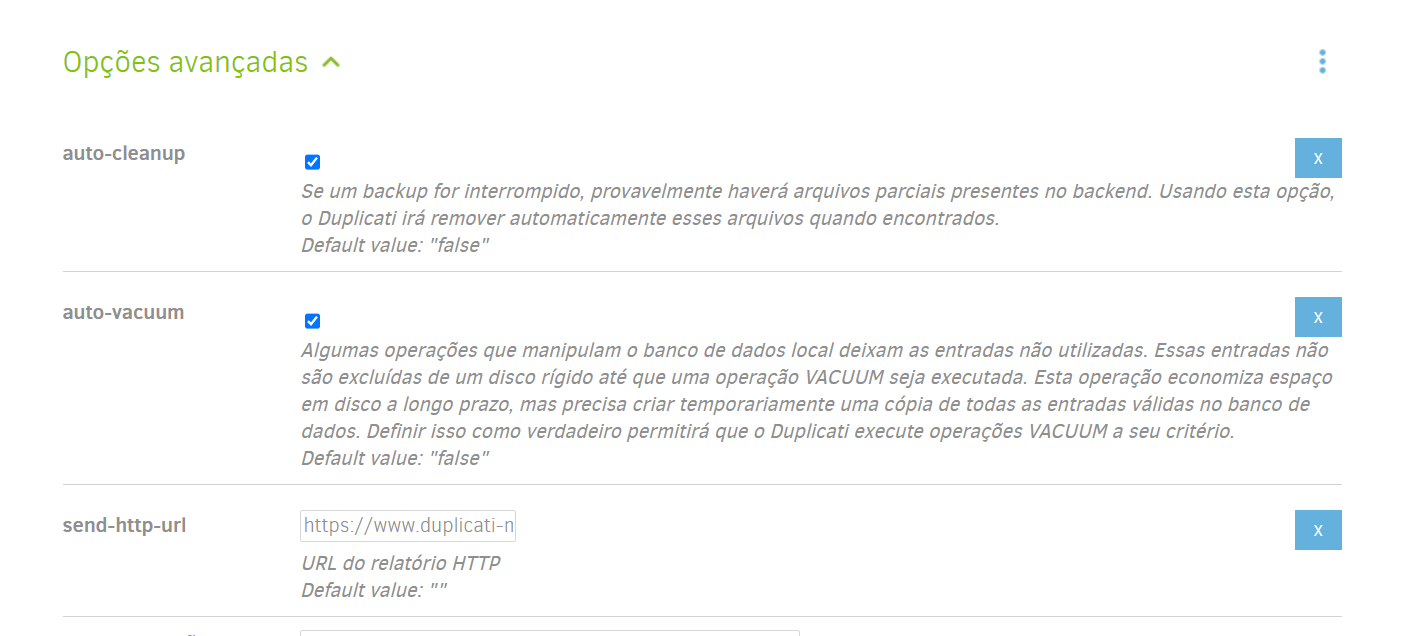
That would be my secondary plan if I couldn’t reduce the size of the bank. I normally do this from there, but first I decided to check on the forum if there was a more correct option to implement than having 2 backups for 90 days (my current retention), registered on the VPS.
So you already got what vacuum can do, and you think you have 2 versions?
If you use GUI, that’s right on the home screen too. Two versions is not a lot.
sounds like it grew, but maybe free space shrank, so now 2GB is too much?
If the source area grew, that would also do it. You could reduce and purge it.
Basically, keep source limited, versions limited, run vacuum, use a larger blocksize if restarting.
Or free up some space on the system so that it can hold whatever the minimal database size is.
It really was the purge that I was after to know what to do, but the process ended up taking too long, so I decided to compress the database with 7zip, it was less than 200MB and I started another backup job.
In this new backup job, the bank had less than 100 megabytes initially, which saved a lot of disk space on the VPS, which was 91% used previously.
Thank you very much for your help and here’s a tip for friends, backing up the bank with 7zip and keeping it for 30 days and then deleting it and leaving just the new backup, at least for me it was the best option.
1 Like