I use Duplicati on my fleet of Windows computers, version 2.2.0.3. I have configured Duplicati to start as a service. For some time now, I have noticed that certain computers no longer perform backups. Upon closer inspection, I realized that Duplicati has paused without any apparent reason.
With the command “Duplicati.CommandLine.ServerUtil.exe resume” I can clear the pause, but it must be done on each computer, which is tedious. I would like to know whether an option exists in the launch command line of the service (Duplicati.WindowsService.exe) to start the service and resume it.
Thank you in advance for any assistance you can provide.
I think this is the “pause on low power, then fail to resume” bug we have been chasing for some time. When Windows enters into low-power mode, Duplicati will pause to follow the system state. When normal power mode resumes, Duplicati will resume as well.
However, in some cases it looks like the second part fails, and Duplicati never sees the resume signal and is stuck in pause mode.
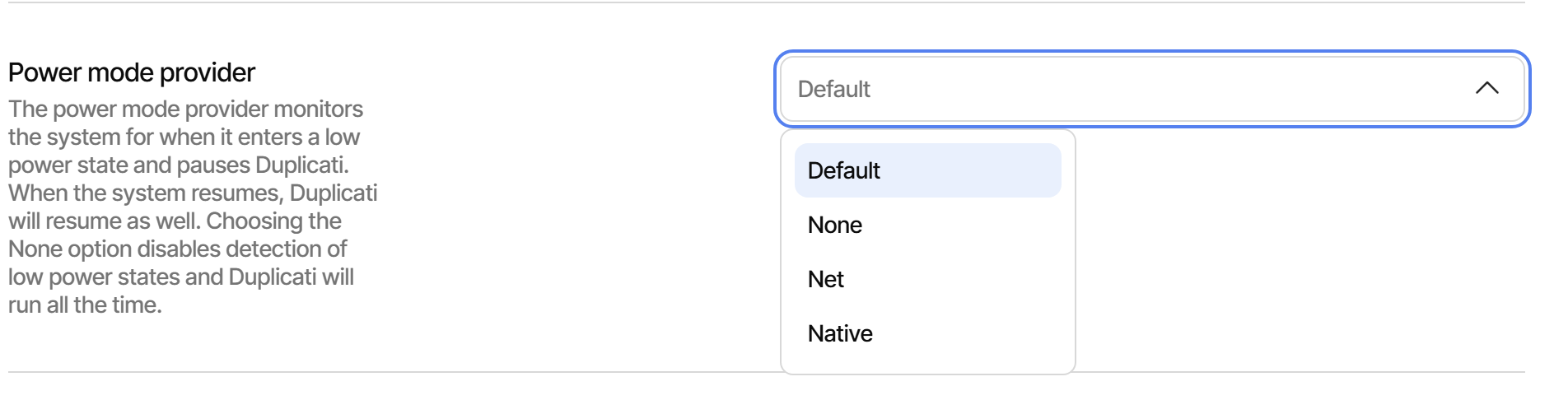
A workaround is to go to “Settings” and then change the “Power mode provider”. If you choose “Native”, this will use a different power mode provider. If you choose “None” Duplicati will not respect the low-power mode signal and never enter the pause mode.
Let me know if one of these settings fix the issue for you.