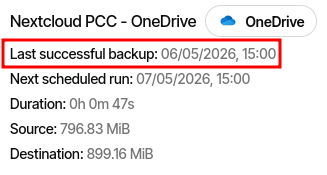
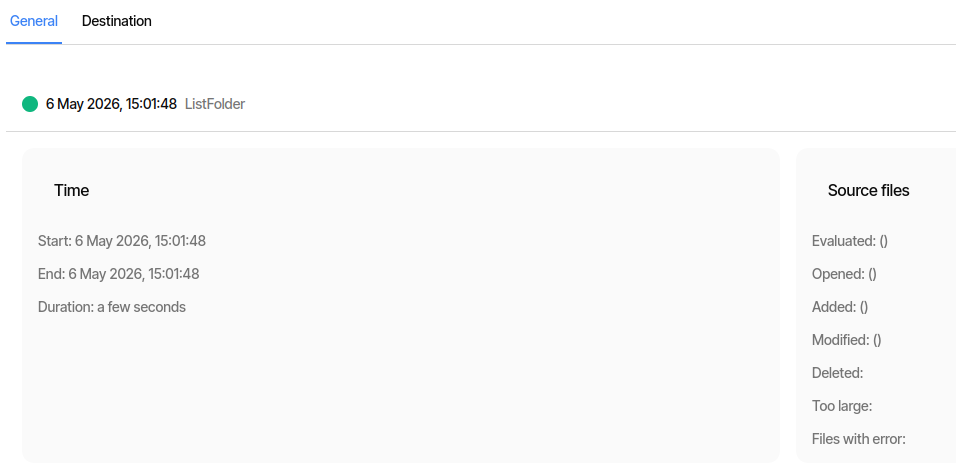
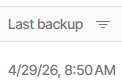
The ngclient shows the actual last backup date and time in details view only when at least one file was processed.
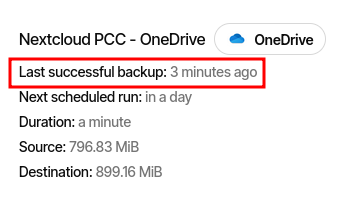
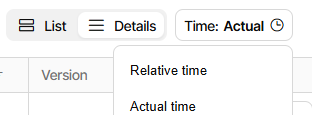
When you switch to the list view the last backup date and time is shown. This is true for the time actual and time relative.Please see screen shots below.
Details view shows that backup was done one day ago:
but this sense seems to work, and there is even an image showing it working.
I think the issue is about an incorrect (so not the “actual”) time in details view.
What obscures the issue here are the short backups, but looking at mine I get
Details:
List:
The 9 minute difference is because the scheduled 8:50 backup took 9 minutes.
There are actually different times in the server database that match times seen:
Name
Value
LastBackupDate
20260429T125003Z
LastBackupStarted
20260429T125000Z
LastBackupFinished
20260429T125922Z
The new UI seems to be changing its choice of time between List and Detail.
The old UI appears to be using one of the times near the start of the backup,
however to see that I’ll have to run a small backup without a Source change.
List:
Details:
Database has
Name
Value
LastBackupDate
20260428T170657Z
LastBackupStarted
20260506T184511Z
LastBackupFinished
20260506T184519Z
The LastBackupDate looks like the last time the backup actually got changed.
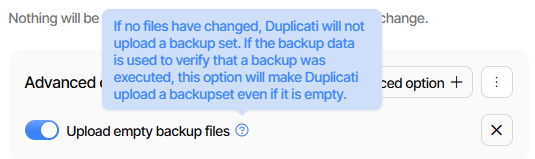
If I set Advanced option upload-unchanged-backups and then run the backup:
Thanks for that, it makes it very clear what the problem is.
Not sure why LastBackupDate is older for you, but the intention is that it records the timestamp of the last fileset that was uploaded. So if you do not set “Upload empty backup files”, this value will not be incremented, but the other two show the time the backup ran (started is updated even if it failed).
Logically, I think looking at the overview you would want to know when the backup last completed, so I will go for LastBackupFinished.
@kenkendk Yes, if both views List and Detail would use theLastBackupFinished that would be good. Otherwise you could get the impression that the backup did not run at all for some time.
I think “run a small backup without a Source change” did as intended.
No source change so no new version. Adding option forced a version.
Looking at backup scheduled at 8:20 that ran until 8:26, old UI looks that way:
One long-standing difference is that Restore identifies backups by start time.
and logs by end time (which sort of makes sense for a log reporting results):
New UI:
With possibly more uses of times in new areas such as the Duplicati console,
the question of which time to report may be coming up in some new contexts.
The reason for this is that conceptually that is when the snapshot was made. If you use VSS or LVM snapshots this is time the snapshot was made (+/- a few seconds for the actual snapshot to be available).
I don’t have a strong conviction here. It makes a bit sense that this is the time the logs were available, but it would also make sense to say “the logs from the backup that started at …”.