I do have Czech regional settings in Windows, though, which might interfere (but why the override is not working then), because I’m just incompatible with M-d-Y or am/pm or decimal dots, etc.
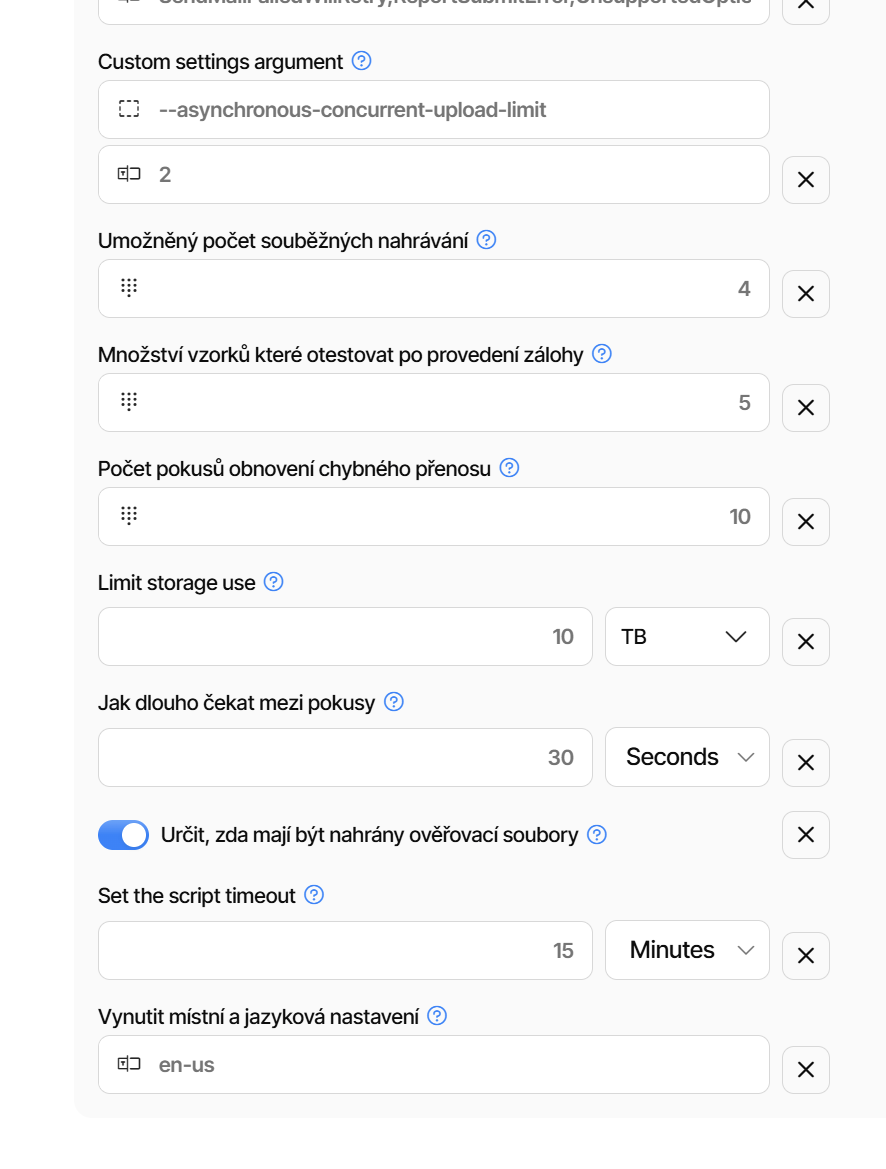
The funny part is the bottom setting, which is “Enforce en-US regional and language setting,” displayed in Czech
Which reminds me: I would love to be able to set a regional date and time format (dd-MM-yyyy, H:mm) in https://app.duplicati.com/, as values like “10/29/26, 12:03 PM” really don’t work for me.
The app UI is also missing a setting to show actual timestamps instead of goofy ones like “an hour ago”.
Also, for some reason I had to use the browser debugger to copy that timestamp, because the UI blocks copy/paste.
An unrelated issue with the app portal: while browsing it to see where else those date formats are used, I found a lot of new features like Links, but there’s no description of them whatsoever.
They’re gated, and I can enable a trial, but I don’t know whether it’s something I need or want. For example, to find out what Managed Backup Users are, I had to google it. And no, it’s not backing up my mom’s PC, which is what I would have guessed from the name.
I cannot reproduce immediately, but it looks odd.
The locale settings are in two places, the UI and the server-side.
The string “Custom settings argument” is from the UI side, and the others are from the server side.
The “Limit storage use” is perhaps not translated to Czech yet, so all the server-side strings are shown in the system default.
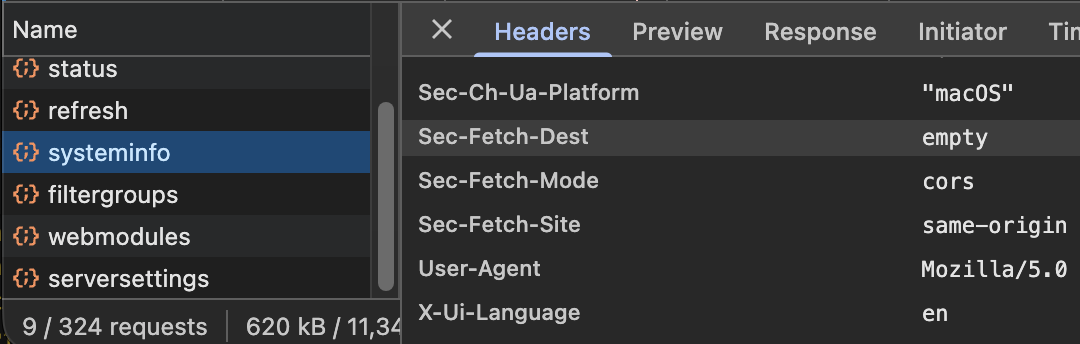
If you use Developer Tools in the browser (usually F12) then reload the page and look for “systeminfo” being loaded in the Network tab:
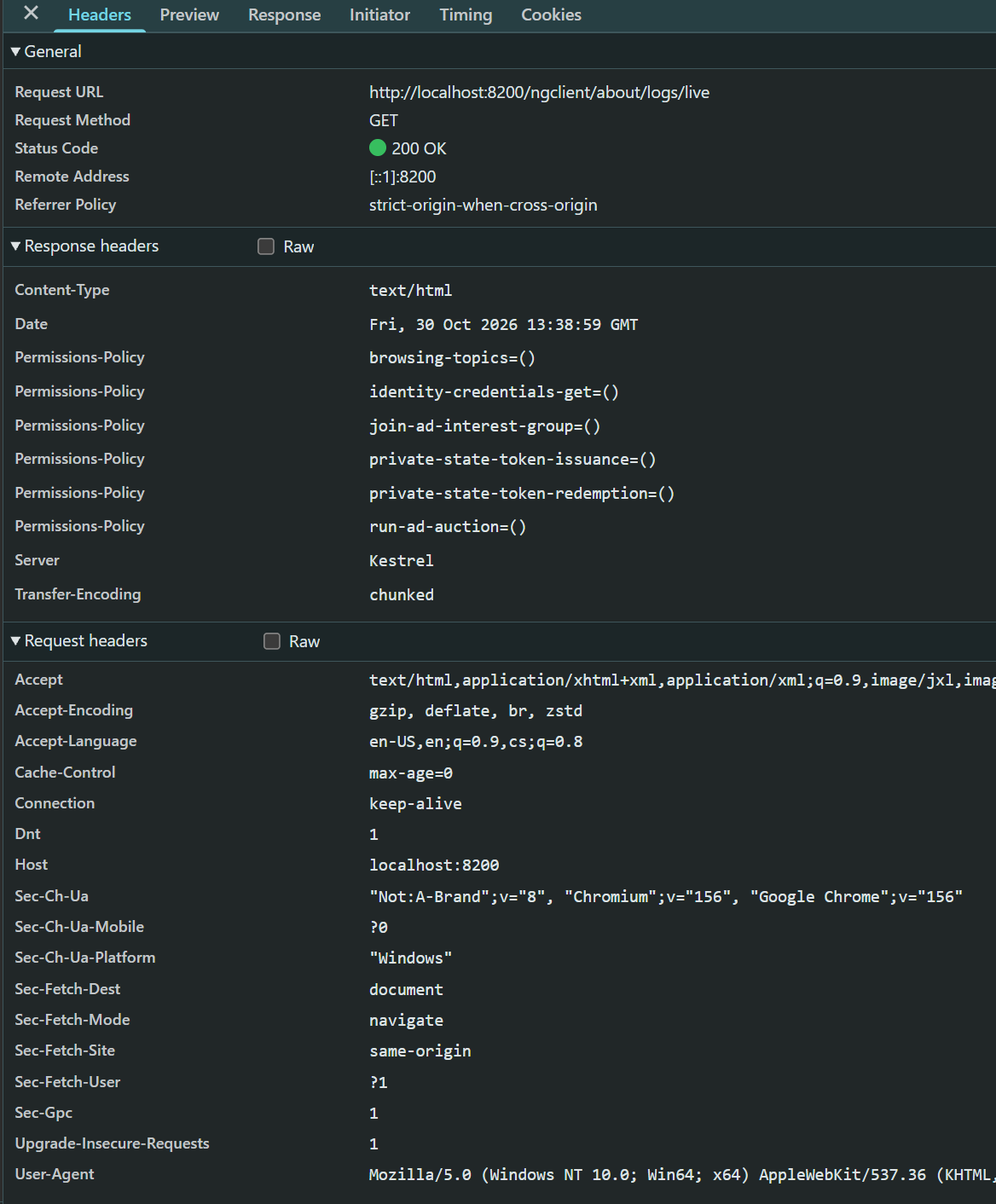
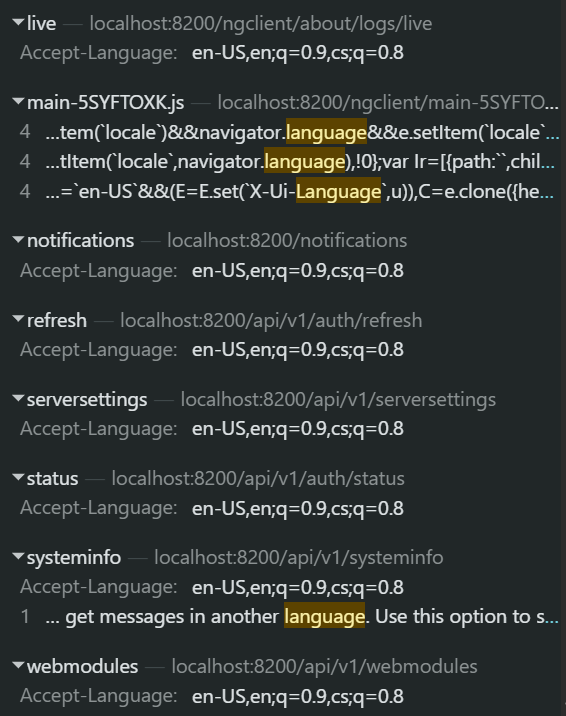
The header X-Ui-Language is the one that tells the server what language to return the strings in. Can you check what your system is sending?
That option applies to the backups, not the server. So when the backups run, they are using en-us as the locale. There is currently no option to force the locale of the server on Windows (LANG=en_US.UTF-8 is ignored on Windows).
Go to the Settings page and then choose “en-GB” as the language as the language also provides the regional formatting.
I think it is the tooltip that triggers on the mouse movements and that somehow prevents the selection. It does not happen everywhere, and double-click seems to work for me to select.
I can either select and double-click or nothing. E.g. in machines, Last Backup and Version are blocked from double-click too (and do not have tooltip).
They would deserve to be linked in the portal itself - as a help button / info.