Hello Duplicati experts,
Could you shed some light on the inner workings:
- Can
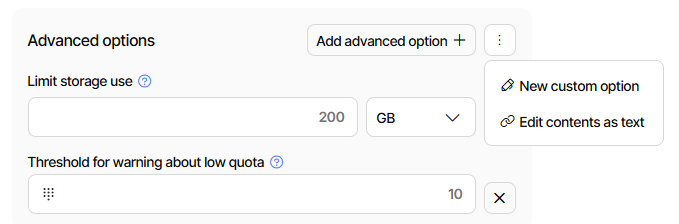
--quota-sizeand--quota-warning-thresholdbe of any benefit to local backups? (Backup to a second hard drive on the same machine?)
Or will it ignore any set value because it will follow information provided by the OS regarding the hard disk? (This was hinted at in the previous docs; unsure about the latest status quo.)
Could you provide an example?
# UNVERIFIED SYNTAX
--quota-size=?200GB? #what type unit? Used with `=`? Not in docs.
--quota-warning-threshold=?5? #threshold seen from free space or used space? In % or MB/GB?
# This means?: If $totalsizebackup > 100%-5% then warn.
Though we are aware that duplicati has many integrations to upload the backup to external parties, it is preferred in this situation to have a local backup and then have a third-party synchronise that folder as an external backup.
The external backup however has limited space, if possible I would like to configure quota on the backup config so that duplicati starts firing warnings when it is gets close to the remote limit. Via the console app we can then hope to perceive that either something has gotten in the backup that shouldn’t be in there, or the end-user’s remote storage solution needs updating.
Looking for clarity on what is possible with the quota switches.
Second question
- When one uses
verifyorbackup-test-percentageorbackup-test-samplesto verify remote volumes, in a remote setup, a set number/percentage of remote volumes are downloaded and their hashes calculated, right?
For a local backup, is this accelerated and is the hash calculated of the volume-files by reading them from the second hard drive directly or are the pseudo-remote volume-files first copied to the C: drive and are the hashes then calculated and compared?
Just trying to make sense of some performance measurements in which disk activity during verification did not always make sense; the method of measuring was not perfect, hence the question.
(This questions is about verification of the volumes, so without the unpacking done by --full-remote-verification; this one was not used.)