I’m about to give up on this software as I cannot seem to work around duplicati asking me for e JWT Signin Token every time I start it from the tray. I’ve solved it once, but cannot remember how and after reboot, I am asked again.
Unfortunately, I cannot use settings, as I don’t get a GUI.
I can start a script, so arguments are possible. But I understood this option --webservice-disable-signin-tokensto make things even worse. I got the impression that the tray becomes useless if you disable the token sign-in.
The should-be-automatic JWT token login mechanism only happens from TrayIcon.
If you got as far as seeing its screen, you can login directly – if you know password.
I don’t think so, but you can cite anything suggesting that. Automatic login is optional.
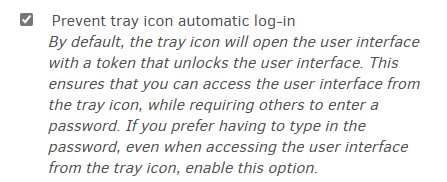
If it was useless on tray icon, it wouldn’t make much sense to offer it in tray icon help.
Changing the Server password says how to do that if you never set up the password.
Possibly you’re thinking of the random one Duplicati set up. Tray Icon login is by JWT,
or at least it should be… Manual login at URL needs you to pick and use a password.
Yes that is true. The way the TrayIcon works is by issuing a Signin token for itself, and then opening the page with the signin token in the url (as a query string).
The signin.html page has a small piece of Javascript that pulls the token from the url, pastes it into the “Signin token” text field, and submits the form (yes, very crude, but requires no support libraries).
Could it be that something prevents javascript from running on that page? You should be able to see the token in the address bar of the browser, and you can copy-n-paste the token yourself.
If there is no token in the url, you have disabled either tray icon login (as suggested by @ts678 ) or disabled signin tokens. In this case you should instead be redirected to a login.html page, which requires a password.
You can (re-)set the password from the commandline with --webservice-password=<new password>, and the new password survives reboots/restarts.