Hello,
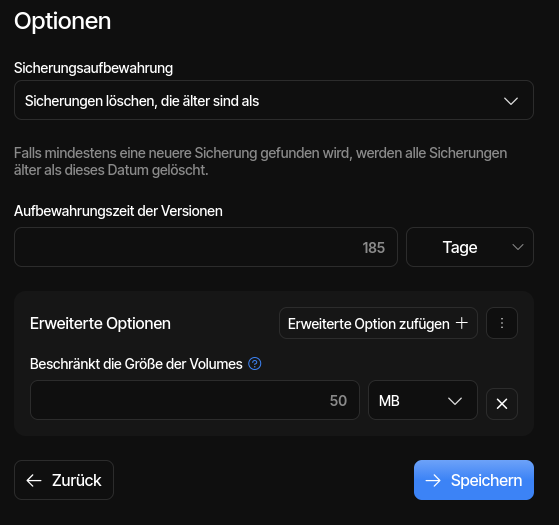
i don’t can edit Jobs with Version 2.3.0.1. The Click on the Save Button have no Reaction. An older Thread: Unable to save edited backup sets - No reaction on Save button - #11 by ts678
Many Thanks!
Many Greetings
Revan335
Hello,
i don’t can edit Jobs with Version 2.3.0.1. The Click on the Save Button have no Reaction. An older Thread: Unable to save edited backup sets - No reaction on Save button - #11 by ts678
Many Thanks!
Many Greetings
Revan335
The 2024 post you cite may be a completely different UI, so may not apply.
On the other hand, you mention Save button. The new UI button is Submit.
Is the issue in new UI or the Legacy UI (still available from Settings page)?
Assuming it’s new UI (which doesn’t pop errors at you like the old one did):
First thing to check is whether you had any icon go red in lower right corner.
Often what looks like no reaction is actually some complaint that stopped it.
If nothing changes, then you can see if you can repro problem with new job.
Keep it super simple. Maybe there’s something special about first job failing.
Sorry, in German he show it at Speichern aka Save.
I tested this with a new Job too. But yes he showed a Error for missing Source Option Parameter to ignored this.
Hmm… maybe the Edit/Save Function not working when a Alarm is available and not Choice an Option on it. It not working to minimize this Alarm, he must a Approved a Option Choice for this before the Edit/Save Function working again.
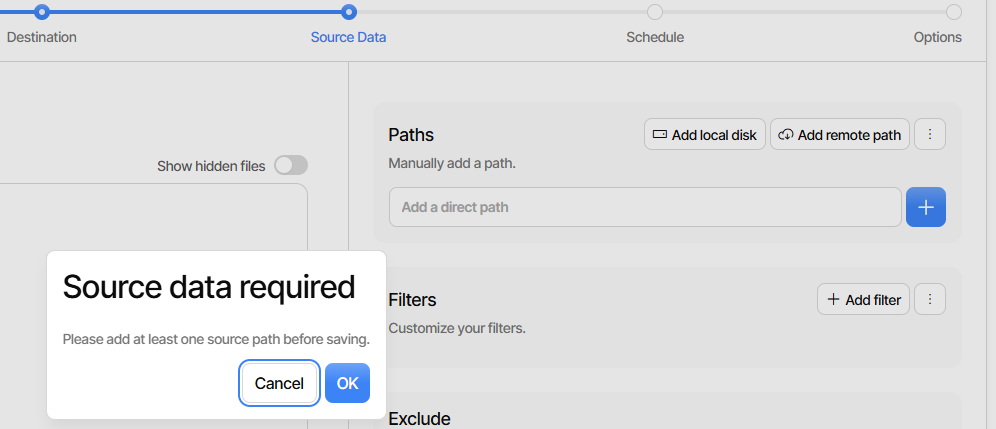
I should have given the new UI more credit for popups. If I delete all my source
(visible in Paths – just remove) and Submit, it goes back to Source screen with
This seems a great handling, showing you where issue is. Do you have Paths?
Is this even the reaction you get? If not, please describe it better or post image.
Mine looks like local check in the browser, or at least I don’t see send to server.
Yours sounds like might have gone out. F12 developer tools might reveal send.
What browser, what OS? My 2.3.0.1 is Edge on Windows. Did you use 2.3.0.0?
Knowing when this stopped working (I assume it worked at some time) will help.