Just upgraded Duplicati to latest stable (2.2.0.1) on Ubuntu. Everything works, but database was out of sync.
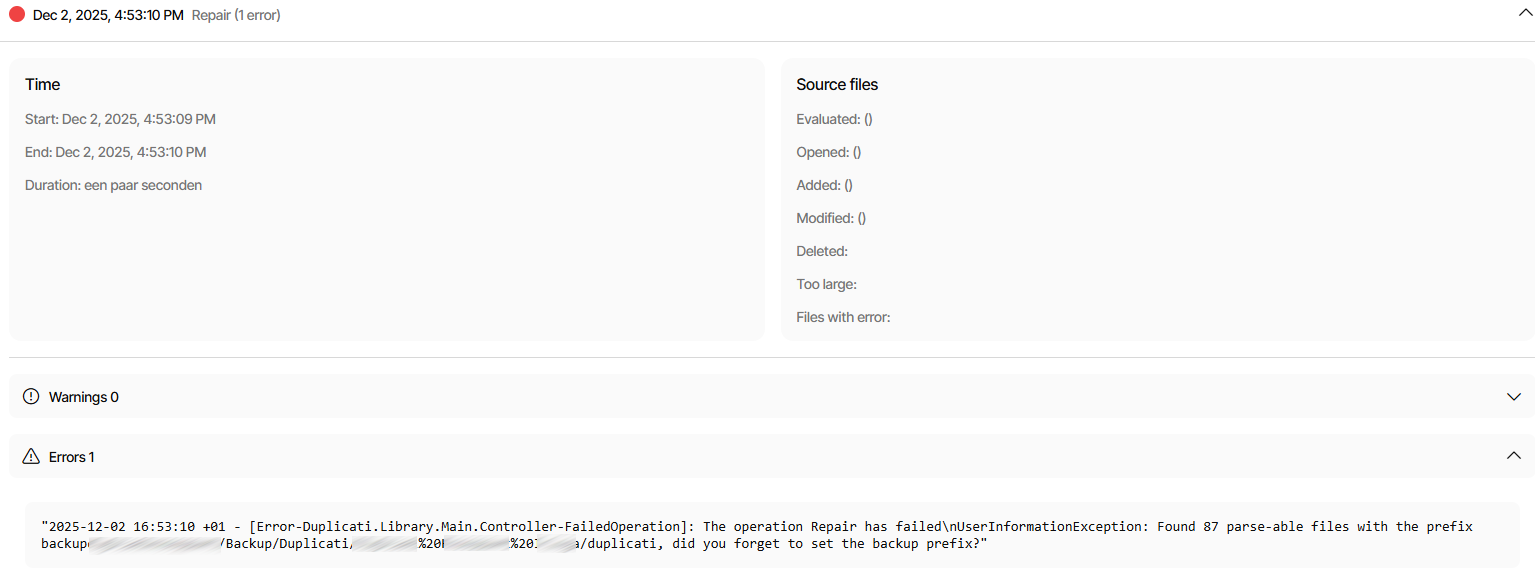
So I renamed the local database and started a recreate. Recreate fails immediately with the following error:
2025-12-02 16:53:10 +01 - [Error-Duplicati.Library.Main.Controller-FailedOperation]: The operation Repair has failed\nUserInformationException: Found 87 parse-able files with the prefix path/to/Duplicati/Destination%20Folder/duplicati, did you forget to set the backup prefix?"
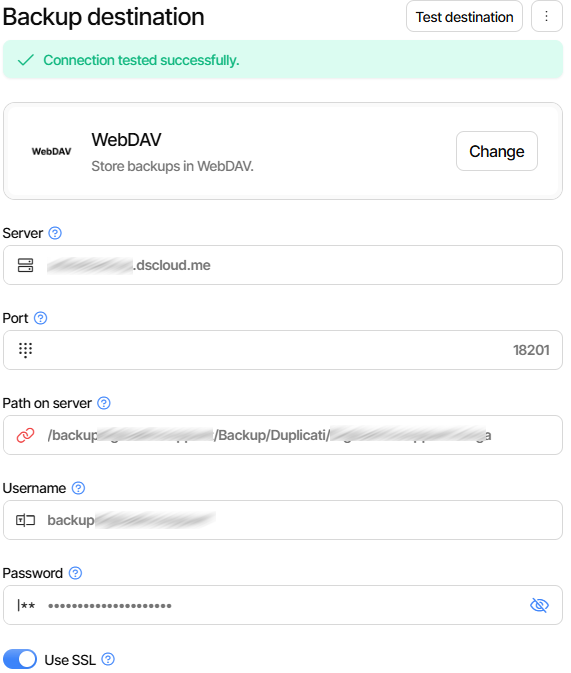
Backup files are stored in “/path/to/Duplicati/Destination%20Folder” using WebDAV(S). Test Destination returns “Connection tested successfully”.
Somehow Duplicati seems to append the destination path to the prefix, which aborts recreation of the local database.
Found the solution myself. The destination folder (WebDAV) contained spaces. Spaces are automatically URL-encoded (i.e. target folder is converted to target%20folder), but the database repair/recreation process does not parse these folder names correctly and treats the full path as the prefix for remote volumes.
I guess this is a bug that should be fixed in a future version.
Not sure how this could happen… The parser should only see the filenames, the folder names should have been stripped for any operation that involves the database.
I think this is related to the recent fix to extend WebDAV parsing perhaps?
If you can still reproduce this? If so, can you try to set --use-legacy-parsing in the advanced options before clicking “Test connection” ?
Yes, it should be possible to use folder paths with spaces.
I was able to reproduce this. Performed the following actions:
Deleted local database and started a DB recreate. Result: DB successfully recreated.
Deleted local database again, inserted spaces in backend folder name and started DB recreate. Result: DB recreated failed immediately with error message “did you forget to set the backup prefix”.
Deleted (empty) local database, set -use-legacy-parsing to True in Advanced options, started DB recreate (with spaces still in backend folder name). Result: DB successfully recreated.
So it looks like the new parsing of WebDAV folder names is failing when it contains one or more spaces.
I have the same problem since the last stable update. But my webdav path has no spaces.
On old backups I became: [Error-Duplicati.Library.Main.Controller-FailedOperation]: The operation Backup has failed RemoteListVerificationException: Found 1124 files that are missing from the remote storage, and no files with the backup prefix duplicati, but found the following backup prefixes: DuplicatiPC/E/duplicati
On another backup I test “repair” and “delete and repair”, but after this still not working again.
Than I delete the backup folder and create a complete new backup and now I became this error: Found 293 parse-able files with the prefix DuplicatiPC/C/duplicati, did you forget to set the backup prefix?
Now I have activate the “legacy-parsing” to “true” and all is fine