I am trying to exclude a folder from an Rclone backup, but every time I set it to “Excludes folder” and click on “Continue”, it just automatically switches to “Excludes expression” and the folder doesn’t get excluded in the end. Any idea?
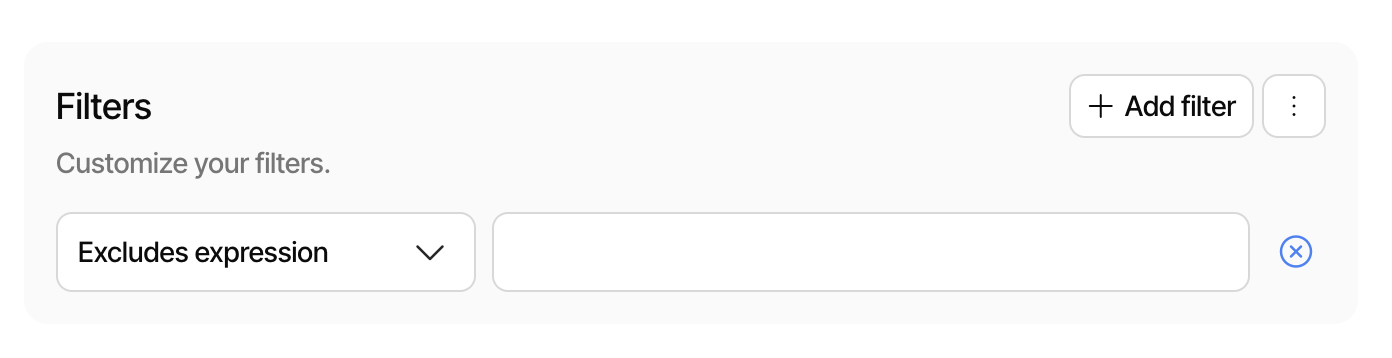
The editor is trying to be helpful here, but sometimes it is the opposite.
Try instead to click the three dots, then “Edit as text”.
The filter list can then be edited manually. To exclude a folder, make sure it ends with the directory separator (/ on Mac/Linux and \ on Windows)
-*/badfiles.txt
-*/badfolder/
This will exclude all files named badfiles.txt and any folder named badfolder.
Not that filters always matches the full path, which is why you need the leading *.
More details on filters:
Was folder typed before that? If not, when was folder typed?
I think (but am not positive) you should select dropdown first, then start typing.
It does behave oddly as you go though, flipping its interpretation on dropdown.
A slash at end seems to make it say it’s a folder, type a letter, and then it’s not.
This makes sense definitionally, but also seems to burden user with last slash.
It also happens as you type, so need for Continue makes me ask my question.
Old UI for folder would automatically add the last slash. New UI seems not to?
Regardless, if you selected a folder but want to exclude something in it, click it.
If you pick a folder, all subfolders and files in that folder will be included. You can use the UI to unselect some items that you want to exclude, and they will show up without a selection marker.