I’m a new user and trying to get started with Duplicati on a windows machine, running version 2.2.0.3 and would like to replace the original Filen.io client with duplicati.
On Filen i have 2fa enabled, but this seems to create problems when duplicati tries to connect to it.
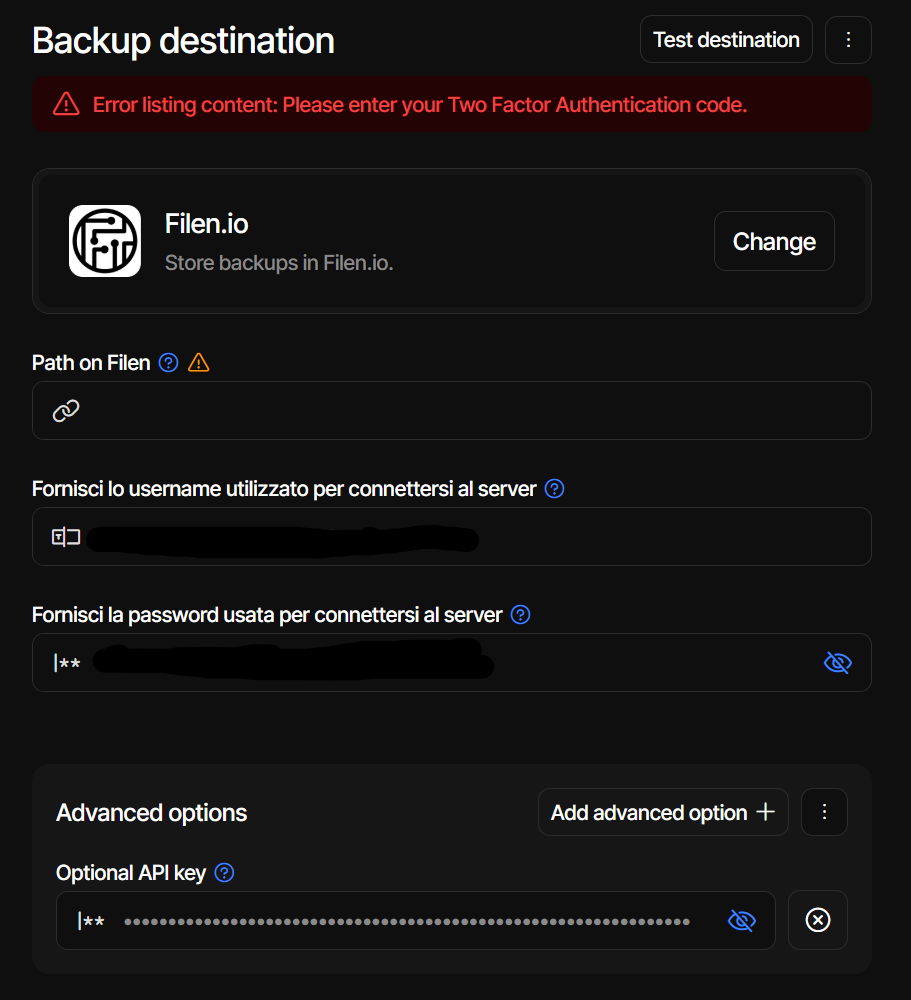
When i add filen as a destination with a fresh otp, duplicati seems to correctly retrieve the api token from filen (checked against the Filen CLI, they match), this token should remove the need for the otp each time duplicati tries to sync, and if the api-key field is filled, the 2fa field disappears, or that’s at least what i understood according to the ui:
on the filen dashboard i can see a corresponding “login failed” error.
Trying to save anyway and syncing some file also doesn’t work, and the logs still show the same error for 2fa.
Searching around i found the changelog for this release 2.0.3 that apparently is the one that added filen functionality.
Any idea on how to proceed? i would strongly prefer to not have to disable 2fa if possible.
Sadly no. We need some information from Filen on how to deal with the API when not using 2FA.
The issue here was “fixed” in that Duplicati can now connect with a valid API key.
But we still don’t know how to create an API key that lasts for more than 15 minutes or so.
If you can extract the API key from the WebDAV CLI, it should work with 2.3.
The apiKey from /v3/login is persistent on our side. There’s no TTL or refresh logic in our SDK, CLI, or rclone backend, and the same key gets reused indefinitely without re-hitting /v3/login. If users are running into specific errors at that mark, send the error code or response and we can help figure it out.
For the 2FA-disabled flow question, ping us directly and we can walk through it.
Thanks for confirming. It turns out it was a configuration error in the test on our side that made it fail. I can confirm that my months old token is still valid and working.
Sorry, that was an incorrect negation, the non-2FA flow has always worked.
We don’t have a way to spin up a v1 test environment for you. The path I’d point you at is rclone with the Filen backend. It goes through our SDK and supports all auth versions, including v1. We also have a major backend rewrite in flight, so going through the SDK keeps you on the supported integration path long-term.
There’s no self-service v1-to-v2 upgrade for users today. Password changes and forgot-password resets both keep the existing auth version. Account unification is on our roadmap but no firm timeline I can point at.