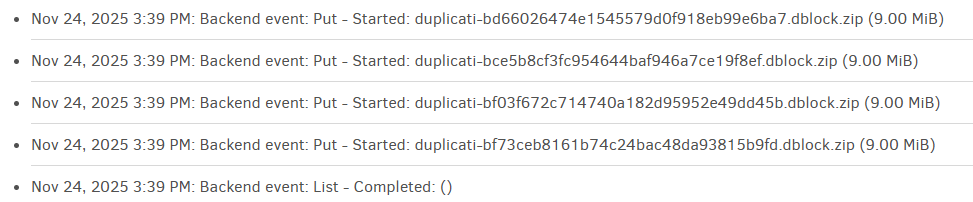
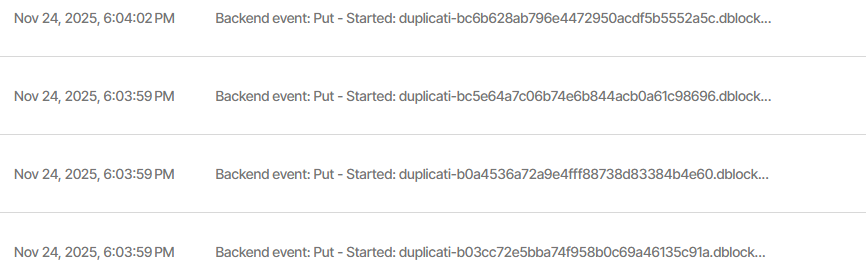
I am using Jottacloud with rclone, although I can use the native Jottacloud mode (I find it less reliable). Looking at the live logs, it seems that only one file is being uploaded at once. Every get, put, delete etc. happens sequentially.
Yes, they do support concurrent transfers.
The rclone backend is using files, so throttle and progress reporting is not supported for rclone but it is for Jottacloud.
Thanks. I wonder why it’s not working for me though. The async concurrent upload limit is not set, so should default to 4. I’ll see if setting it to 4 helps.
Are you actually seeing it look upload-limited rather than production-limited?
In new UI, a clue for upload-limited is status bar says “Waiting for transfers”.
Before anything can upload, dblock volume must fill, except for the very end. Unfortunately, multiple volumes are filled at once, so tend to upload together, stressing the network, which later goes idle. Some stagger might get it faster.
If in doubt about how fast you’re filling volumes, you could test a new backup.
Yes, I see a lot of “waiting for transfers”, and it’s a fairly powerful machine. I see the network utilization is fairly flat too. When doing a verify it also pulls items one at a time, at a very steady pace.
These are some very old backups from much older versions of Duplicati. I think somehow the configuration is messed up, but now showing in the UI, because when I manually add asynchronous-concurrent-upload-limit and set it to 4, I can see that it starts 4 concurrent uploads in the log, and the overall speed is a lot faster.
The default setting is not GUI’s choice AFAIK. Here is the command line help:
  --asynchronous-concurrent-upload-limit (Integer): The number of
    concurrent uploads allowed
    When performing asynchronous uploads, the maximum number of
    concurrent uploads allowed. Set to zero to disable the limit.
    * default value: 4
I suppose the GUI could mess things up by setting up a 1, but that’s a stretch.
The way it works seems to be a backup run uses the stored job configuration.
You should be able to Export As Command-line to see if a bad option crept in.
For that matter, unless you use a Windows service install or an elevated user,
running from a true command line should let you see exactly what options are.
Regardless, my result is fine in GUI although I was actually running the old UI.
Just reset for fresh backup, started job from new UI. Seems to be working fine:
If you’re referring to my post, it’s four starts of simultaneous uploads.
Be sure to read both Started and Completed. No Completed in mine.
That’s four concurrent uploads, which is expected per default setting.
Yes, that’s what I mean. I see 4 PUTs start in a row, before they then complete later. Before I was seeing alternate PUT and COMPLETE, because it was only doing one upload at a time.
OK, so we agree you like the result. What were you running, and how?
I’m not seeing an asynchronous-concurrent-upload-limit in export.
Did it just get happy without that setting? Maybe first test was unusual?
Basically, I’m looking for solid repro steps that the developers can work.
Unfortunately I went and added asynchronous-concurrent-upload-limit to all my backups, but I’ll remove it and try one again when I have a decent amount of data scheduled to go up. If it does it then I’ll see if I can figure out why.
I removed asynchronous-concurrent-upload-limit from one of the ones I added it to, and it continued to upload multiple files at once. I then tested with the one backup I didn’t add asynchronous-concurrent-upload-limit to, and it did one at a time.
I’ve checked the general options for Duplicati, nothing in there. Export doesn’t show anything. I am at a loss to explain why the default appears to be 1 instead of 4.
I can confirm the same behaviour with downloads. It does one at a time, until I set it to 6.