I’ve recenrty started using duplicati in a docker on my unraind home server. It seems really good, and I really like the user interface and remote web app.
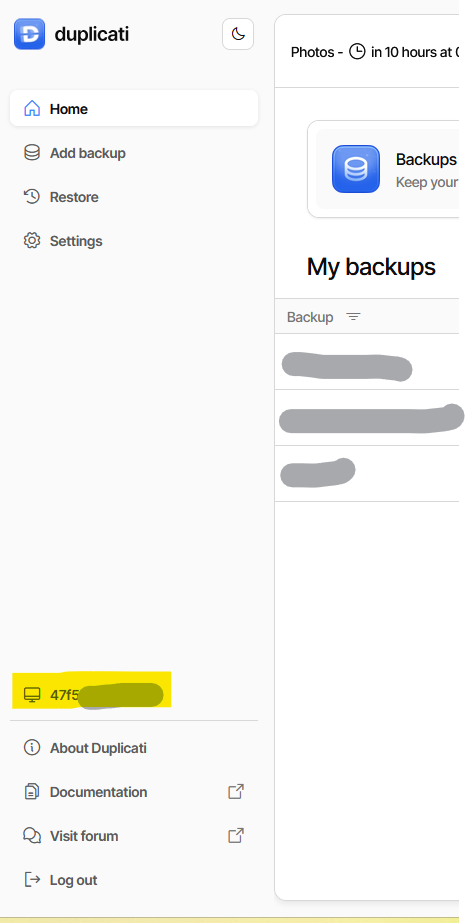
I was wondering whether it is possible to change the computer / machine name displayed in the GUI as shown below (yellow highlight - I’ve removed the full random name assoctiated with it):
You might be able to use this advanced option to override the container.
  --machine-name (String): Machine name
    The name of the machine running the backup. This can be used to
    identify the machine when sending mail or running scripts.
    * default value: HP4
That’s just showing the name I put on the Windows PC using Windows UI.
Alternatively, to change the container’s config, the Google AI Overview for
how to change computer name in a docker container
gives some ways that work directly on container without using Duplicati UI.
EDIT 1:
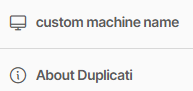
I set it in Settings (because per-job seemed wrong), and it seemed to work:
This is hard to read. If you’re saying it’s now a direct option, I don’t think it is.
If you’re suggesting it be singled out for priority, I guess you can suggest it at https://github.com/duplicati/ngclient/issues
It seems a little obscure to me if just for Docker, but makes more sense for a
custom Duplicati Console name. Not every advanced option gets highlighted.
Regardless, it’s not my call, but you can state your reasons here or on Issue.