In new version 2.2.0.1 of Duplicati newly configured local backups on a network drive are not executed. I get an error message like this:”Error while running Bilder 2. The database was attempted repaired, but the repair did not complete. This database may be incomplete and the backup process cannot continue. You may delete the local database and attempt to repair it again.”
How can I fix this problem?
Hi @MIDAS, welcome to the forum 
The error message suggests that you recreate the database.
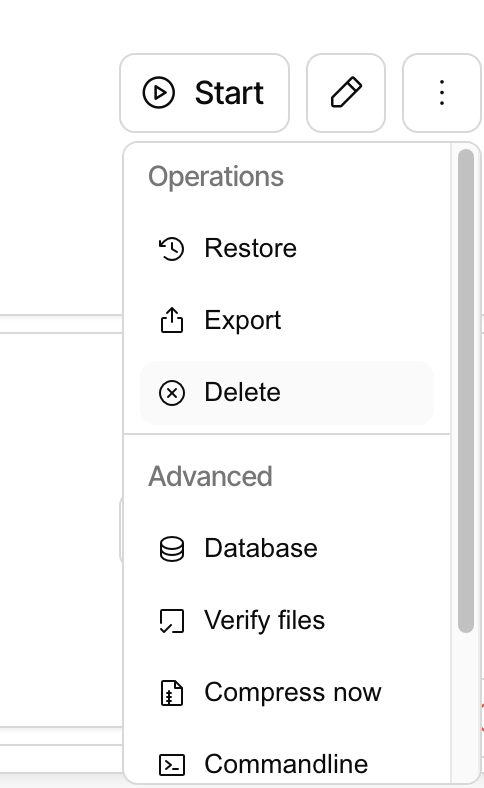
To do that, click the three dots, then choose “Database”:
On the database page, click “Recreate (delete and repair)”:
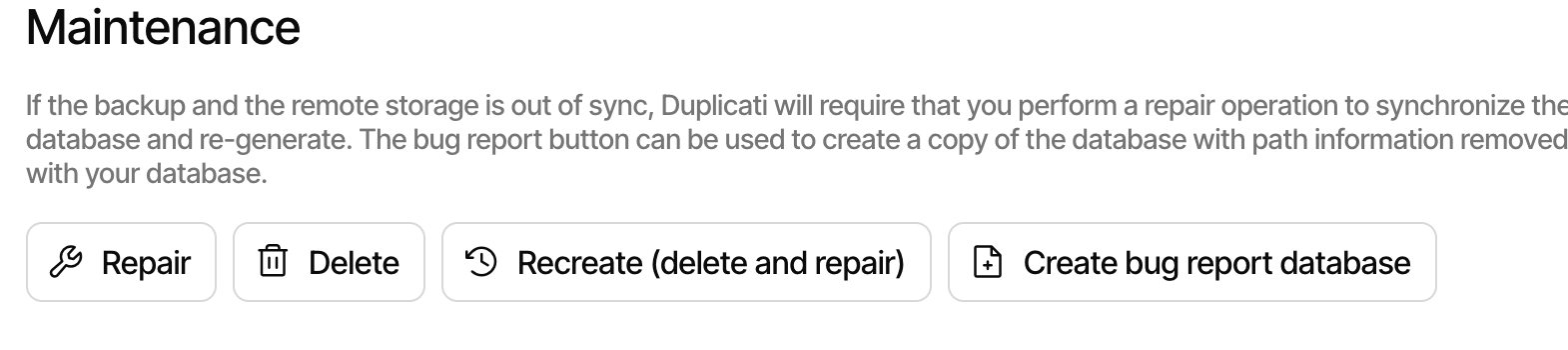
After the process completes, the database will be created again.
Hi @kenkendk ,
thanks for your quick answer. I tried this multiple times, but the error persists. “Recreate (delete and repair)” is the only active button. All other buttons are disabled. I also checked the AppData\Local\Duplicati Folder, but it seems, that no sqlite database is created. There are some databases, but I assume they belong to other backups.
How can I find out which database belongs to which backup configuration? Is there something else I can do?
Hi @kenkendk,
I found out that the DB cannot be recreated by the function “Recreate (delete and repair)” because the backup hasn’t run yet. So there is nothing to repair. I deleted the DB manually from folder AppData\Local\Duplicati and run a normal (first) backup This created the database and the backup record is now fine.
So you should not allow a “Recreate (delete and repair)” when the backup has never run.