2.1.2.0 (Beta) 2025-08-20: local restore failure

I upgraded from 2.1.0.5_stable_2025-03-04-win-x64 to 2.1.2.0_beta_2025-08-20-win (because of the pCloud integration).

Before starting to explore I tried to access one of my backups, just to be sure that everything else is OK, but failed.

The backup is stored locally on a NAS, say \\backup\where\ever. This directory is accessible by the windows explorer, containing the duplicati-**.*.*zip.aes files.

In the ngclient I browsed the file to restore and submitted the job. But it fails by all five attempts:

  1. Duplicati.Library.Interface.FolderMissingException: Der Ordner /\\backup\where\ever\ existiert nicht

  2. at Duplicati.Library.Backend.File.ListAsync(CancellationToken cancelToken)+MoveNext()

  3. at Duplicati.Library.Backend.File.ListAsync(CancellationToken cancelToken)+System.Threading.Tasks.Sources.IValueTaskSource<System.Boolean>.GetResult()

  4. at System.Linq.AsyncEnumerable.<ToListAsync>g__Core|424_0[TSource](IAsyncEnumerable`1 source, CancellationToken cancellationToken) in /_/Ix.NET/Source/System.Linq.Async/System/Linq/Operators/ToList.cs:line 36

  5. at System.Linq.AsyncEnumerable.<ToListAsync>g__Core|424_0[TSource](IAsyncEnumerable`1 source, CancellationToken cancellationToken) in /_/Ix.NET/Source/System.Linq.Async/System/Linq/Operators/ToList.cs:line 36

  6. at Duplicati.Library.Main.Backend.BackendManager.ListOperation.ExecuteAsync(IBackend backend, CancellationToken cancelToken)

  7. at Duplicati.Library.Main.Backend.BackendManager.Handler.Execute[TResult](PendingOperation`1 op, CancellationToken cancellationToken)

  8. at Duplicati.Library.Main.Backend.BackendManager.Handler.Execute(PendingOperationBase op, CancellationToken cancellationToken)

  9. at Duplicati.Library.Main.Backend.BackendManager.Handler.ExecuteWithRetry(PendingOperationBase op, CancellationToken cancellationToken)

Please note the leading “/” before “\\backup” in the first line of the message.

Is this a bug?
Am I doing something wrong?
Is this a migration issue related to the version change?

Thanks a lot.
Update:
I tried the same operation using the old client.
The result is the same. Log entry is:

2025-09-10 11:09:12 +02 - [Error-Duplicati.Library.Main.Controller-FailedOperation]: The operation Restore has failed
FolderMissingException: Der Ordner /\\backup\where\ever\ existiert nicht

When I export the jobs definition to the json file, I see

“TargetURL”: “file:///%5C%5Cbackup%5Cwhere%5Cever%5C”, also a leading slash between file:// and %5C%5C.

I tried to edit the jobs definition (backup destination: Manually type path), removing the leading slash, but it reappeared each time.

Scheduled backup jobs also fail now:

2025-09-09 09:44:31 +02 - [Error-Duplicati.Library.Main.Controller-FailedOperation]: The operation Backup has failed
FolderMissingException: Der Ordner /\\backup\where\ever\ existiert nicht

So conclusion: this beta release is not able to work with UNC paths anymore?

Welcome to the forum @CasualCopier

It works here, although UNC path actually points to the same system, not a NAS.

//localhost/Shared/test 1

That’s a shared folder in the root of the C: drive, with a backup subfolder test 1.

You may eventually get a better explanation from dev, including GUI use and this:

However it’s basically a change, though trying to be forgiving of the old less strict format.

File URI scheme (Wikipedia) has a UNC path section, with two forms. Duplicati seems to like the four slash variety, probably achieved here by file:// plus the two that I typed.

Three-dot menu on Destination screen shows file:////localhost/Shared/test%201

UNC Strings in RFC 8089 is probably the authoritative standard on the ways to use UNC.

Backslash as Separator might also apply. Duplicati appears forgiving about later slashes.

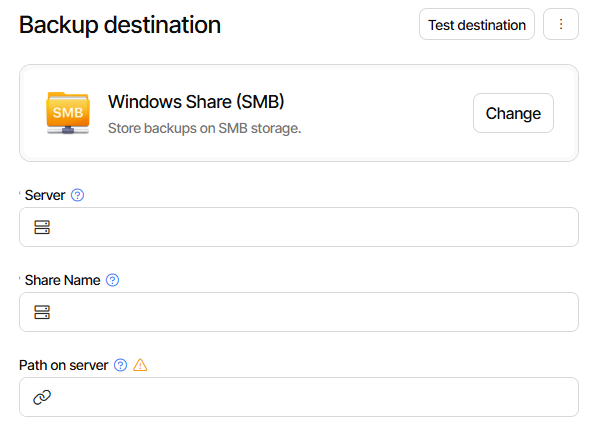
Maybe what happened is the GUI is trying to hint to use forward slashes by inserting one.

That would be a dev question, as would conversions or release note and docs about this.

EDIT 1:

Initial tests here were done with BackendTool, as it’s a clearer view and easier to change:

Duplicati.CommandLine.BackendTool list "file:////localhost/Shared"
Name    Dir/File        LastChange      Size
test 1  Dir     9/10/2025 5:10:54 PM    0 bytes

SMB users may notice that there’s a new SMB client now, as mentioned in Release Note.

and although Windows users might not need this much, it’s there to try if UNC won’t go.

I omit the long later section. CIFS (aka SMB) Destination in the manual talks about this.

File Destination covers UNC from a CLI point of view. Maybe GUI should go differently?

Duplicati.CommandLine.BackendTool list "file://\\localhost\Shared"
Name    Dir/File        LastChange      Size
test 1  Dir     9/10/2025 5:10:54 PM    0 bytes

Therefore, using the ngclient, I changed the inherited destination definition from the Windows-like notation /\\backup\where\ever\ to //backup/where/ever, resulting in “TargetURL”: “file:////backup/where/ever”.

And voila, after that both backup and restore again worked like a charm.

Thanks a lot for the useful hints. Simply changing the notation did the job.

I’m glad it worked, but it could work better. Thanks for helping Beta test find this one.

I ran some Duplicati.CommandLine.BackendTool list tests, and these work on previous Stable 2.1.0.5 and current Beta 2.1.2.0:

"\\localhost\Shared"
"file://\\localhost\Shared"
"file:////localhost/Shared"
"file:////localhost/Shared/test 1"

"file:////localhost/Shared/test%201" worked on 2.1.2.0 but not on 2.1.0.5.
This supports the idea that 2.1.2.0 will accept both stricter and looser URL syntax:

Testing in old GUI with \\localhost\Shared\test 1 worked but 2.1.2.0 got odd.

Switch to new UI worked, meaning backup run worked.
Edit, click to Options, Submit worked.
Edit, click to Destination, click to Options, Submit failed.

As soon as the Destination screen gets the URL, it seems to do the extra slash insertion.

New UI view of that is /\\localhost\Shared\test 1
Old UI view of that is /%5C%5Clocalhost%5CShared%5Ctest%201
You can see the new leading slash that ngclient (wrongly?) added.
Deleting it in old UI and doing Save gets the backup working again.

Before I open new ngclient UI issue, let’s see if dev has comments.

Destination screen breaks traditional UNC path by prepending forward slash #358
opened in ngclient GitHub Issues before I forget to. I also wrote up a specific repro.