# While editing a backup set: show the name of the backup set you're editing
**URL:** https://forum.duplicati.com/t/while-editing-a-backup-set-show-the-name-of-the-backup-set-youre-editing/340
**Category:** UX
**Created:** [August 30, 2017, 2:47pm UTC](https://forum.duplicati.com/t/while-editing-a-backup-set-show-the-name-of-the-backup-set-youre-editing/340 "2017-08-30T14:47:33Z")
**Posts on this page:** 4
**Page:** 1
### Author:  [@drakar2007](https://forum.duplicati.com/u/drakar2007)
#### Post date: [August 30, 2017, 2:47pm UTC](https://forum.duplicati.com/t/while-editing-a-backup-set-show-the-name-of-the-backup-set-youre-editing/340/1 "2017-08-30T14:47:33Z")
I have 2 similar backup sets (one going to Drive and one going to B2) for my work laptop, and editing them both for consistency - but I keep forgetting which one i’m editing at any particular point, and I have no way of telling when i’m midway (i.e. in the source data / filters section). I never remember which one is “1” or “2” which is displayed in the URL (though i’m starting to pay more attention to that) - but it seems like an unnecessary point of confusion.
---
### Author:  [@kees-z](https://forum.duplicati.com/u/kees-z)
#### Post date: [August 30, 2017, 3:00pm UTC](https://forum.duplicati.com/t/while-editing-a-backup-set-show-the-name-of-the-backup-set-youre-editing/340/2 "2017-08-30T15:00:50Z")
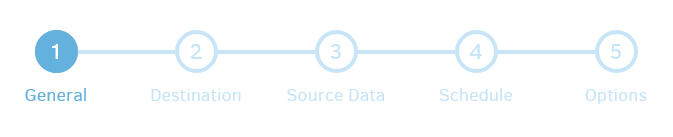
I agree that showing the backup name while editing a backup job makes sense. You can use the navigation bar as a workaround. Click on step 1 to see which backup job you are editing and click one of the other circles to continue editing.
---
### Author:  [@drakar2007](https://forum.duplicati.com/u/drakar2007)
#### Post date: [August 30, 2017, 3:06pm UTC](https://forum.duplicati.com/t/while-editing-a-backup-set-show-the-name-of-the-backup-set-youre-editing/340/3 "2017-08-30T15:06:36Z")
Thanks - I didn’t realize it allowed you to skip ahead in the wizard like this either (i’m constantly tweaking my source files since i’m still new, and it’s been frustrating to always have to run all the way through the wizard…)
---
### Author:  [@mikeyww](https://forum.duplicati.com/u/mikeyww)
#### Post date: [September 15, 2024, 12:58pm UTC](https://forum.duplicati.com/t/while-editing-a-backup-set-show-the-name-of-the-backup-set-youre-editing/340/4 "2024-09-15T12:58:02Z")
I would like to see the backup’s name on each page of the configuration.