# Ubuntu: 'Not Found' error on restore
**URL:** https://forum.duplicati.com/t/ubuntu-not-found-error-on-restore/9525
**Category:** Support
**Created:** [April 2, 2020, 8:34pm UTC](https://forum.duplicati.com/t/ubuntu-not-found-error-on-restore/9525 "2020-04-02T20:34:57Z")
**Posts on this page:** 5
**Page:** 1
### Author:  [@seafish](https://forum.duplicati.com/u/seafish)
#### Post date: [April 2, 2020, 8:34pm UTC](https://forum.duplicati.com/t/ubuntu-not-found-error-on-restore/9525/1 "2020-04-02T20:34:57Z")
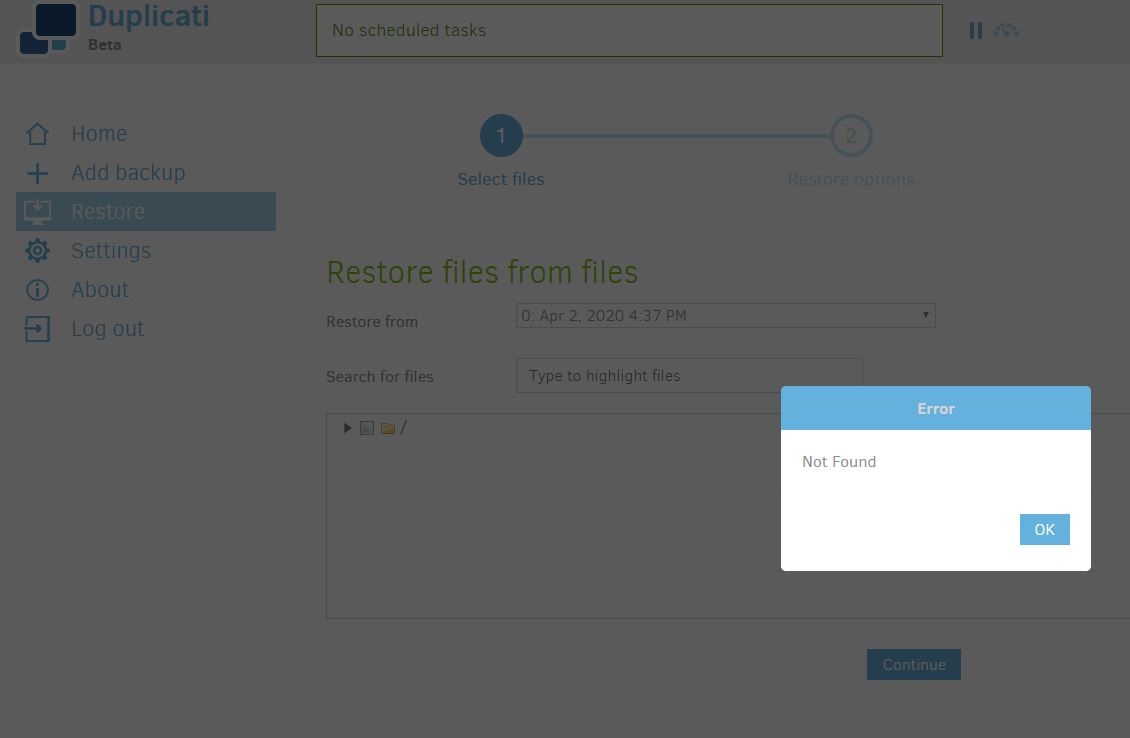
I’m trying to restore the test of my backup that I made and it fails with “Not Found” right when I enter ‘Restore’ (without even trying to do actual restore)
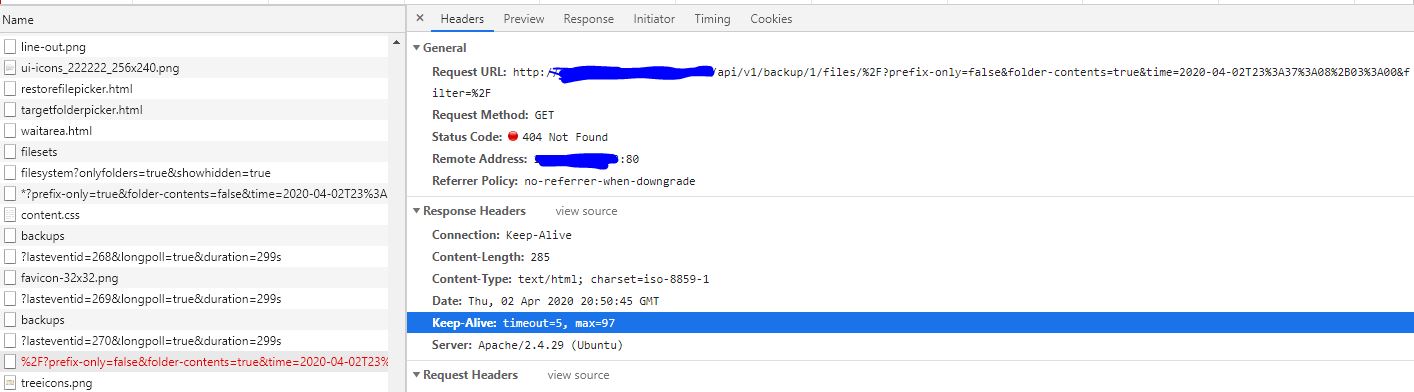
When I check where is the problem while examining requests that are being sent by UI I see 404 error for this get request:
http://[mydomain]/api/v1/backup/1/files/%2F?prefix-only=false&folder-contents=true&time=2020-04-02T23%3A37%3A08%2B03%3A00&filter=%2F
Similar request that was sent right before this one works fine:
http://[mydomain]/api/v1/backup/1/files/\*?prefix-only=true&folder-contents=false&time=2020-04-02T20%3A52%3A30%2B03%3A00
So I assume there is an issue with ‘/’ being added there?
I’m accessing duplicati UI from remote address by apache proxy to 127.0.0.1:8200
---
### Author:  [@seafish](https://forum.duplicati.com/u/seafish)
#### Post date: [April 2, 2020, 9:58pm UTC](https://forum.duplicati.com/t/ubuntu-not-found-error-on-restore/9525/2 "2020-04-02T21:58:31Z")
So, I figured that I can access duplicati without apache proxy trick and it works fine without it if I just enable remote access and load through http://[mydomain]:8200/
Must be an issue with apache
---
### Author:  [@LtSich](https://forum.duplicati.com/u/LtSich)
#### Post date: [February 28, 2023, 5:57am UTC](https://forum.duplicati.com/t/ubuntu-not-found-error-on-restore/9525/3 "2023-02-28T05:57:39Z")
Thx for this post, I have exactly the same error.
I would prefer to use apache/nginx as front for https, using common port (443).
Did you finally manage to get it work with a proxy in front of duplicati ?
---
### Author:  [@Lerrissirrel](https://forum.duplicati.com/u/Lerrissirrel)
#### Post date: [February 28, 2023, 4:07pm UTC](https://forum.duplicati.com/t/ubuntu-not-found-error-on-restore/9525/4 "2023-02-28T16:07:58Z")
Hi LtSuch, welcome to the forum!
Can you tell if you have this same piece appended to the end of the request that’s not working?
> [@seafish](#):
>
> filter=%2F
I can’t say I have any more suggestions after that (yet) but confirming this will at least help confirm you are really seeing the same issue.
---
### Author:  [@LtSich](https://forum.duplicati.com/u/LtSich)
#### Post date: [February 28, 2023, 4:42pm UTC](https://forum.duplicati.com/t/ubuntu-not-found-error-on-restore/9525/5 "2023-02-28T16:42:37Z")
Hi,
You need to add this in your apache config :
AllowEncodedSlashes On
And after that it’s ok, everything work fine.