# Small folder backs up large amount of data
**URL:** https://forum.duplicati.com/t/small-folder-backs-up-large-amount-of-data/21839
**Category:** Support
**Created:** [January 25, 2026, 3:09pm UTC](https://forum.duplicati.com/t/small-folder-backs-up-large-amount-of-data/21839 "2026-01-25T15:09:55Z")
**Posts on this page:** 2
**Page:** 1
### Author:  [@Maddoc](https://forum.duplicati.com/u/Maddoc)
#### Post date: [January 25, 2026, 3:09pm UTC](https://forum.duplicati.com/t/small-folder-backs-up-large-amount-of-data/21839/1 "2026-01-25T15:09:56Z")
Hi everyone. I installed the software today and want to back up a 14GB folder. However, the backup task is backing up over 800GB. There’s about 800GB of data on the hard drive. I assume it’s backing up the entire drive. What am I doing wrong? See the images.
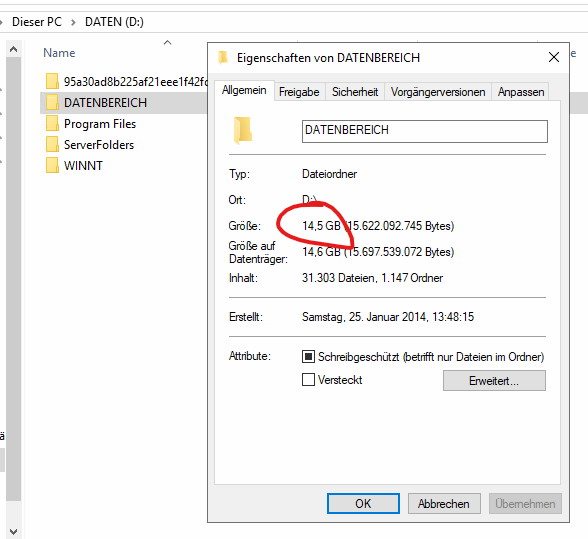
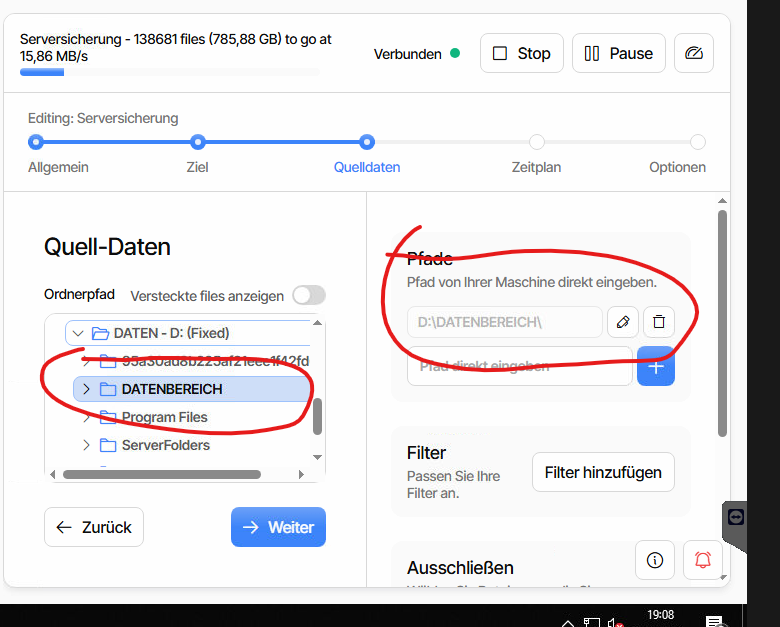
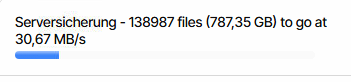
---
### Author:  [@ts678](https://forum.duplicati.com/u/ts678)
#### Post date: [January 25, 2026, 10:04pm UTC](https://forum.duplicati.com/t/small-folder-backs-up-large-amount-of-data/21839/2 "2026-01-25T22:04:44Z")
Welcome to the forum @Maddoc
> [@Maddoc](#):
>
> I assume it’s backing up the entire drive.
If it has somehow finished, you could look at Restore to see what’s there.
If still running, you can get a clue from action in “to go” stats you showed.
If file count is going down, it may be wandering, though I don’t know why.
Windows [mklink](https://learn.microsoft.com/en-us/windows-server/administration/windows-commands/mklink) describes what you can set up if you want to set that up.
[Sparse Files](https://learn.microsoft.com/en-us/windows/win32/fileio/sparse-files) can exist (probably application-dependent) and can be huge.
Symptom would probably look like “to go” got stuck (at least on file count).
[backup shows no per-file progress #233](https://github.com/duplicati/ngclient/issues/233) got closed, and I don’t know why.
As a workaround, you could go to Settings and open the old UI for a peek.