# How can I revert to a lower version?
**URL:** https://forum.duplicati.com/t/how-can-i-revert-to-a-lower-version/2262
**Category:** Support
**Created:** [January 27, 2018, 5:32pm UTC](https://forum.duplicati.com/t/how-can-i-revert-to-a-lower-version/2262 "2018-01-27T17:32:50Z")
**Posts on this page:** 18
**Page:** 1
### Author:  [@Tapio](https://forum.duplicati.com/u/Tapio)
#### Post date: [January 27, 2018, 5:32pm UTC](https://forum.duplicati.com/t/how-can-i-revert-to-a-lower-version/2262/1 "2018-01-27T17:32:50Z")
Hi,
I uninstalled the latest Canary. The Duplicati Programfiles folder is emptied. Then I installed the latest Beta. duplicati-2.0.2.1\_beta\_2017-08-01-x64.msi.
The Programfiles folder has its files. Process Explorer tells me, Duplicati.GUI.TrayIcon is running, version “2.0.2.1”. Fine.
BUT ALL BROWSERS, ALL CACHES CLEARED, COMPUTERS RESTARTED - they tell me I am using the latest Canary still. What is going on here? Thing is, latest Canary is broken and does not work for me. I cannot get rid of it.
No matter what I do:
You are currently running Duplicati - 2.0.2.17\_canary\_2018-01-23
Thx
---
### Author:  [@Tapio](https://forum.duplicati.com/u/Tapio)
#### Post date: [January 27, 2018, 5:43pm UTC](https://forum.duplicati.com/t/how-can-i-revert-to-a-lower-version/2262/2 "2018-01-27T17:43:09Z")
APIVersion : 1
PasswordPlaceholder : \*\*\*\*\*\*\*\*\*\*
ServerVersion : 2.0.2.17
ServerVersionName : - 2.0.2.17\_canary\_2018-01-23
ServerVersionType : Canary
BaseVersionName : 2.0.2.1\_beta\_2017-08-01
DefaultUpdateChannel : Canary
DefaultUsageReportLevel : Information
ServerTime : 2018-01-27T18:41:39.4838476+01:00
OSType : Windows
DirectorySeparator :
PathSeparator : ;
CaseSensitiveFilesystem : false
---
### Author:  [@renestach](https://forum.duplicati.com/u/renestach)
#### Post date: [January 27, 2018, 8:24pm UTC](https://forum.duplicati.com/t/how-can-i-revert-to-a-lower-version/2262/3 "2018-01-27T20:24:30Z")
In Duplicati’s installation folder you will find a sub-folder ‘updates’. Within that there is folder for each of the last versions. Just delete the folder 2.0.2.17. The open the file ‘current’ in a text editor and set it to the last version that you have. Start Duplicati, set the update channel to beta or experimental and you should be fine.
---
### Author:  [@Tapio](https://forum.duplicati.com/u/Tapio)
#### Post date: [January 28, 2018, 6:20am UTC](https://forum.duplicati.com/t/how-can-i-revert-to-a-lower-version/2262/4 "2018-01-28T06:20:25Z")
Thanks! But in “c:\Program Files\Duplicati 2” there unfortunately is no ‘updates’ folder.
alphavss
licenses
lvm-scripts
OSX Icons
OSXTrayHost
SQLite
SVGIcons
utility-scripts
webroot
win-tools\
---
### Author:  [@samw](https://forum.duplicati.com/u/samw)
#### Post date: [January 28, 2018, 9:22am UTC](https://forum.duplicati.com/t/how-can-i-revert-to-a-lower-version/2262/5 "2018-01-28T09:22:37Z")
@Tapio I suspect that’s because you’re new install hasn’t been updated. Can you check the version of the .exe that’s running, and open up the GUI in a private browser window to check the behaviour?
---
### Author:  [@renestach](https://forum.duplicati.com/u/renestach)
#### Post date: [January 28, 2018, 11:32am UTC](https://forum.duplicati.com/t/how-can-i-revert-to-a-lower-version/2262/6 "2018-01-28T11:32:47Z")
It seems that you have directly installed this version and not used the built-in updater. Just uninstall and install an older version. To make sure all backup jobs and databases are stillpresent afterwards, you might want to make a copy of the folder %appdata%\Duplicati or/and export the backup jobs from the UI.
I have to admit, I don’t know how much data the uninstaller will remove.
---
### Author:  [@Tapio](https://forum.duplicati.com/u/Tapio)
#### Post date: [January 28, 2018, 12:02pm UTC](https://forum.duplicati.com/t/how-can-i-revert-to-a-lower-version/2262/7 "2018-01-28T12:02:13Z")
Yes, I have directly installed, because I wanted a downgrade.
Uninstall and then manually install the old 2.0.2.1 beta is exactly what I did. After the uninstall, the Duplicati Program files folder as empty. Good.
WebGUI always tells me it is still Canary. Sysinternals Process explorer says Duplicati.GUI.TrayIcon is running as version 2.0.2.1.
I managed to make backups without errors now. But still, something is wrong, web GUI still shows the new custom retention options.
**To me it feels like there is some local web server component, which is in Canary version, which I absolutely cannot find.**
It’s a problem if downgrade from Canary isn’t cleanly possible.
Or maybe AppData\Local\Duplicati\Duplicati-server.sqlite holds wrong version information and is to blame?
**Output from inside Chrome Incognito mode:**
ServerVersion : 2.0.2.17
ServerVersionName : - 2.0.2.17\_canary\_2018-01-23
ServerVersionType : Canary
BaseVersionName : 2.0.2.1\_beta\_2017-08-01
DefaultUpdateChannel : Canary
DefaultUsageReportLevel : Information
ServerTime : 2018-01-28T12:51:32.2853776+01:00
---
### Author:  [@renestach](https://forum.duplicati.com/u/renestach)
#### Post date: [January 28, 2018, 12:07pm UTC](https://forum.duplicati.com/t/how-can-i-revert-to-a-lower-version/2262/8 "2018-01-28T12:07:19Z")
Maybe your browser has cached the website? Open it in another browser or delete cache or open it in incognito mode to check.
---
### Author:  [@Tapio](https://forum.duplicati.com/u/Tapio)
#### Post date: [January 28, 2018, 12:28pm UTC](https://forum.duplicati.com/t/how-can-i-revert-to-a-lower-version/2262/9 "2018-01-28T12:28:51Z")
Now that would be easy and was the first thing I did… To quote myself from above posting: "Output from inside Chrome Incognito mode:"
And I’ve tried all Browsers. FF, IE, IE “InPrivate”, Chrome. Never used Duplicati with IE for instance.
And the installer is duplicati-2.0.2.1\_beta\_2017-08-01-x64.msi without any doubt.
---
### Author:  [@Tapio](https://forum.duplicati.com/u/Tapio)
#### Post date: [January 29, 2018, 12:07pm UTC](https://forum.duplicati.com/t/how-can-i-revert-to-a-lower-version/2262/10 "2018-01-29T12:07:02Z")
Will need to trace via Sysinternals Sysmon/Filemon/Regmon where Duplicati leaves its relevant traces outside of %localappdata%\Duplicati and %programfiles%\Duplicati, sigh. Will report back.
---
### Author:  [@saviodsouza](https://forum.duplicati.com/u/saviodsouza)
#### Post date: [January 29, 2018, 12:59pm UTC](https://forum.duplicati.com/t/how-can-i-revert-to-a-lower-version/2262/11 "2018-01-29T12:59:11Z")
Check c:\program data \duplicati
Delete this directory if exist
Installed updates come here
---
### Author:  [@Tapio](https://forum.duplicati.com/u/Tapio)
#### Post date: [January 29, 2018, 3:31pm UTC](https://forum.duplicati.com/t/how-can-i-revert-to-a-lower-version/2262/12 "2018-01-29T15:31:53Z")
YOU ARE MY HERO.
Now it’s all fine.
“You are currently running Duplicati - 2.0.2.1\_beta\_2017-08-01”
---
### Author:  [@weslowsk](https://forum.duplicati.com/u/weslowsk)
#### Post date: [March 17, 2018, 5:13pm UTC](https://forum.duplicati.com/t/how-can-i-revert-to-a-lower-version/2262/13 "2018-03-17T17:13:13Z")
This thread assumes a Windows install.
What if I have a .deb (i.e. Linux Mint) install?
---
### Author:  [@saviodsouza](https://forum.duplicati.com/u/saviodsouza)
#### Post date: [March 18, 2018, 8:02am UTC](https://forum.duplicati.com/t/how-can-i-revert-to-a-lower-version/2262/14 "2018-03-18T08:02:02Z")
In that case you will have to uninstall the higher version and than install the older version.
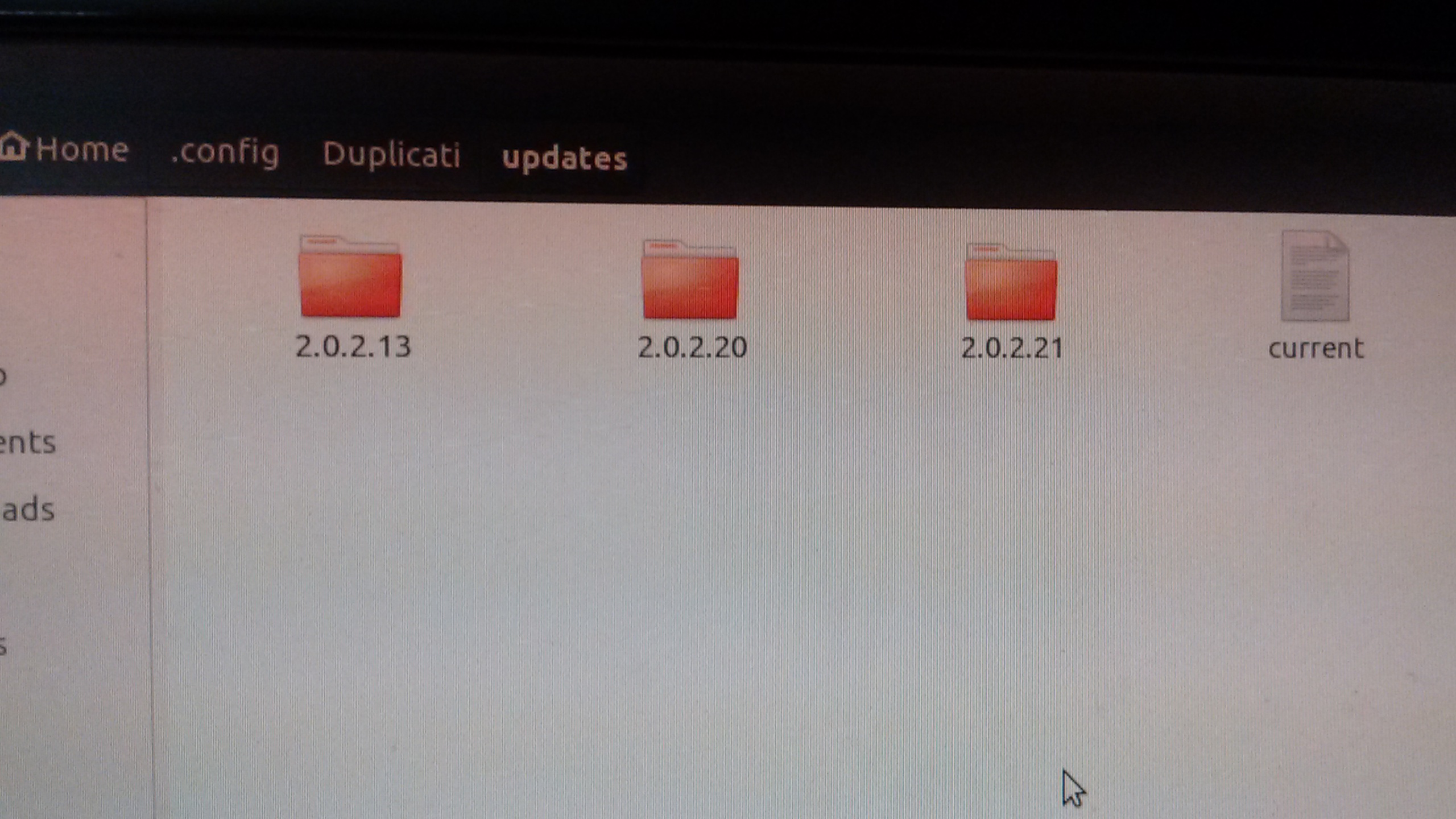
But if you have updated from the WUI than browse your home directory/ config/Duplicati/updates
Sorry don’t remember the exact path but updates are installed somewhere in the home directory
---
### Author:  [@weslowsk](https://forum.duplicati.com/u/weslowsk)
#### Post date: [March 18, 2018, 2:00pm UTC](https://forum.duplicati.com/t/how-can-i-revert-to-a-lower-version/2262/15 "2018-03-18T14:00:54Z")
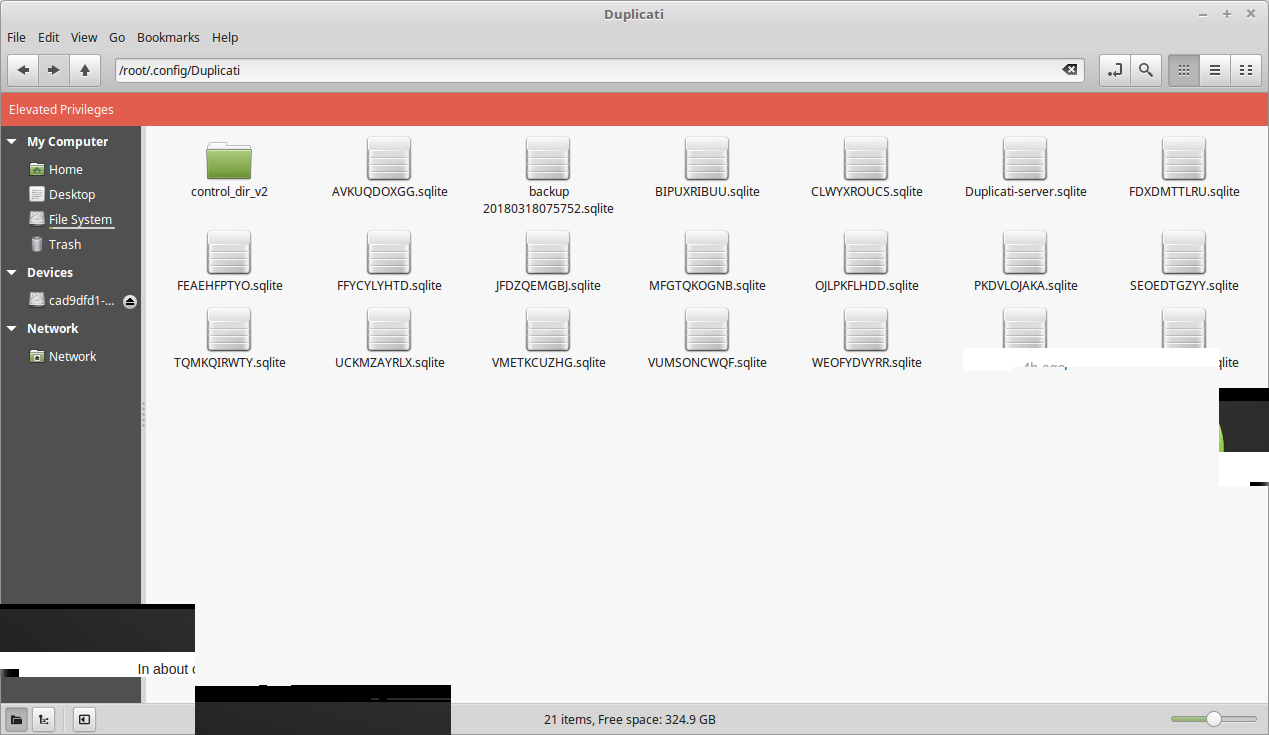
I updated from the latest beta to the canary channel several weeks ago using the web UI and I updated to the latest canary version again today. I can’t find the updates folder being referred to. Since the Duplicati service runs as root, it should be in root’s home folder, but it’s not:
/root/.config/Duplicati
And to double-check, it’s also not in my home folder either:
/home/~my username~/.config/Duplicati
Apparently, I don’t have an updates folder?!
---
### Author:  [@saviodsouza](https://forum.duplicati.com/u/saviodsouza)
#### Post date: [March 18, 2018, 4:57pm UTC](https://forum.duplicati.com/t/how-can-i-revert-to-a-lower-version/2262/16 "2018-03-18T16:57:10Z")
---
### Author:  [@saviodsouza](https://forum.duplicati.com/u/saviodsouza)
#### Post date: [March 18, 2018, 4:58pm UTC](https://forum.duplicati.com/t/how-can-i-revert-to-a-lower-version/2262/17 "2018-03-18T16:58:24Z")
Which Linux distribution are you using and which version
Are you running as root or some other user
In about check the base version and current version
---
### Author:  [@weslowsk](https://forum.duplicati.com/u/weslowsk)
#### Post date: [March 18, 2018, 9:23pm UTC](https://forum.duplicati.com/t/how-can-i-revert-to-a-lower-version/2262/18 "2018-03-18T21:23:20Z")
- Linux Mint 18.2
- Duplicati service is running as root
- Screenshot shows no updates folder, unlike yours
- In Duplicati -\> About -\> System Info:
ServerVersion : 2.0.3.2
ServerVersionName : - 2.0.3.2\_canary\_2018-03-16
ServerVersionType : Canary
…
BaseVersionName : 2.0.2.1\_beta\_2017-08-01
DefaultUpdateChannel : Canary
…
OSType : Linux
…
MonoVersion : 4.2.1
UserName : root