# Duplicati userdata gone after container restart
**URL:** https://forum.duplicati.com/t/duplicati-userdata-gone-after-container-restart/11381
**Category:** Support
**Created:** [December 20, 2020, 5:13pm UTC](https://forum.duplicati.com/t/duplicati-userdata-gone-after-container-restart/11381 "2020-12-20T17:13:04Z")
**Posts on this page:** 7
**Page:** 1
### Author:  [@Nemesis](https://forum.duplicati.com/u/Nemesis)
#### Post date: [December 20, 2020, 5:13pm UTC](https://forum.duplicati.com/t/duplicati-userdata-gone-after-container-restart/11381/1 "2020-12-20T17:13:05Z")
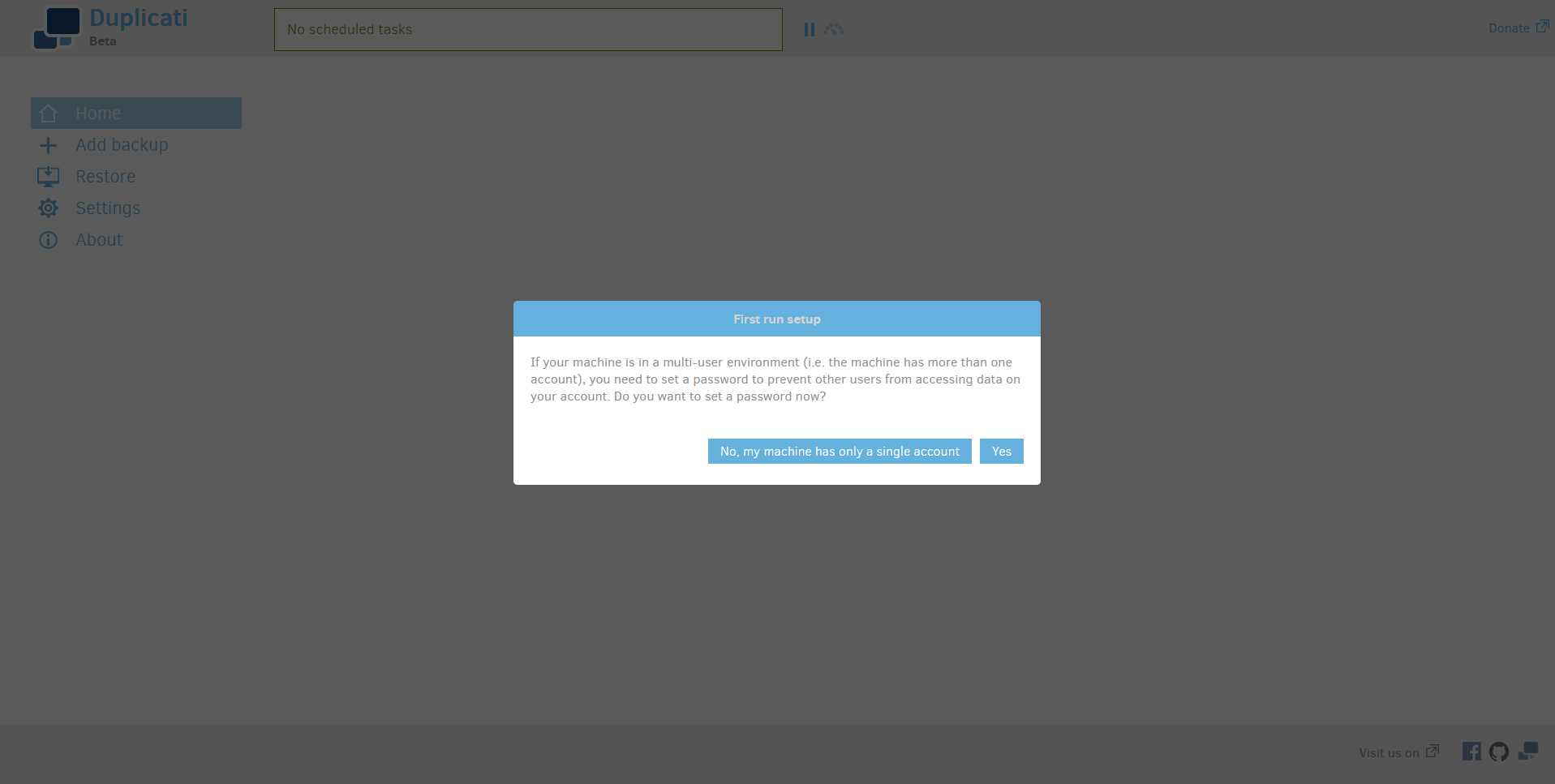
I’m using the Duplicati/Duplicati docker container. I have the container folder /data mounted to a folder on my disk. The folder in my disk is also full with sqlite files etc, but after a restart of my NAS, the device Duplicati is running on, my userdata within Duplicati is completely gone. I even got the “first time setup” popup, asking if this is a multi user environment or not. Backup tasks are gone too.
How is this possible? I have all mounts as the doc says and the folders are in use as well.
---
### Author:  [@drwtsn32](https://forum.duplicati.com/u/drwtsn32)
#### Post date: [December 20, 2020, 7:55pm UTC](https://forum.duplicati.com/t/duplicati-userdata-gone-after-container-restart/11381/2 "2020-12-20T19:55:40Z")
Sounds like the /data mapping to the host didn’t stick after a reboot. What NAS are you using? You confirmed the docker config for the Duplicati container is still mapping /data to the host?
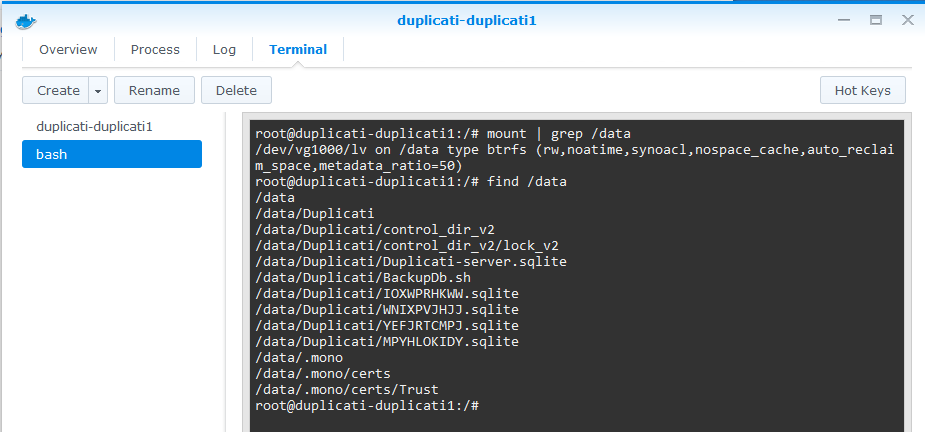
If you get a shell prompt to the container itself, does /data show any files?
Here are me doing those checks on my Synology Docker Duplicati container:
---
### Author:  [@Nemesis](https://forum.duplicati.com/u/Nemesis)
#### Post date: [December 20, 2020, 8:13pm UTC](https://forum.duplicati.com/t/duplicati-userdata-gone-after-container-restart/11381/3 "2020-12-20T20:13:38Z")
I am using a Synology NAS.
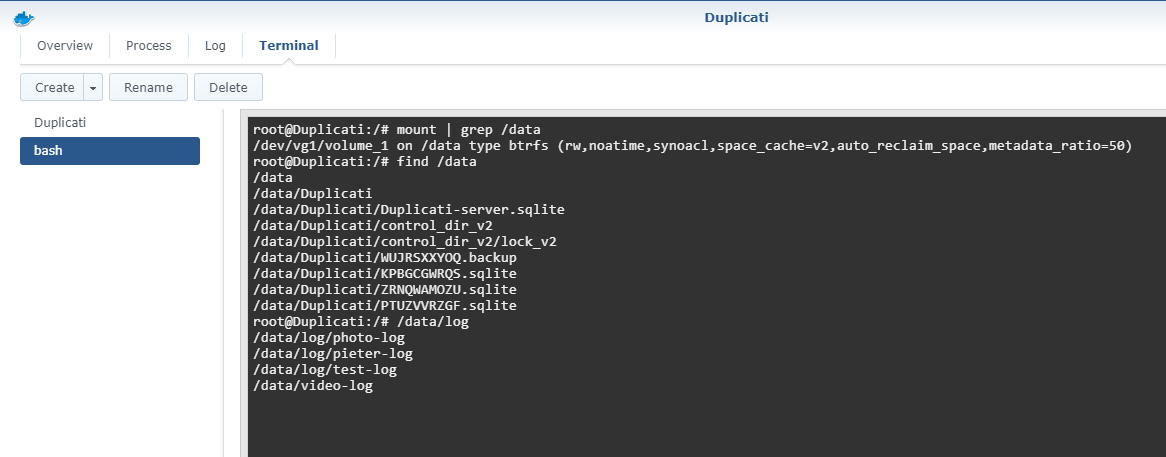
The container does see the /data folder
But when i go to the Duplicati WebUI everything is still gone :(.
---
### Author:  [@Nemesis](https://forum.duplicati.com/u/Nemesis)
#### Post date: [December 26, 2020, 9:37am UTC](https://forum.duplicati.com/t/duplicati-userdata-gone-after-container-restart/11381/4 "2020-12-26T09:37:11Z")
Hi there. Do you have any idea what’s going on by my previous post? Of course i can reconfigure all my backup tasks and they should work fine but i don’t want to risk losing everything again. What’s going on and why did this happen?
---
### Author:  [@drwtsn32](https://forum.duplicati.com/u/drwtsn32)
#### Post date: [December 26, 2020, 4:56pm UTC](https://forum.duplicati.com/t/duplicati-userdata-gone-after-container-restart/11381/5 "2020-12-26T16:56:01Z")
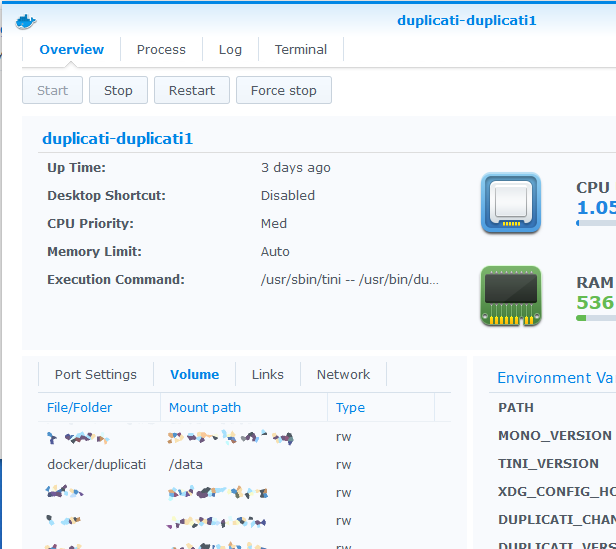
It still sounds like your container is not set up properly to me. Can you look at the volume mappings in the Docker config screen? Mine looks like this:
---
### Author:  [@Nemesis](https://forum.duplicati.com/u/Nemesis)
#### Post date: [December 27, 2020, 10:36am UTC](https://forum.duplicati.com/t/duplicati-userdata-gone-after-container-restart/11381/7 "2020-12-27T10:36:02Z")
Here is a screenshot. I think my volume mapping is OK but for some reason my environment variables are suddenly empty, i dont remember setting it up like that. Could that be the cause? I see you have quite some variables. What am i supposed to have there? On the [Docker Hub](https://hub.docker.com/r/duplicati/duplicati/) page i don’t see many environment variables listed.
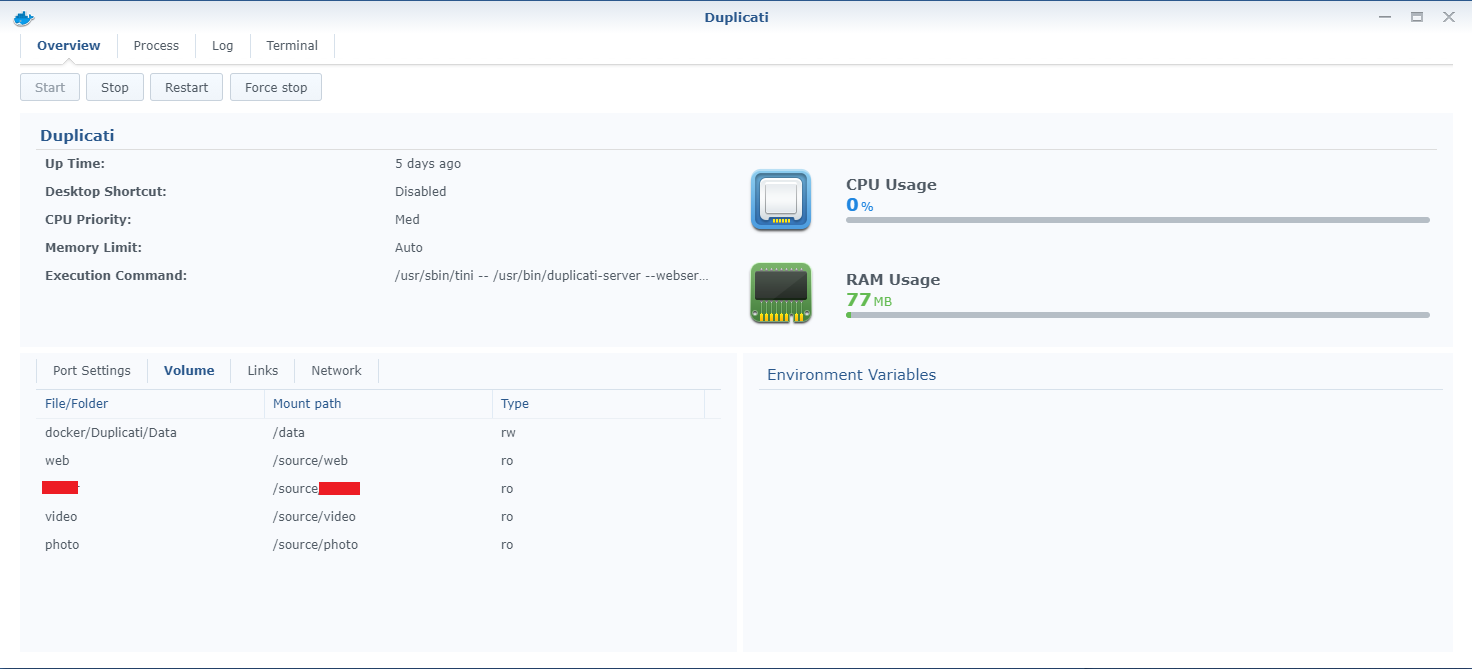
EDIT: I just took all default environment variables that it gives me when i try to deploy a new Duplicati container, pasted them in my existing container and everything works again, all backup tasks are back like normal, so it seems fixed! I am not sure how my environment variables got wiped. Thanks for the help @drwtsn32
---
### Author:  [@drwtsn32](https://forum.duplicati.com/u/drwtsn32)
#### Post date: [December 27, 2020, 2:56pm UTC](https://forum.duplicati.com/t/duplicati-userdata-gone-after-container-restart/11381/8 "2020-12-27T14:56:22Z")
Good catch! Not sure how your variables were wiped out either. Glad you were able to resolve the issue!