# 3 UI Issues to v2.4.0.1 and one Question
**URL:** https://forum.duplicati.com/t/3-ui-issues-to-v2-4-0-1-and-one-question/22782
**Category:** Support
**Created:** [October 10, 2026, 9:32am UTC](https://forum.duplicati.com/t/3-ui-issues-to-v2-4-0-1-and-one-question/22782 "2026-10-10T09:32:31Z")
**Posts on this page:** 3
**Page:** 1
### Author:  [@Morbidity4685](https://forum.duplicati.com/u/Morbidity4685)
#### Post date: [October 10, 2026, 9:32am UTC](https://forum.duplicati.com/t/3-ui-issues-to-v2-4-0-1-and-one-question/22782/1 "2026-10-10T09:32:31Z")
Hello.
I tried the new 2.4.0.1 in a VM (Ubuntu 26.04. LTS to be precise) and found 3 issues i wanted to ask if they should function like that but the UI is broken or if i found real issues:
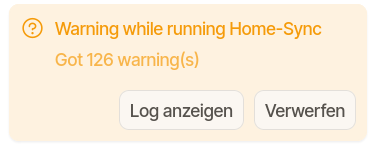
First of all for the Sync-Mode: when i create a new Sync from the UI, i get about 120-126 Errors (yellow), but cant see them and only get this white message with no options. I guess, its permission wise, bc i have a system service and the original files had user permissions, now they have root permissions (but after restore the permissions set back to user, so i think, the issue is only UI-related?)

Secondly, if i want to restore from the Sync-Profile over the UI, i get the following SQL-DB Error (translated to “SQL could not create Index” and “DB could not be updated”):
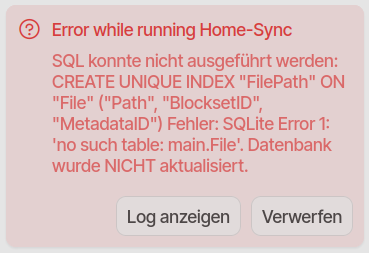
The restore over the file manager works fine with drag and drop, also permission restore. So is this also a UI bug or should the restore only be made over the filemanager but the UI is not ready for this to tell the User (probably bc the UI wants to search the database, but the Sync-mode has no database if i think correctly?)
Third question to the Multible-Destination-Feature: i made a backup with 2 destinations and simulated a crash on one destination (renamed folder): the restore ONLY works if the first destination is online, the second and so on wont be used for restoring files and i get “database repair” errors.
Is this how it was designed, that the second or third destination are only the backup of the backup and can ONLY be used when restoring from the plain backup destination without the config-file?
Last question is regarding the cloud UI: i dont use it right now and only access the backup-clients locally in the browser. Is there a way or plan to do a docker self hosting option for all my administrated machines? This would be cool and handy for easier monitoring without driving to my family members.
If i forgot informations or u need additional details about my errors, please let me know, i hope this issues can be fixes easily : )
---
### Author:  [@kenkendk](https://forum.duplicati.com/u/kenkendk)
#### Post date: [October 11, 2026, 5:41pm UTC](https://forum.duplicati.com/t/3-ui-issues-to-v2-4-0-1-and-one-question/22782/2 "2026-10-11T17:41:21Z")
> [@Morbidity4685](#):
>
> First of all for the Sync-Mode: when i create a new Sync from the UI, i get about 120-126 Errors (yellow), but cant see them and only get this white message with no options. I guess, its permission wise, bc i have a system service and the original files had user permissions, now they have root permissions (but after restore the permissions set back to user, so i think, the issue is only UI-related?)
That is an issue with sync. It does not log any of the messages, so at the end you have nothing to view. It has been fixed in canary 2.4.0.104, and will be included in the stable release at a later point.
To view the warnings, you need two tabs open. In one tab, go to “About Duplicati” → “Logs” → “Live” and choose the level “Warning”. Then on the other tab, run the sync job. The log tab will then show the warnings.
> [@Morbidity4685](#):
>
> Secondly, if i want to restore from the Sync-Profile over the UI, i get the following SQL-DB Error (translated to “SQL could not create Index” and “DB could not be updated”):
How do you do that? You cannot restore anything from a Sync job as it is a one-way copy. Is there a menu that suggest you can?
> [@Morbidity4685](#):
>
> Is this how it was designed, that the second or third destination are only the backup of the backup and can ONLY be used when restoring from the plain backup destination without the config-file?
That does not sound like it was intended. The two destinations should be identical. Can you explain in steps how I can reproduce this error?
> [@Morbidity4685](#):
>
> Last question is regarding the cloud UI: i dont use it right now and only access the backup-clients locally in the browser. Is there a way or plan to do a docker self hosting option for all my administrated machines? This would be cool and handy for easier monitoring without driving to my family members.
That sounds like what the Duplicati console is meant to do. You connect all the clients to the console, and then you manage them from there. If you mean a self-hosted console, that is not available as a free product (and not currently suited for small-scale setups).
---
### Author:  [@Morbidity4685](https://forum.duplicati.com/u/Morbidity4685)
#### Post date: [October 11, 2026, 6:53pm UTC](https://forum.duplicati.com/t/3-ui-issues-to-v2-4-0-1-and-one-question/22782/3 "2026-10-11T18:53:25Z")
Thank you for the reply. I will try to answer your questions as precise as possible:
> [@kenkendk](#):
>
> How do you do that? You cannot restore anything from a Sync job as it is a one-way copy. Is there a menu that suggest you can?
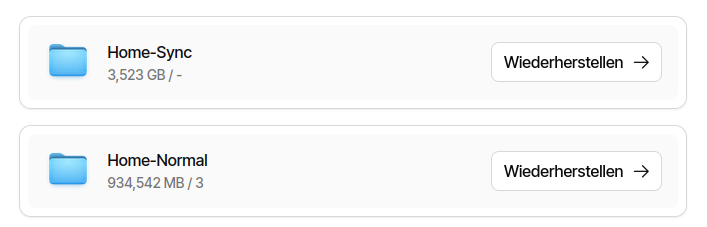
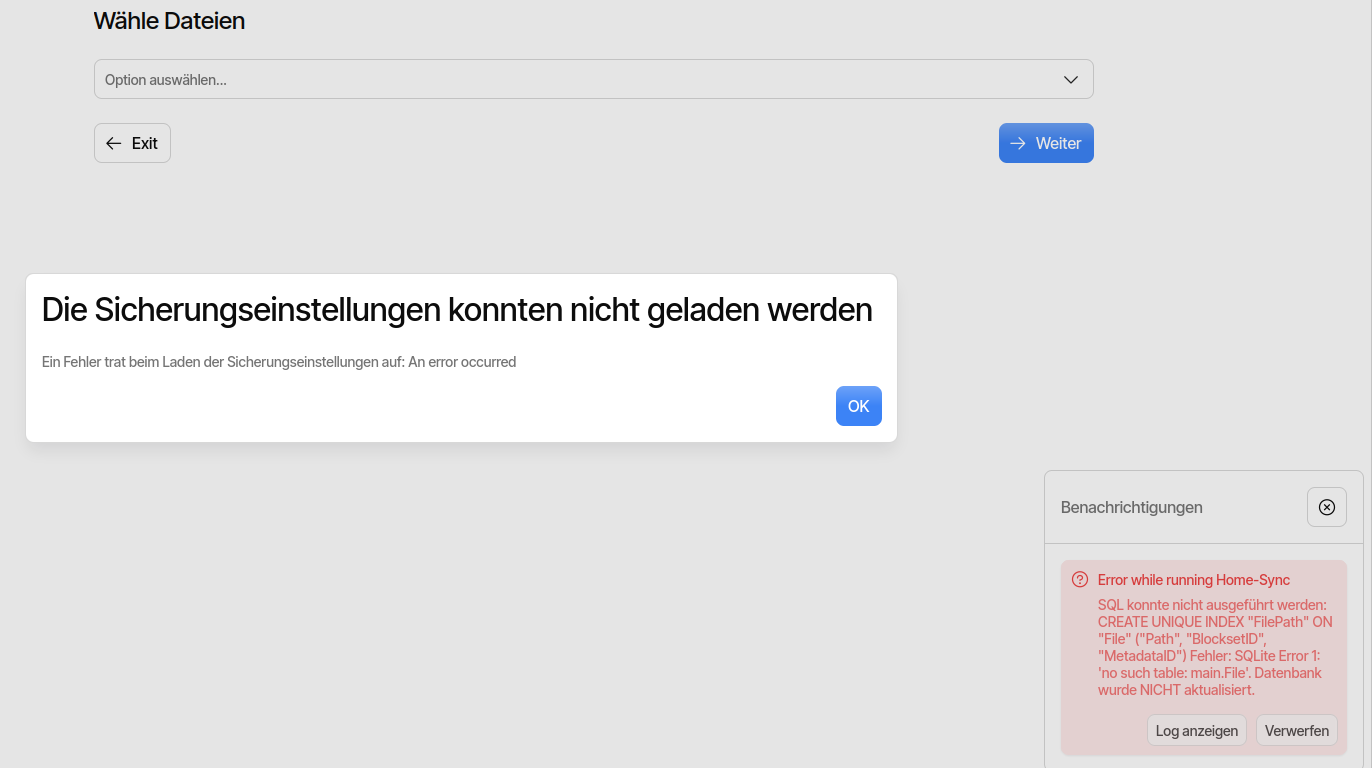
I can choose “Restore” on the left hand side of the Duplicati-Web-UI, select the Sync-Job, and it starts to look for the Versions like the regular Backup-Jobs. So i guess, its a feature-UI-incompatibility, that its not checking, which type of “file-transfer” (sync vs. block) is able to do the restore and which is not:
> [@kenkendk](#):
>
> That does not sound like it was intended. The two destinations should be identical. Can you explain in steps how I can reproduce this error?
The destinations are identical and will be updated on every backup-run like expected. How to reproduce:
1. create a new backup job with 3 destinations (i choose 3 (ziel1, ziel2 and ziel3), but 2 should bring the same error)
2. backups are made in every destination as expected
3. rename or delete the second or third folder or both → backup should be restorable from first destination “ziel1”
4. now rename the 2. and 3. destination to the original name (ziel2 and ziel3) and rename the first one
5. trying to restore a file will give the error “destination ziel1 does not exist”
6. rename the first folder to “ziel1” will result in successfull backup
7. doing a manual restore from the UI \> Restore \> Restore from Backup-Files \> navigate to “ziel2” or “ziel3” will work.
> [@kenkendk](#):
>
> If you mean a self-hosted console, that is not available as a free product (and not currently suited for small-scale setups).
Yes, i asked for a option to selfhost it on my own hardware. So do i read it correctly, that it is possible only on paid plans or not at all?